Support Document
 Support Document
How to enter Variations pricing?
There are two ways to add the price of variations from Item Master.
Variations:- It will allow the user to enter only variations prices. So when you ring up an item, it will appear variations price only.
Variations + Retail price:- It will allow the user to enter variations price and Retail price also, So when you ring up an item, it will appear Retail Price of an item and It will appear variations pop up window to select variation and that variation price will be added to the subtotal.

Variations:- It will allow the user to enter only variations prices. So when you ring up an item, it will appear variations price only.
Variations + Retail price:- It will allow the user to enter variations price and Retail price also, So when you ring up an item, it will appear Retail Price of an item and It will appear variations pop up window to select variation and that variation price will be added to the subtotal.
- To set a variation price, go to the pricing tab.
- If you need to set only the variation price, select the radio button of variation.
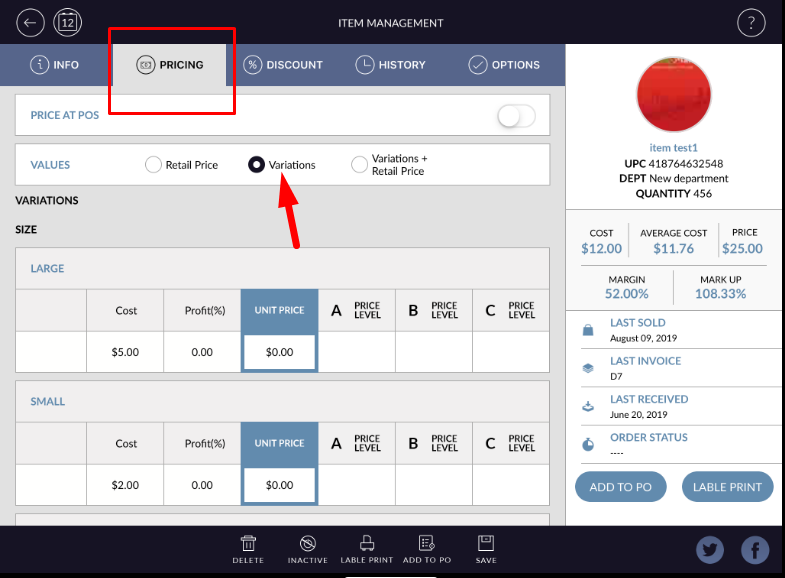
- It will appear only variations price section in the item.
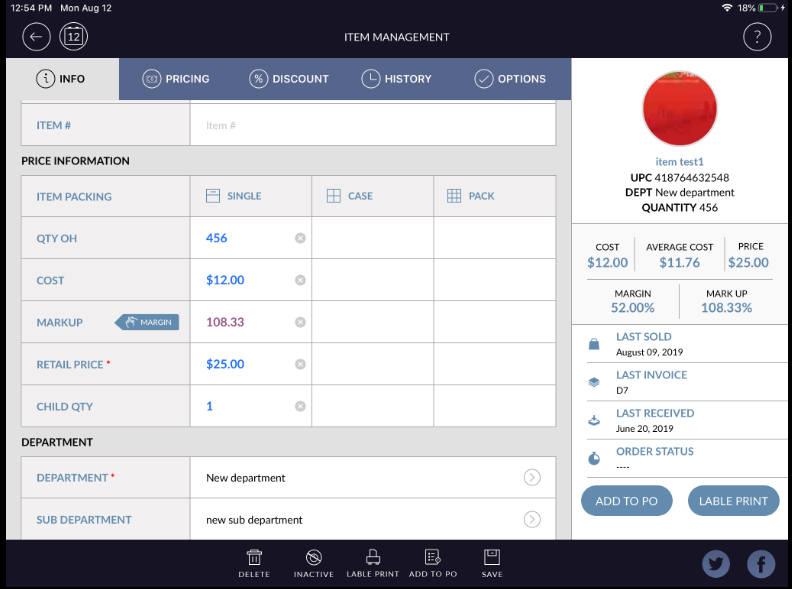
- If you need Retail price with Variations, Please select the Variations + Retail price radio button.
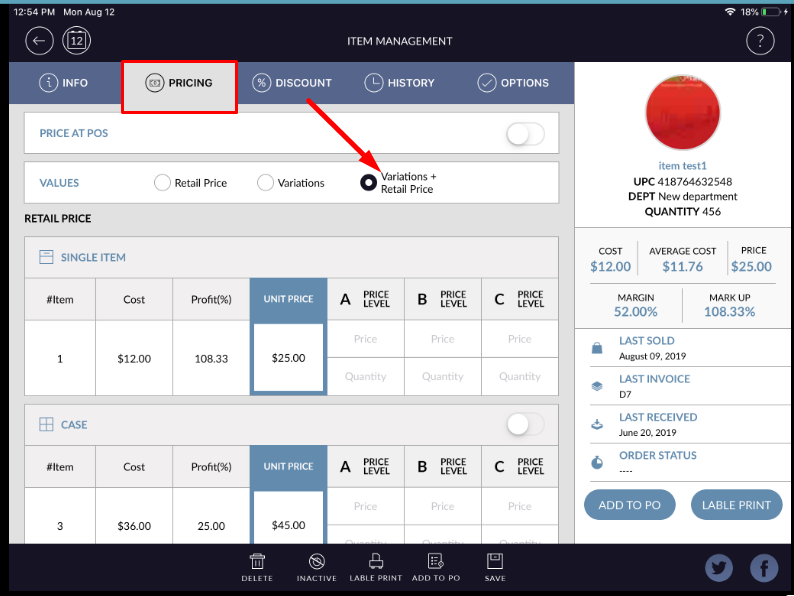
- Retail price and variation price options will appear in the item pricing section.
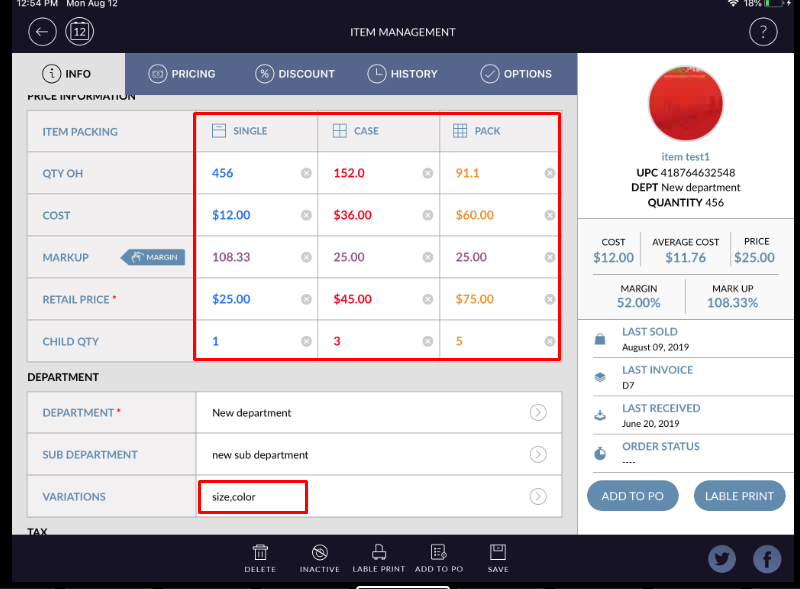
- Thus, variation prices can be set in the item.