Support Document
 Support Document
How to edit the category of the department from Back-office?
Please note that when you change the category name, its effect will appear in Department, Shirt report, X
Report, Z Report, and ZZ report as well.
Please follow the below steps:-
Please follow the below steps:-
- Login to BOS with your user credentials.
- Tap menu
 (located on the top right side)
 - Tap Inventory > Department Category option.
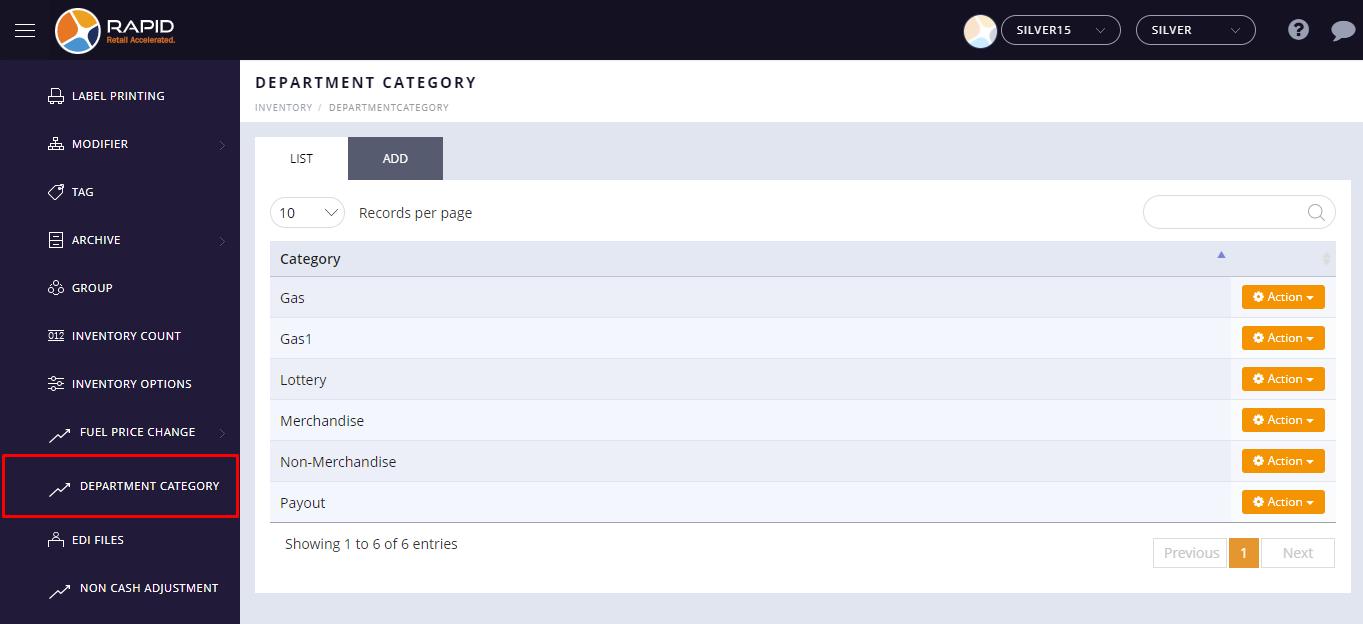
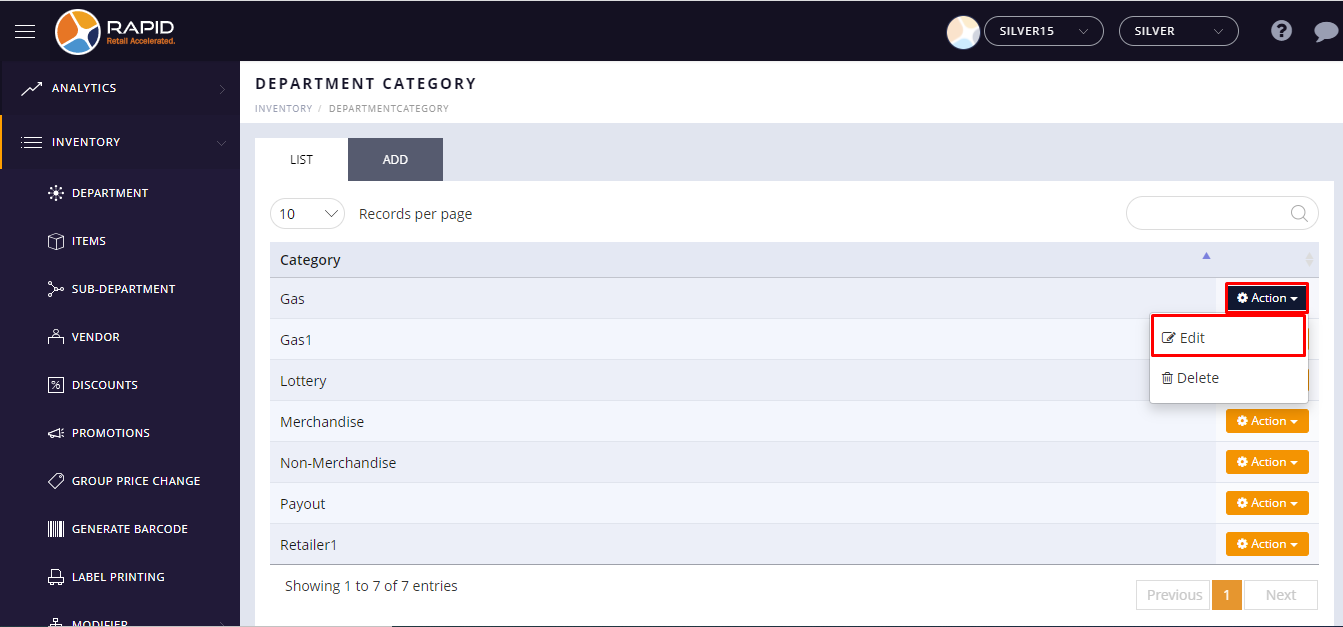
- Click on the action button.
- To edit the category, click on the Edit button.
- Now, update or change the category name.
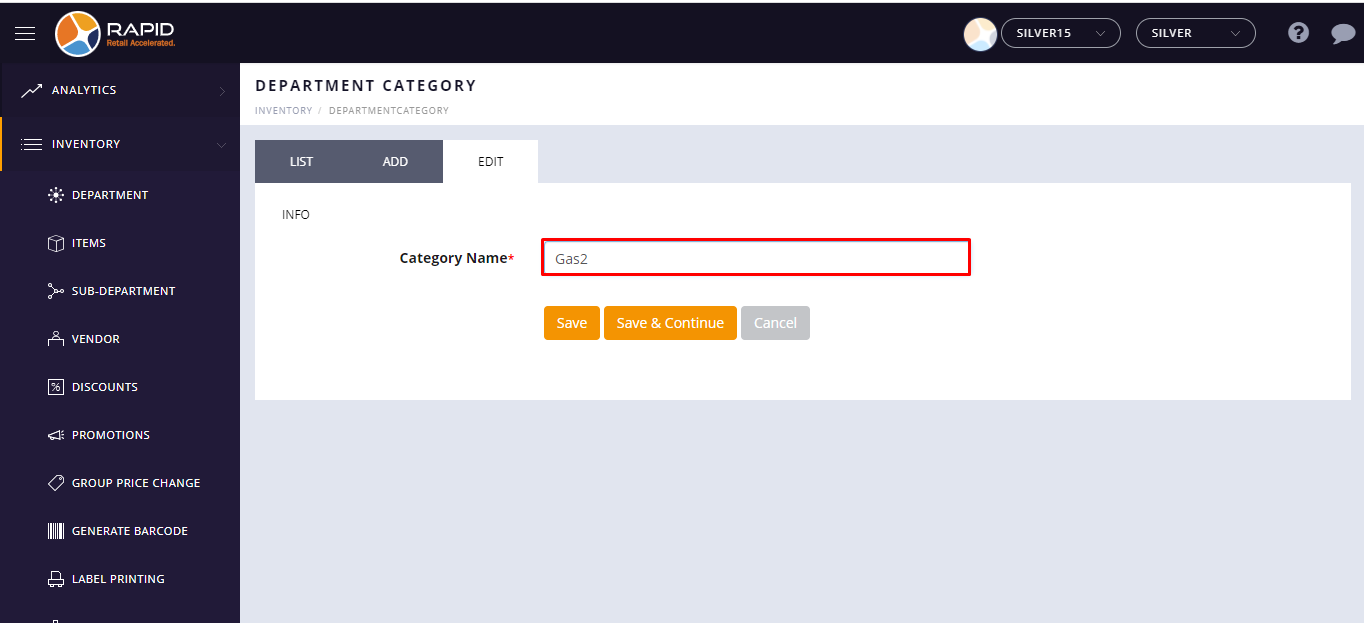
- Tap on the Save button.