Support Document
 Support Document
How to edit an existing tender from BOS?
- Log in to the Back office with your credentials.
- Now go to settings. You may need to scroll down to select the settings option.
- Select the Store option from the list.
- Click on the payment type option from the list.
- To update an existing tender, Click on the action button.
- Select the Edit button.
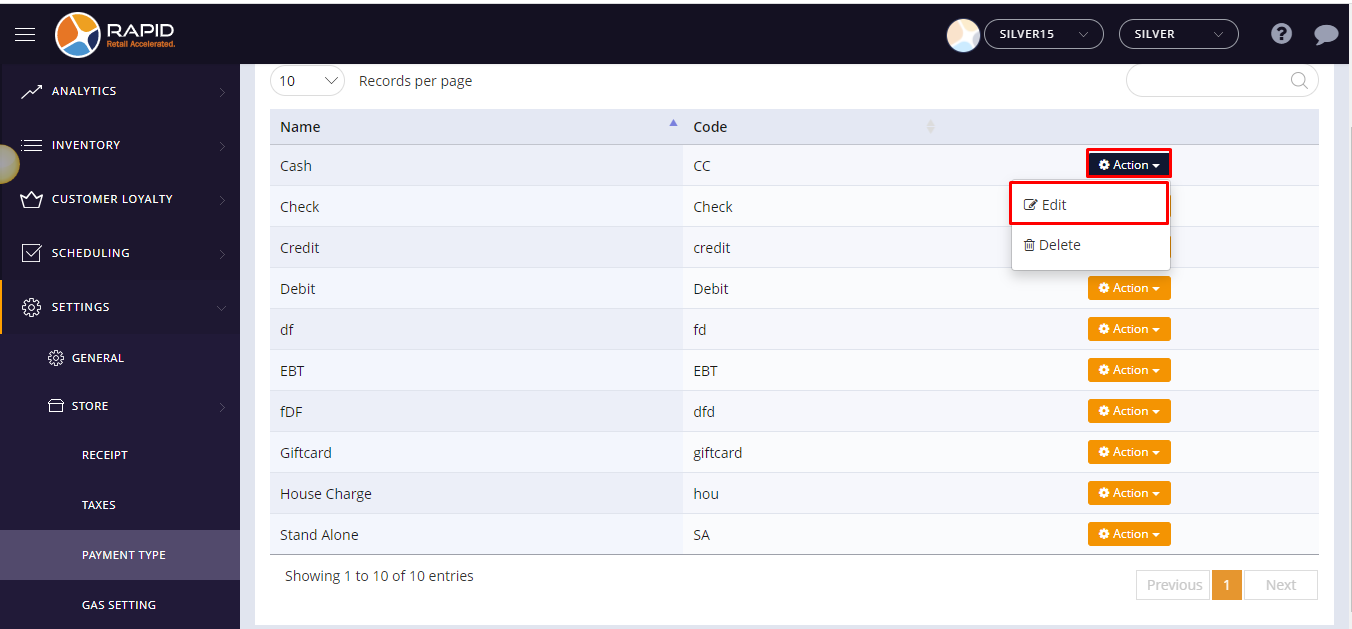
- Change the details that you want to update.
- Click on the Save button.
- If you do not want to save any changes click on the close button.