Support Document
 Support Document
How to edit a gateway from Back-office?
Please follow the below steps:-
- Login to BOS with your user credentials.
- Tap menu
 (located on the top right side)
 - Tap settings.
- Tap store.
- Scroll to see the Gateway option. Select the Gateway option.
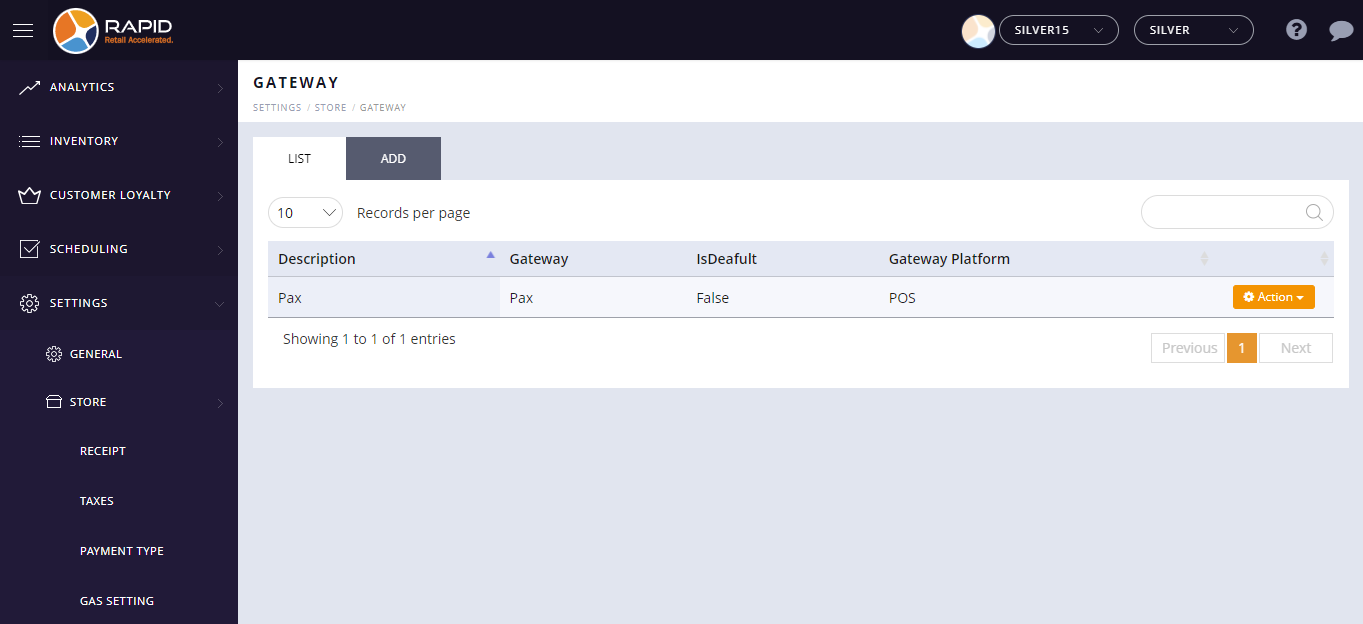
- To update the gateway, click on the action button and select the edit option.

- It will open the record in edit mode.
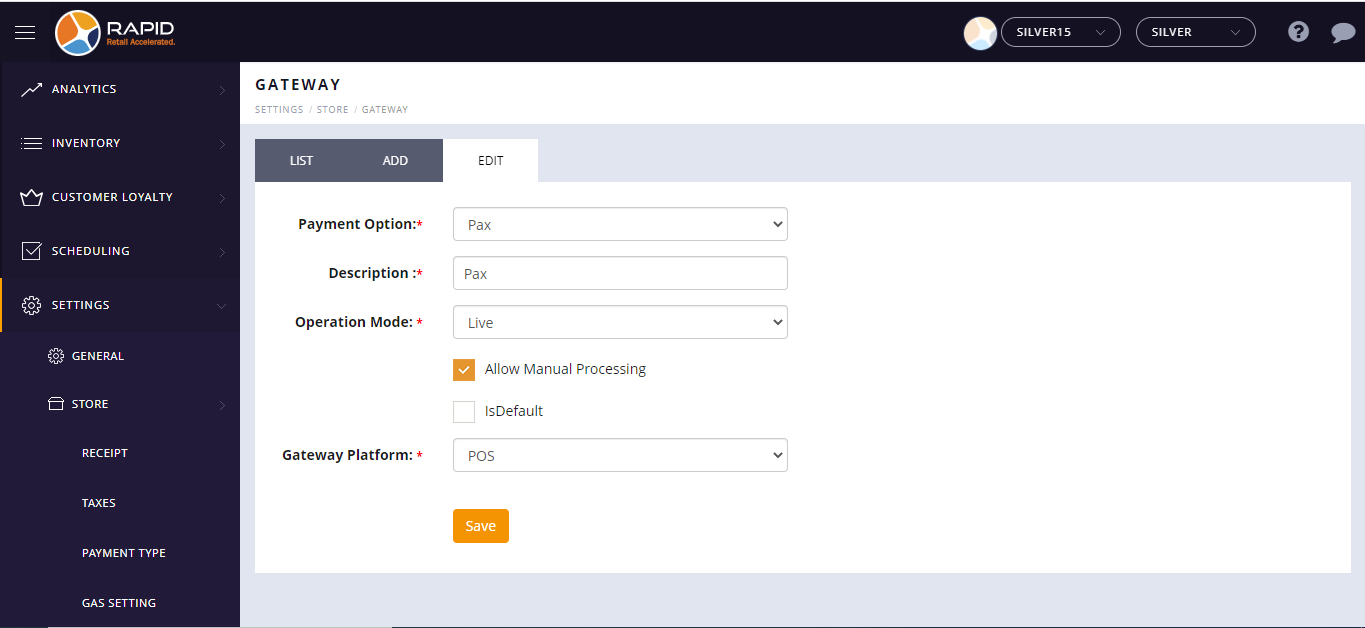
- Change the details you want to update.
- Click on the Save button.