Support Document
 Support Document
How to deposit?
When a store has to make a deposit on any item and when after completion of item limit store want to return
that item then deposit functionality used.
Set deposit
Set deposit
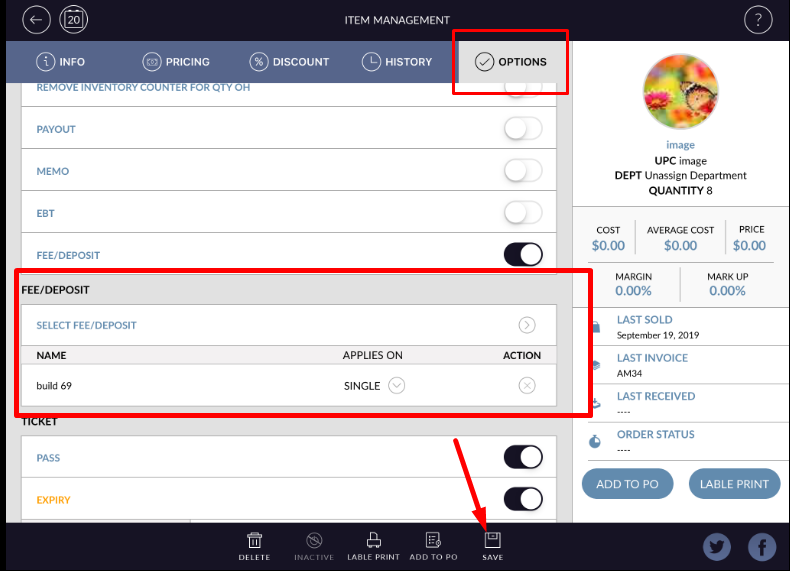
- Go to the inventory management module.
- Open any item in edit mode.
- In option ON fee/deposit.
- Whichever fee/deposit available in-store it will display in the list.
- Select any of deposit.
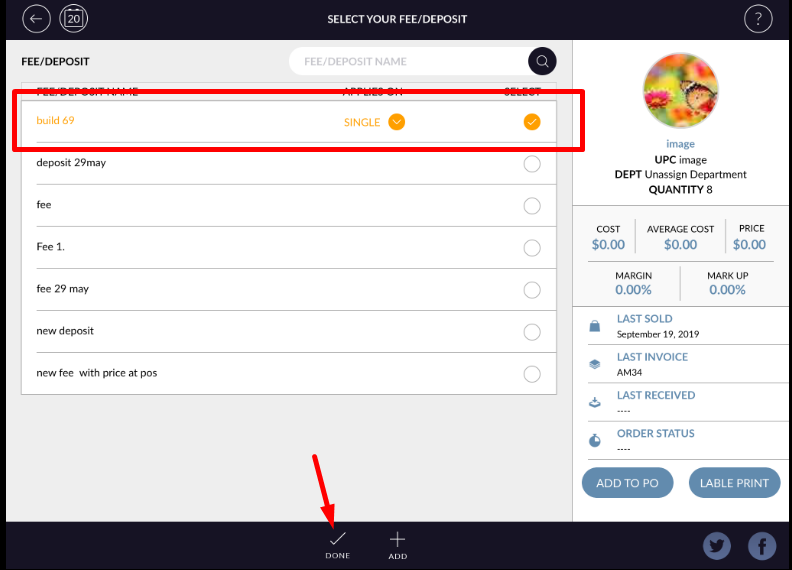
- Save item.
- Go to the cash register.
- At the bottom bar, there is one option named as more click on that option.
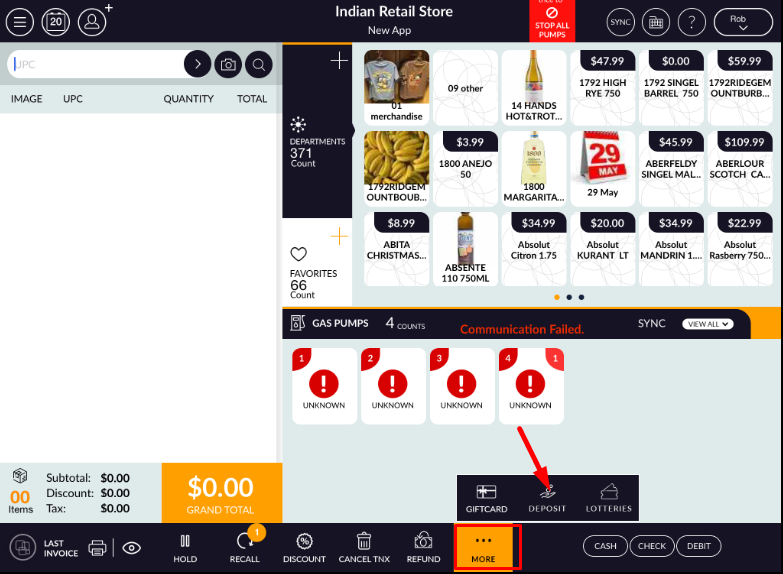
- Click on deposit from all of them.
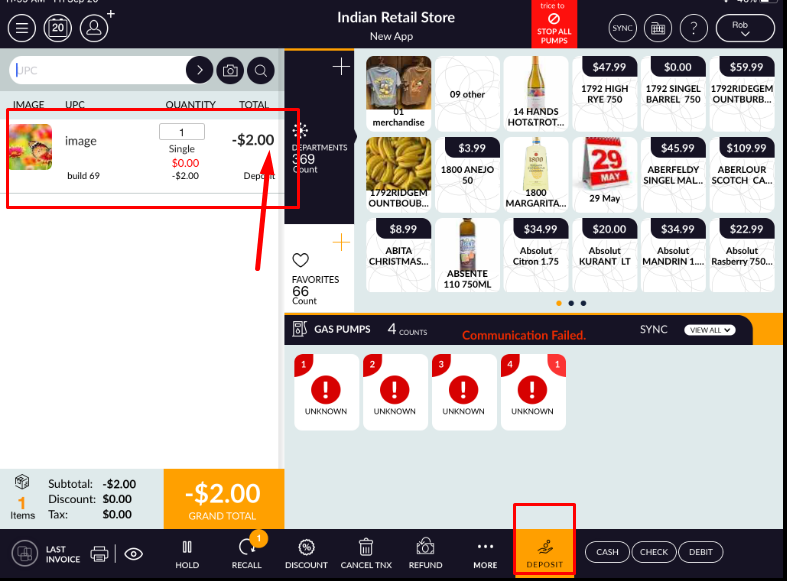
- Now ring up the item in which deposit applied.
- Item will ring up with deposit amount.
- By this way, the deposit amount will return.