Support Document
 Support Document
How to Delete Import EDI from List?
When any store wants to delete any import EDI from list then they can delete from list by delete
functionality.
Follow below steps to delete import edi.
Follow below steps to delete import edi.
- Open any browser, Go to https://www.rapidrms.com/Account/Branchlogin
- In the Sign in page, Login with your store credential.
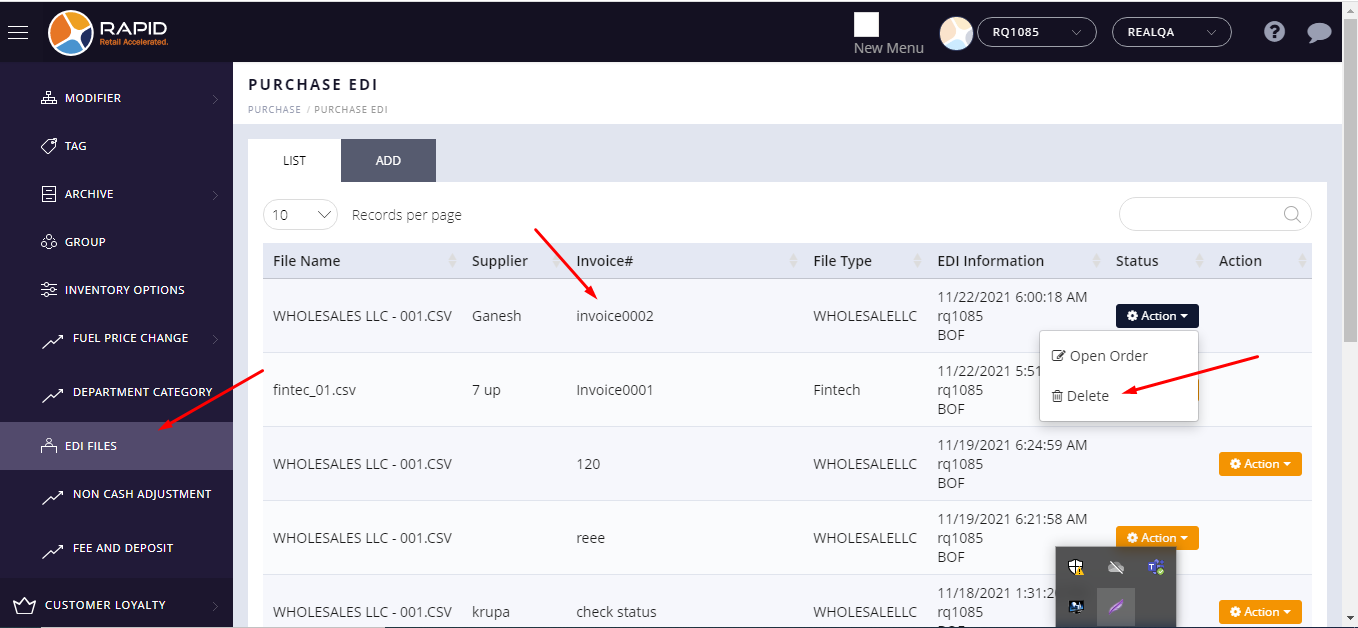
- In the Left side menu, In inventory go to EDI File option.
- In List, you can see import edi list.
- If you want to delete any edi from list then you have to click on Action button.
- Now click on the delete button.
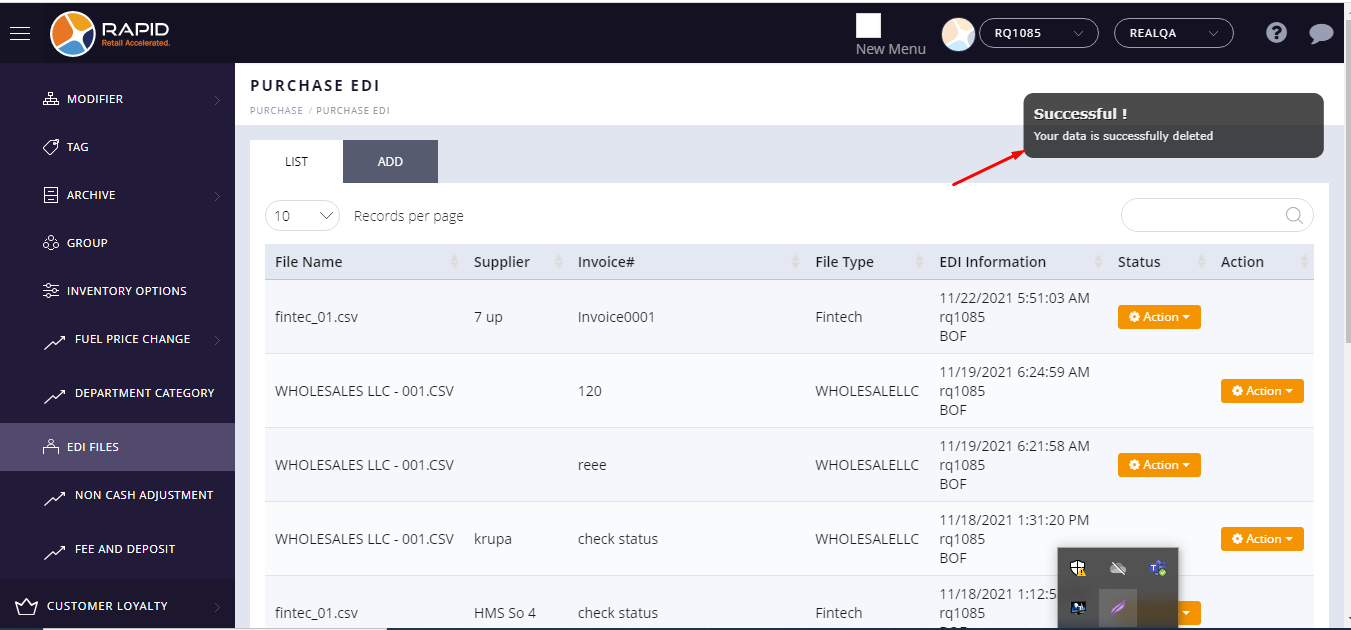
- Your EDI will delete successfully and one successfully msg will display.