Support Document
 Support Document
How to datele existing Fees and Deposits?
Based on order and receive qty system display status in the reconcile page.
Follow below steps to import EDI File.
Follow below steps to import EDI File.
- Open Rapidrms application.
- Go to the Inventory management module.
- Enter your quick access password.
- At the top left, click on the three lines (Hamburger) button
 .
.
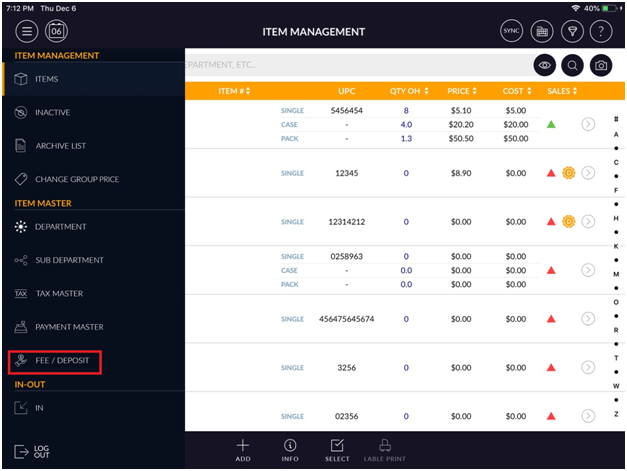
- Select the Fee and Deposit option from the Item Master menu.
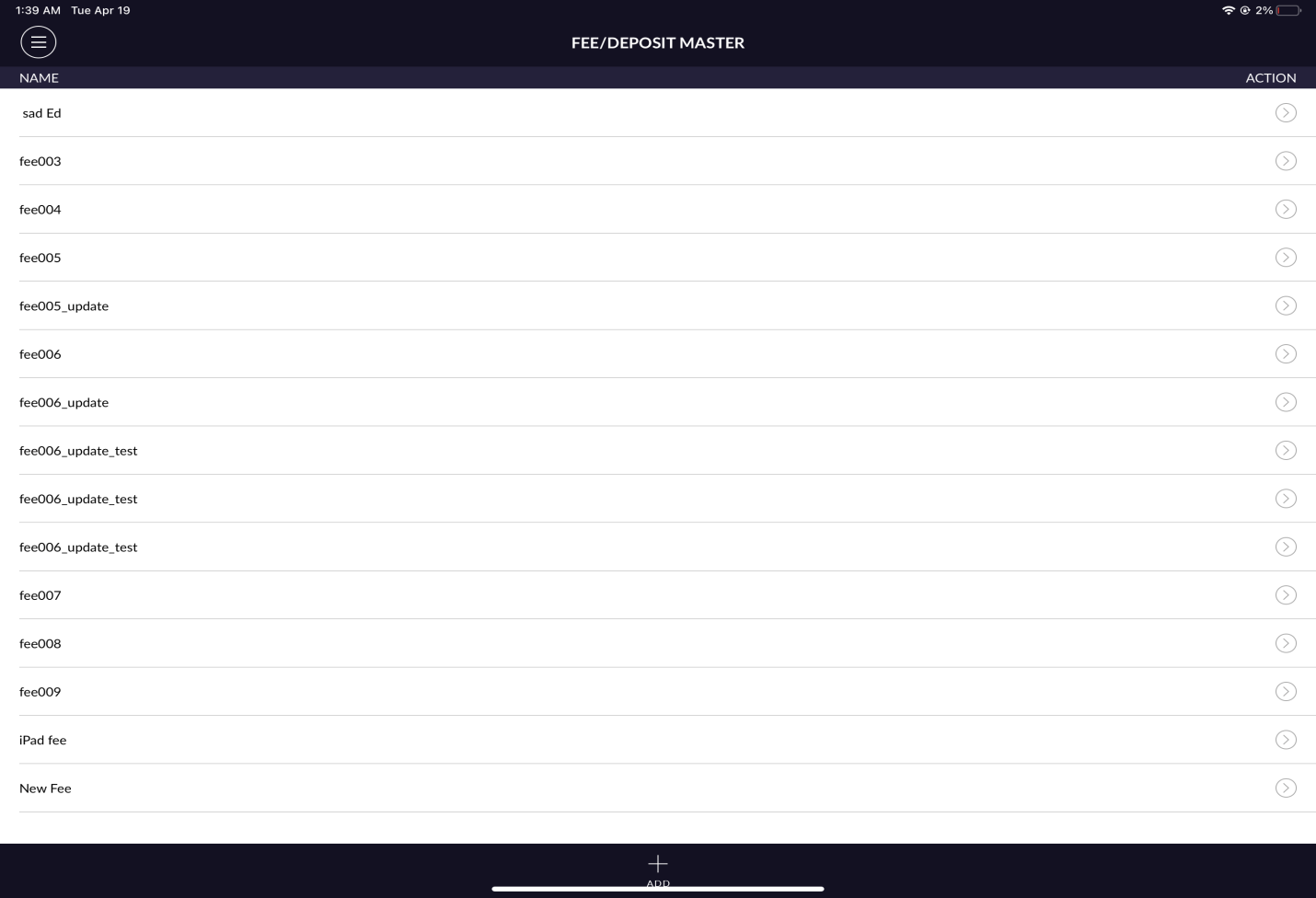
- It will appear existing Fee/Deposit list.
- Select the Fee/Deposit option from the list.
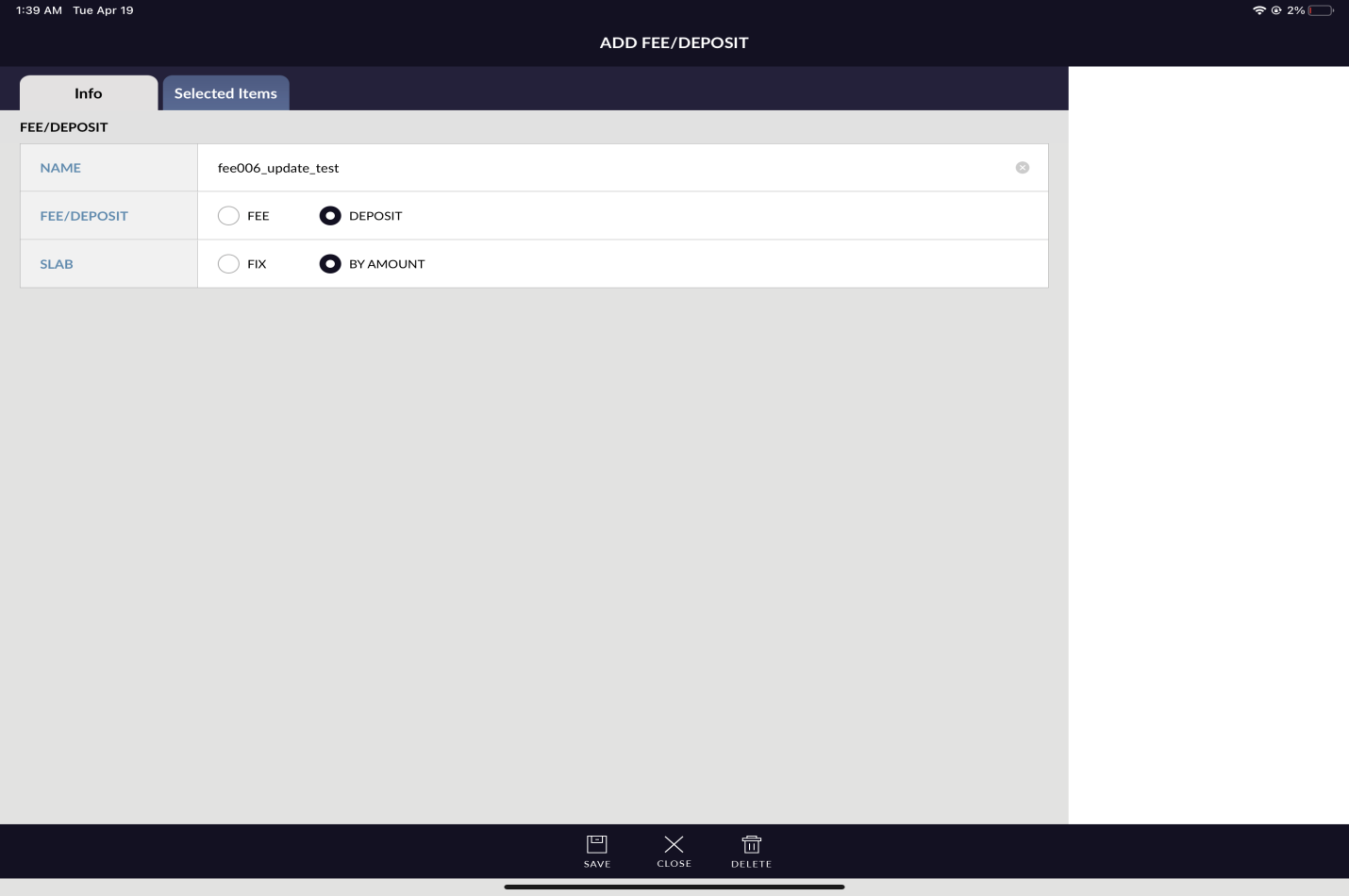
- At the bottom, click on the delete button.
- It will appear a confirmation message to delete a Fee or Deposit.
- Select the Yes option.
- Click on the Save button.
- It will move to the list page and the Deleted Fee or Deposit will not appear in the list page.