Support Document
 Support Document
How to delete an existing tender from POS?
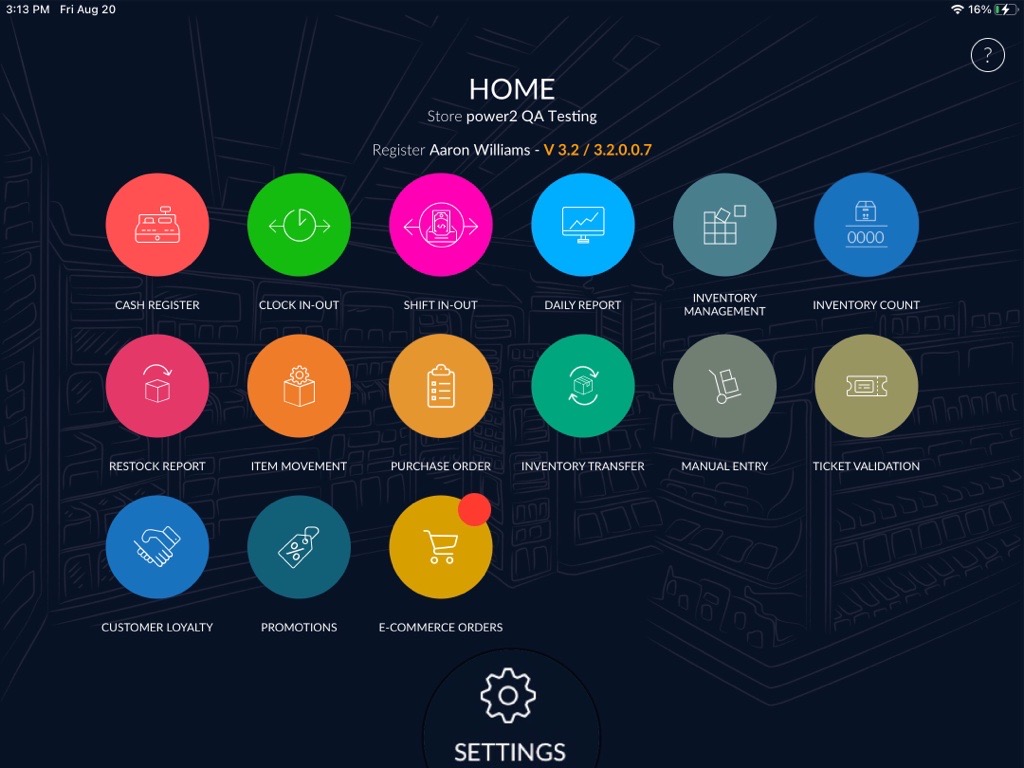
- Click on the settings option available at the bottom of the DashBoard.
- Enter your quick access password.
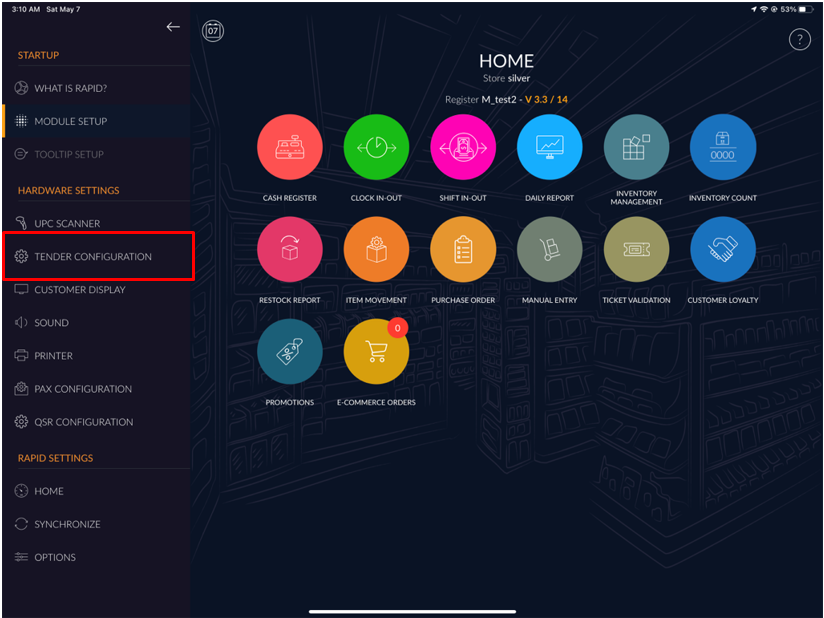
- Select the Tender configuration option from the right side menu.
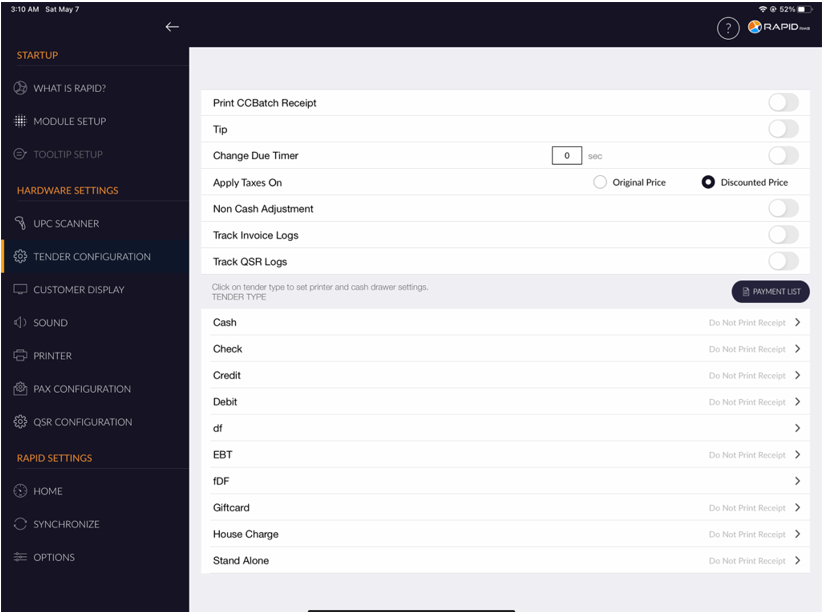
- On the below right side, click on the payment list button.
- When you click on the Payment list button, It will appear the list of an existing tender.
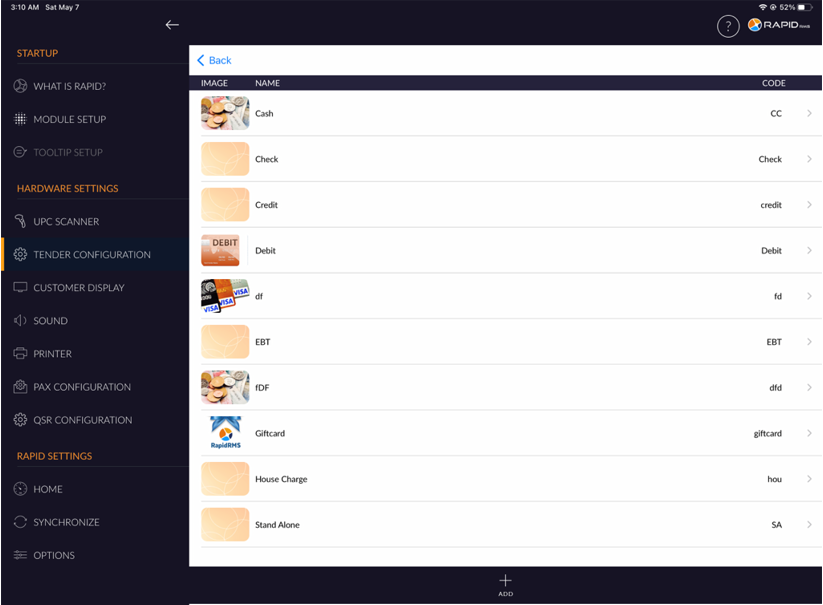
- Select the tender that you wish to delete from the list.
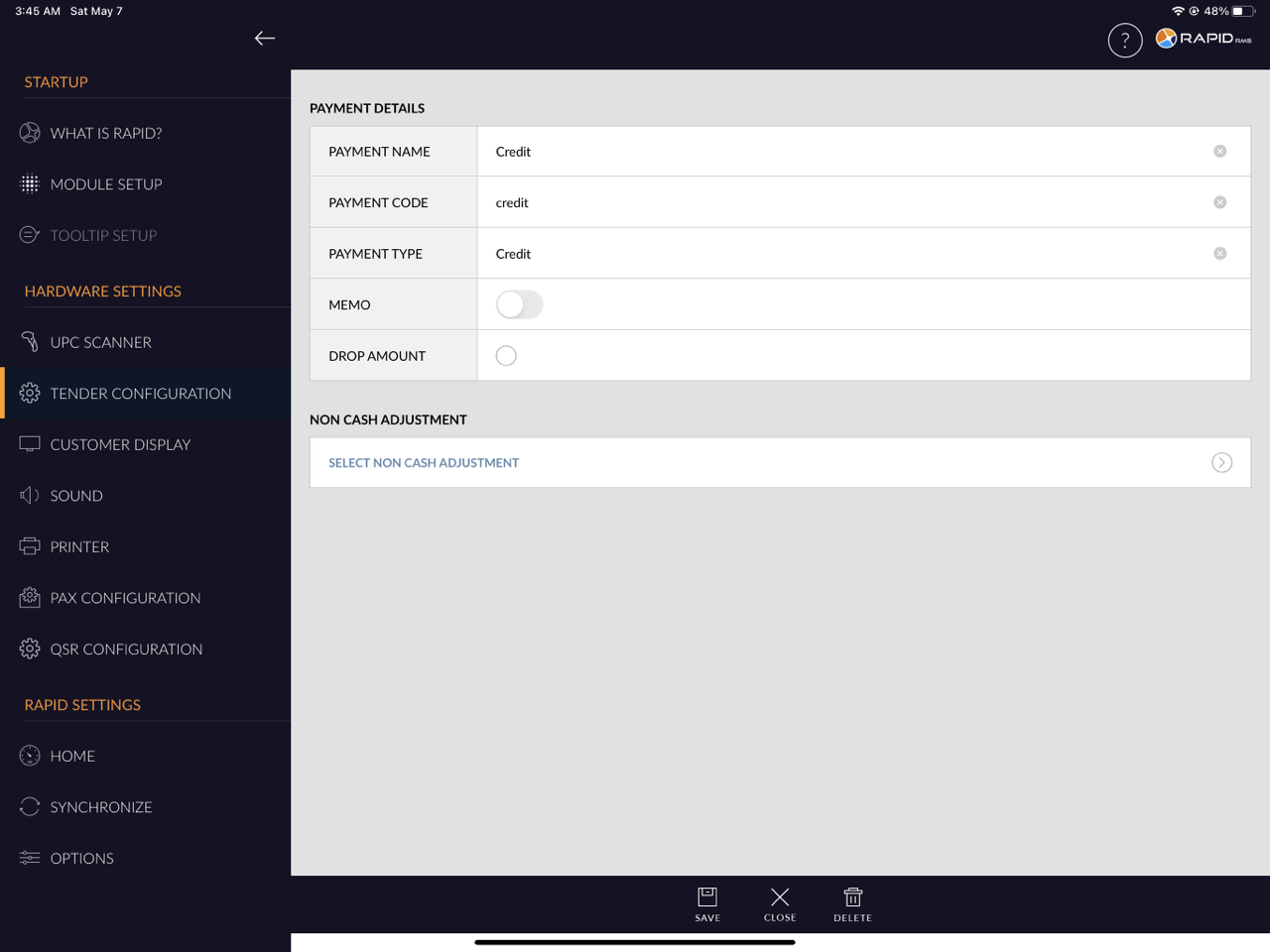
- At the bottom, click on the Delete button.
- It will not appear the removed payment in the existing list of the payment.