Support Document
 Support Document
How to create categories for a department from Back-office?
Categories are group menus to classify and structure every single item sold in a store. Categories focus on
considering how customers approach buying and how they shop in-store, and their needs. The category will
help you to track category-level sales in the report.
Please follow the below steps:-
Please follow the below steps:-
- Login to BOS with your user credentials.
- Tap menu
 (located on the top right side)
 - Tap Inventory > Department Category option.
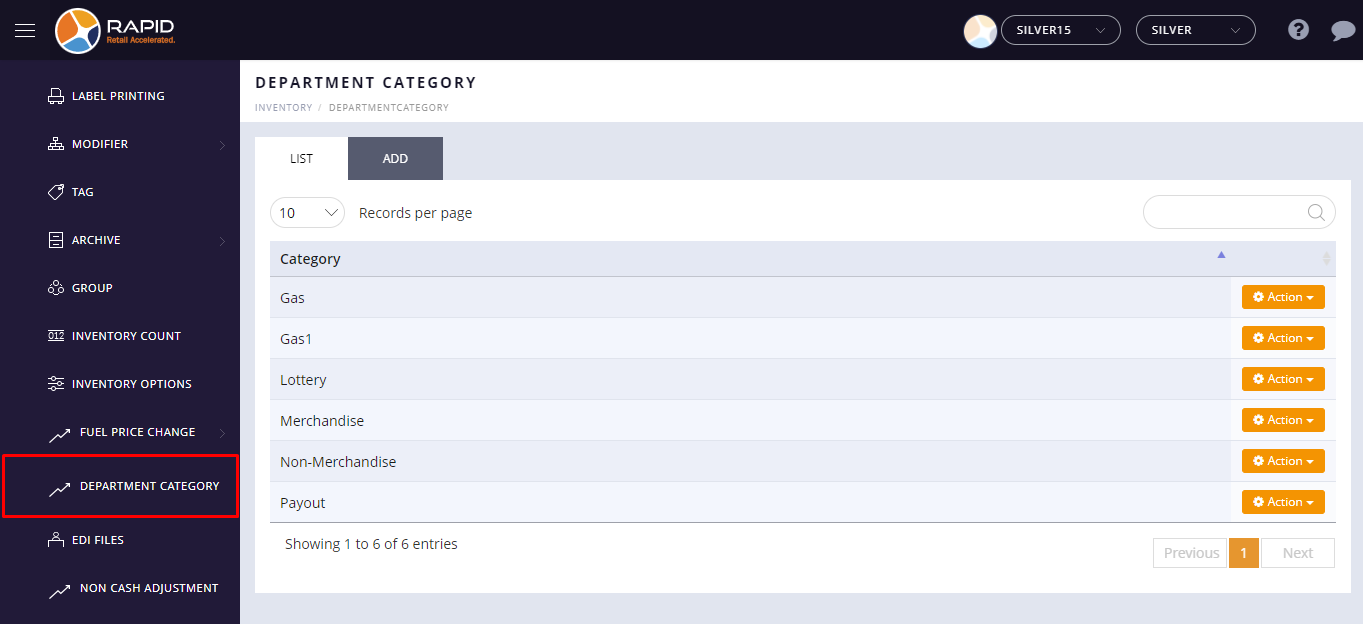
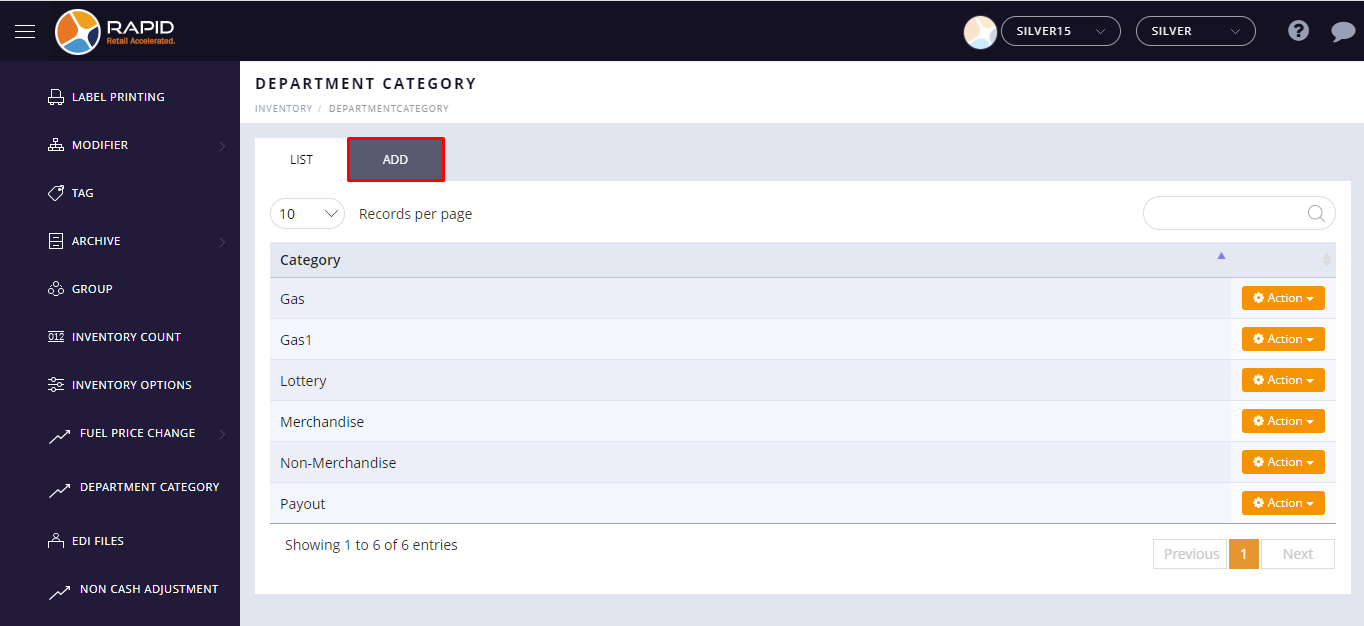
- Select the Add tab.
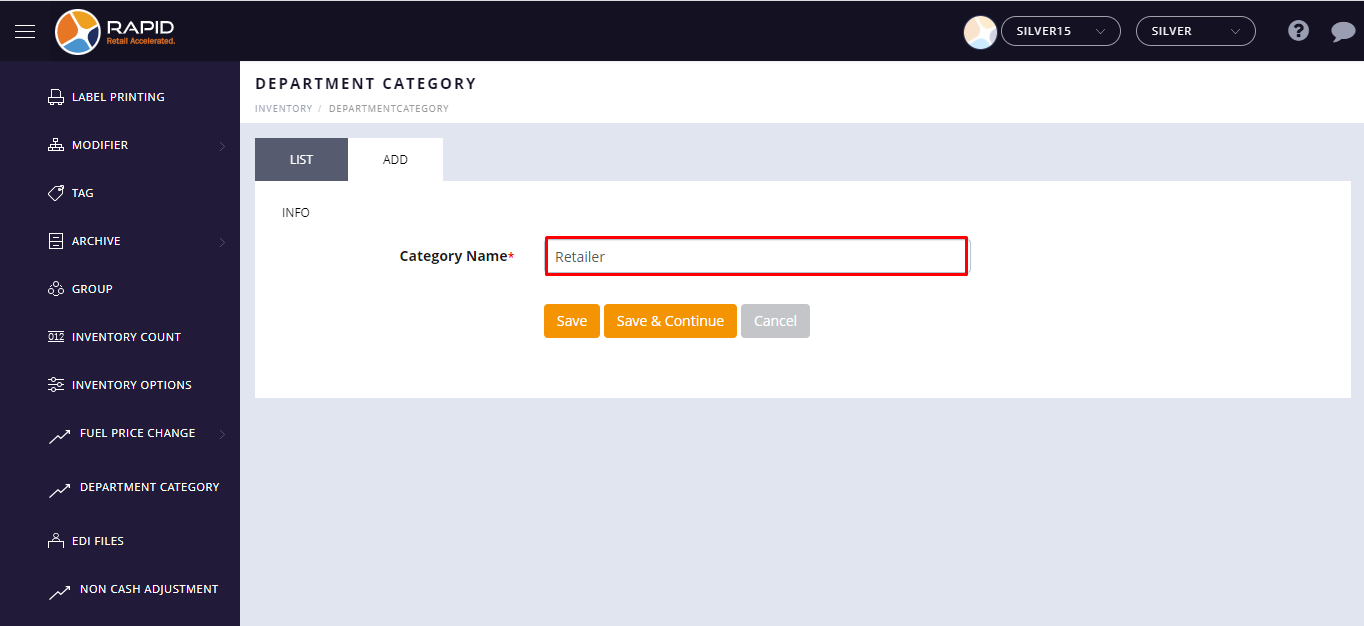
- Now, Enter the category name. Type a name for your category that indicates what items will be grouped
together for printing and reporting (Ex: Merchandise, Non - Merchandise etc).
- Tap on the Save button.
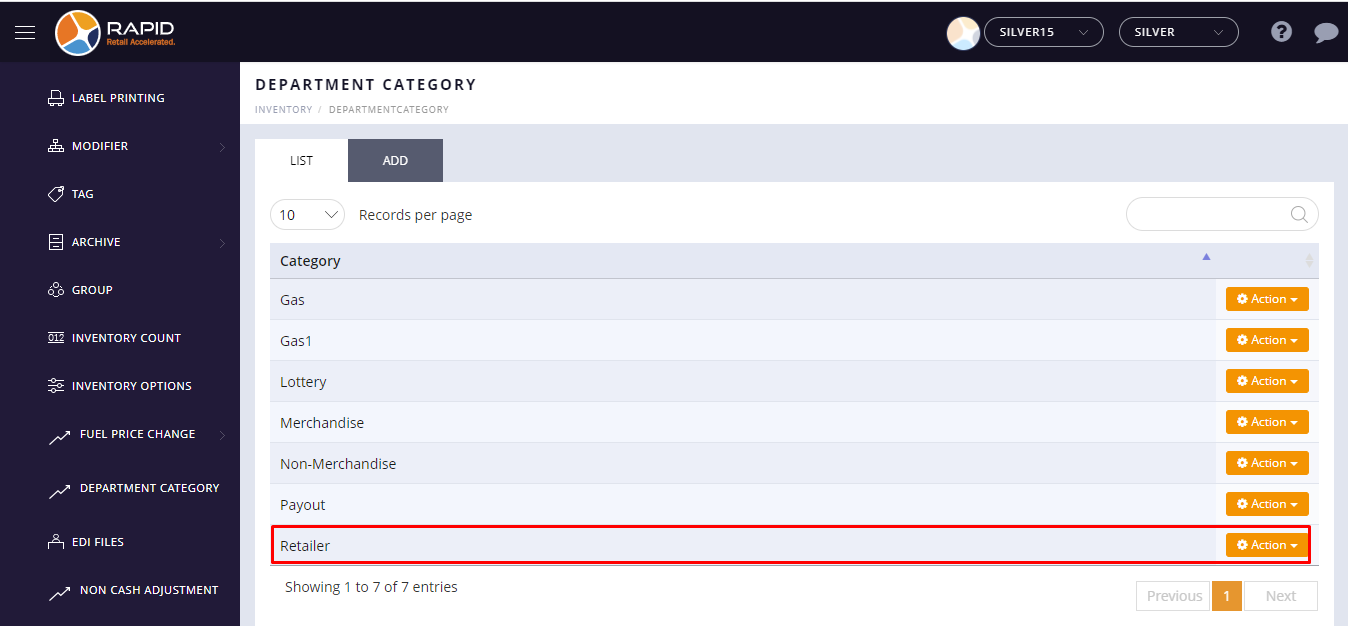
- The newly created department category will appear in the list.
- Now, go to Inventory > Department.
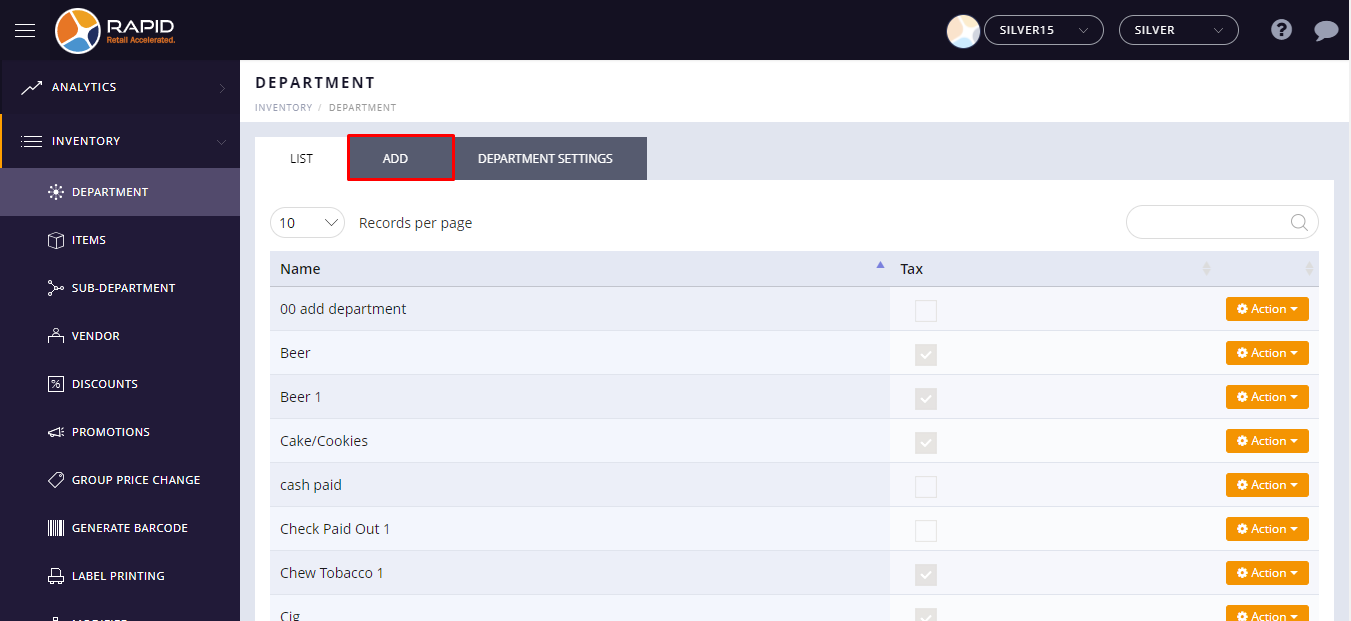
- Click on
Add Tab. - Click on the
Department Category drop-down menu. - The newly created department category will appear in the
Department Category drop-down menu.
