Support Document
 Support Document
How to Complete Counting in Inventory Count?
When from every place counting is complete then from reconciling module you can complete whole counting
(invoice).
- Go to Inventory count module.
- Open reconcile.
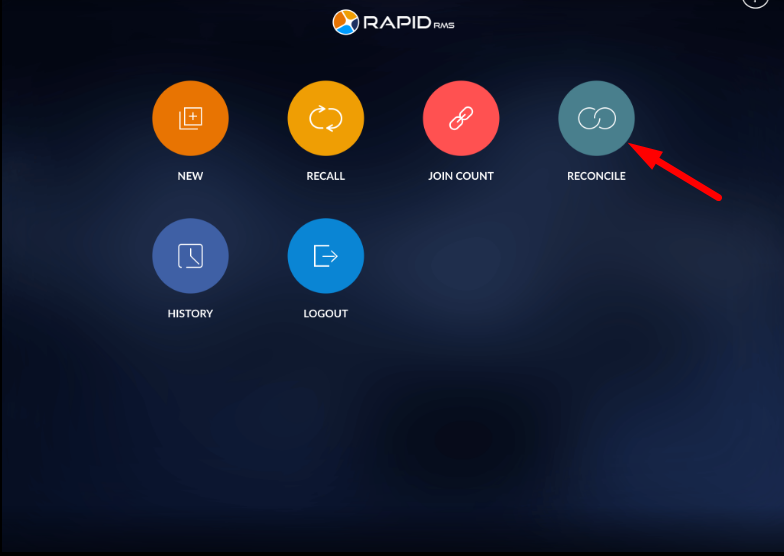
- From recall all the places counting within the invoice.
- If anyone place counting remains to reconcile, Invoice can not be complete.
- All the items listed in reconcile.
- From reconcile, you can not change item quantity or can not delete the item from invoice.
- Only you can view (All, unmatched, matched, uncounted).
- Apply complete.
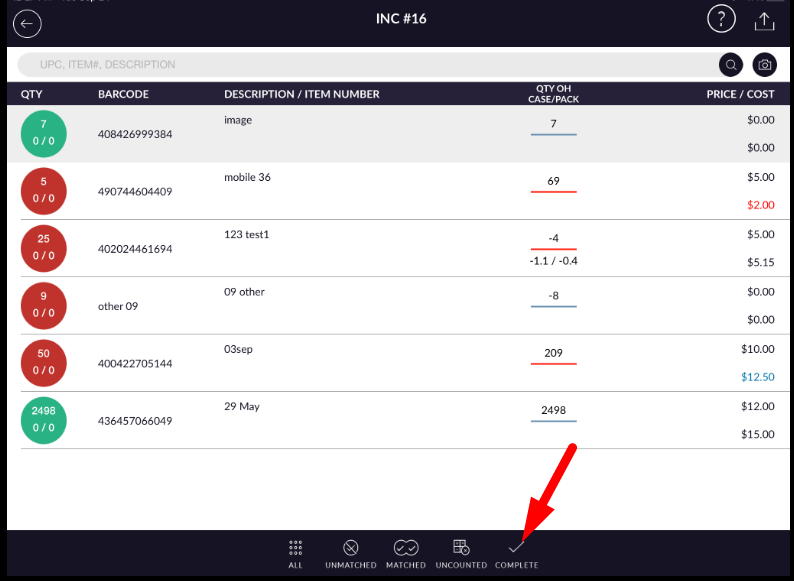
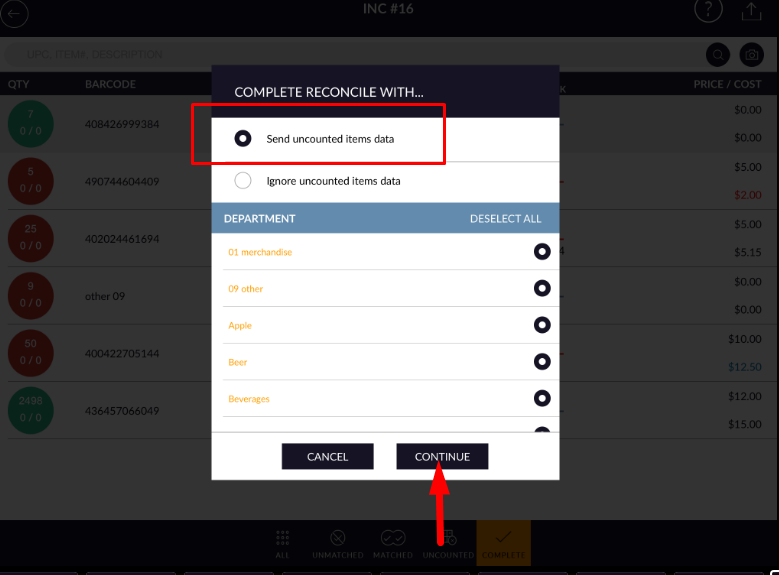
- When complete invoice displays two options.
- When you select “send uncounted data” then popup display for select/unselect department.
- Department you select, all uncounted item quantity set in qty OH field in store.
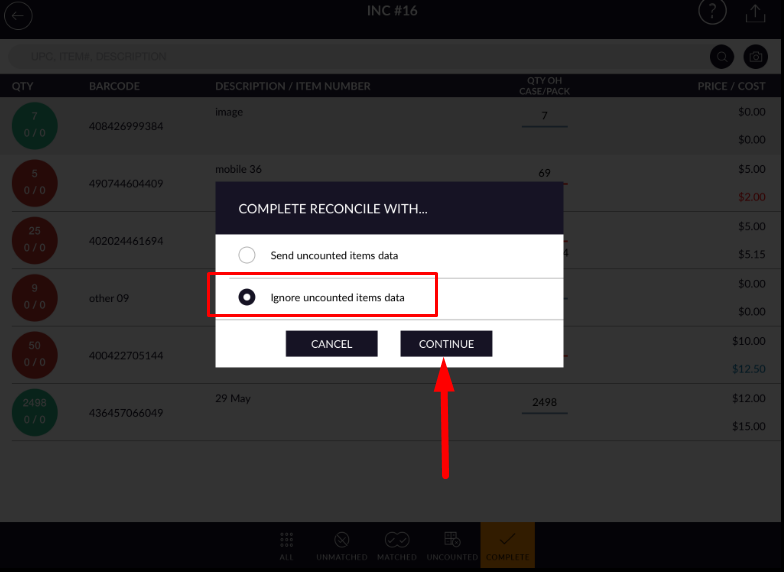
- If you select “Ignore uncounted data” Then only counted item qty change, uncounted item QTY OH will
not change, they will remain as before counting.