Support Document
 Support Document
How to archive item?
When deleting an item from item master then the item is not deleted permanently. When deleting item then it
goes in the archive list.
Weather item is active or inactive when delete item then it goes in the archive list.
From archive list when active item then that item will display in the inventory item list.
Weather item is active or inactive when delete item then it goes in the archive list.
From archive list when active item then that item will display in the inventory item list.
- Open rapid RMS application.
- Go to inventory management.
- Open item list.
- Open any item in edit mode.
- At the bottom bar, there is one option delete.
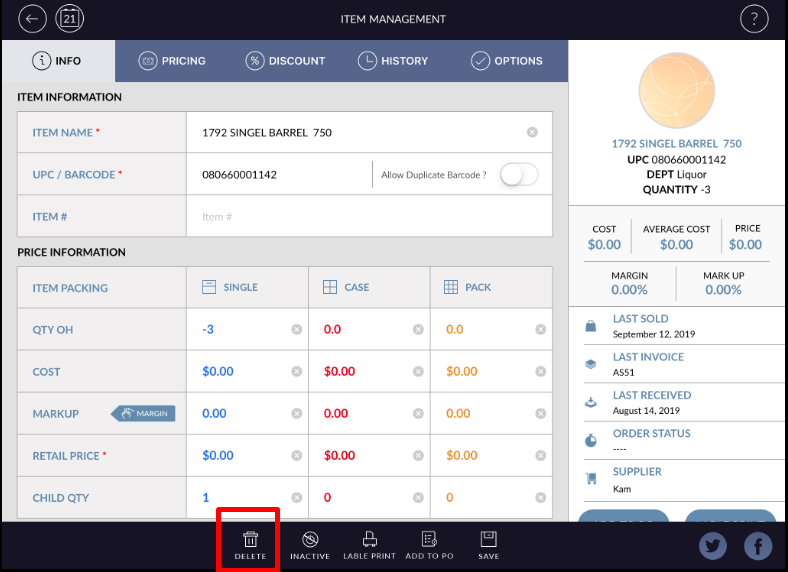
- Hot that button, item will delete and go to archive list.
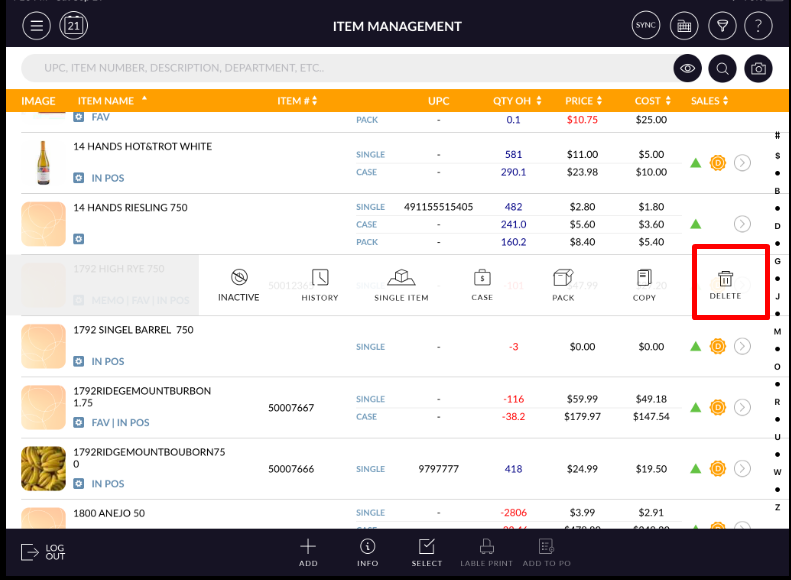
- When by swipe item delete then that item will move in the archive list.
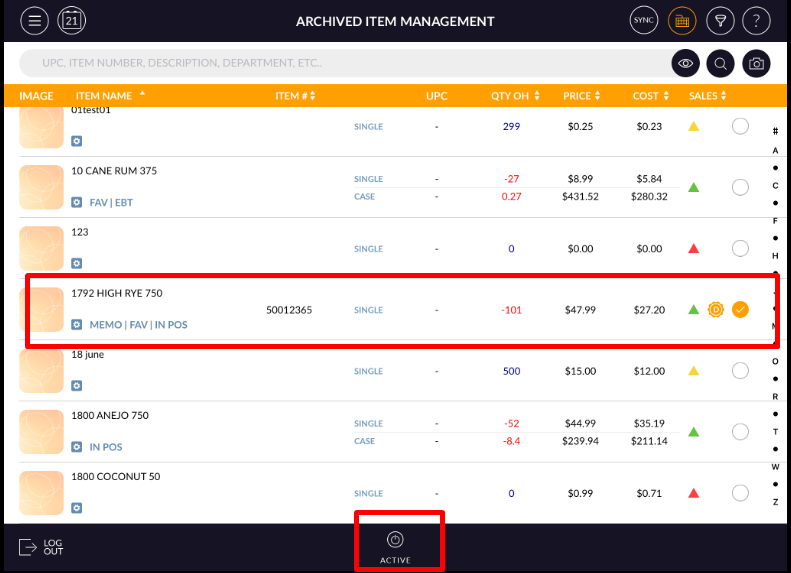
- From archive list when active item then it will again come in the item list.