Support Document
 Support Document
How to Activate a Loyalty Module in the Back-Office ?
- Login on the Back-Office website.
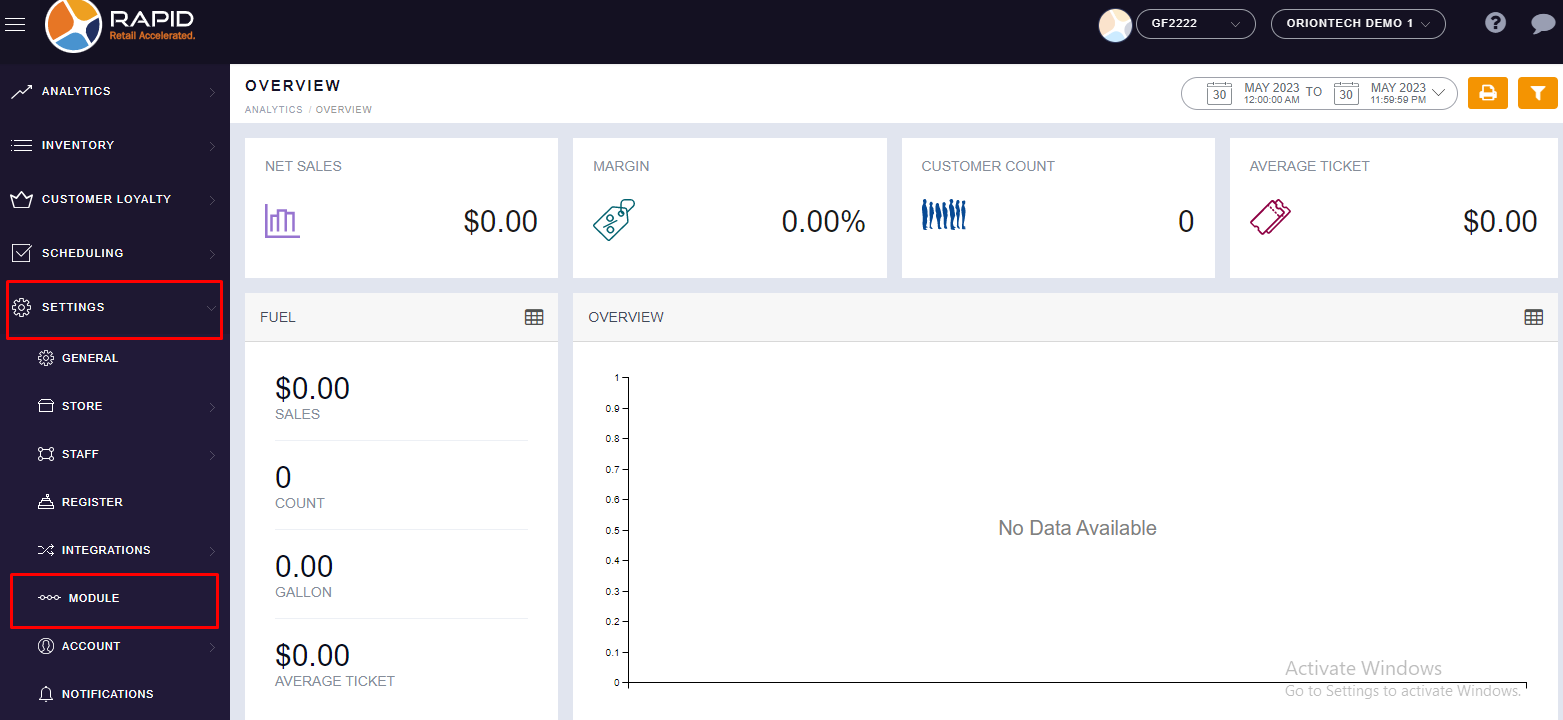
- Left side, you will find the “SETTING” option, click on it.
- In Setting, you will find the “MODULE” option. Click on it..
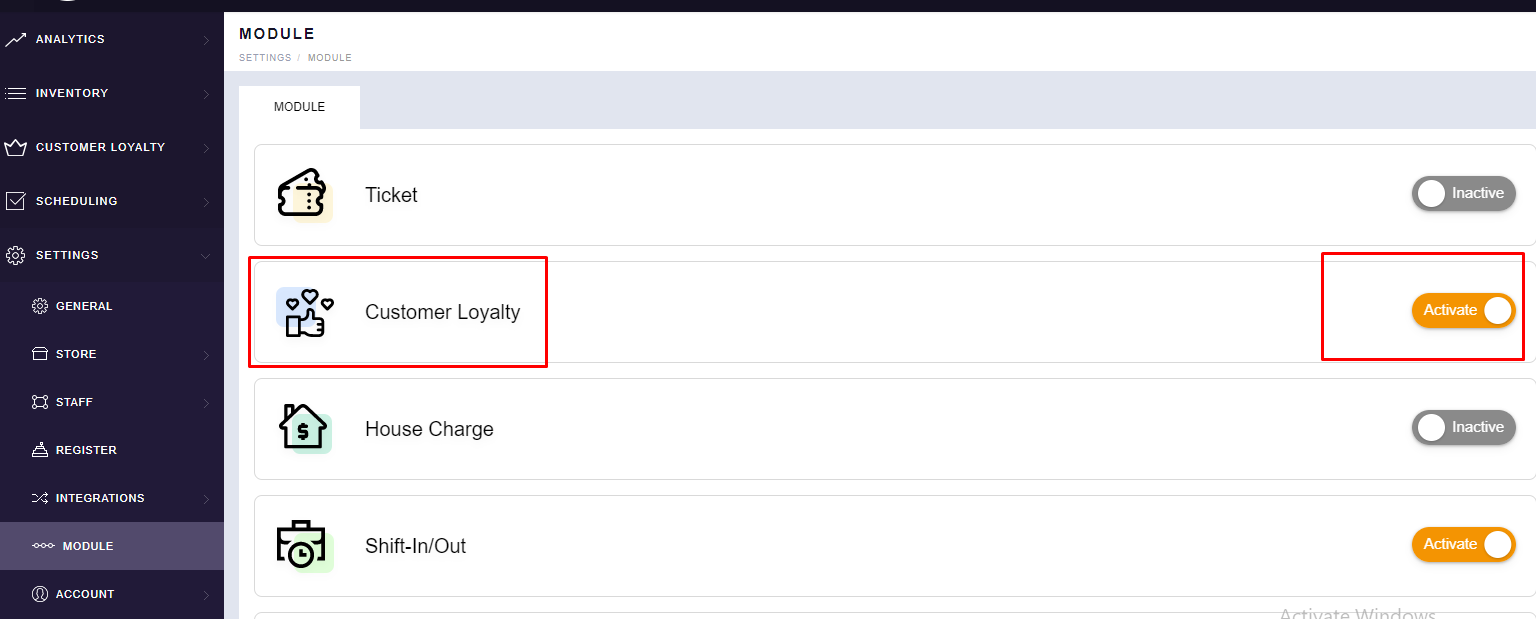
- Now from here, you can activate the “Customer Loyalty” module with the help of the
toggle button.
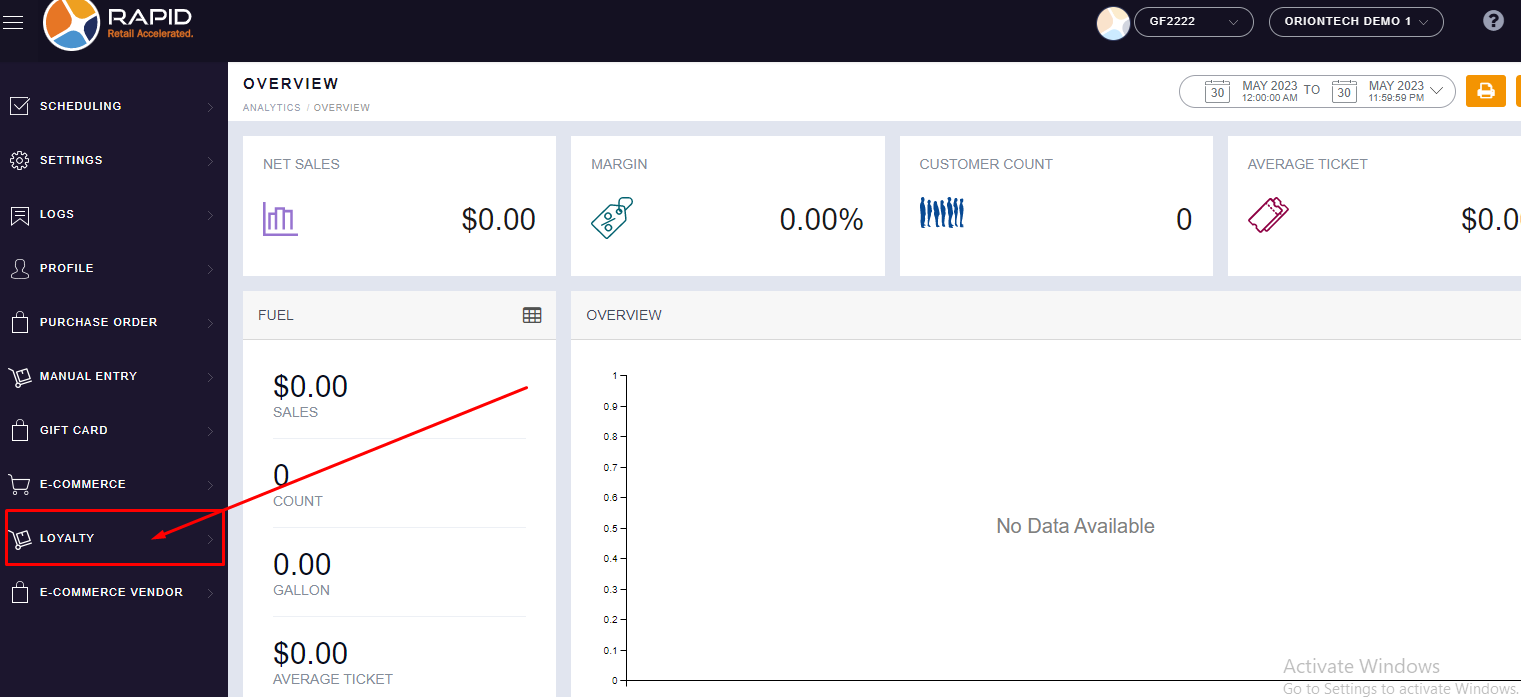
- Once you activate the module then you can see the “LOYALTY” module in your left side
list.