Support Document
 Support Document
How do I void invoice?
If user wants to cancel transaction than he uses void functionality.
- In Dashboard, Select Cash Register module and enter 4 digits quick access.
- In RCR screen, Click on the top left menu.
- Click on invoice option.
- In the right side, in invoice list click on any invoice.
- Now you can see invoice detail with Void Option.
- Only credit card transaction can void. Other transactions behave as a refund.
- Now click on the void option and enter quick access.
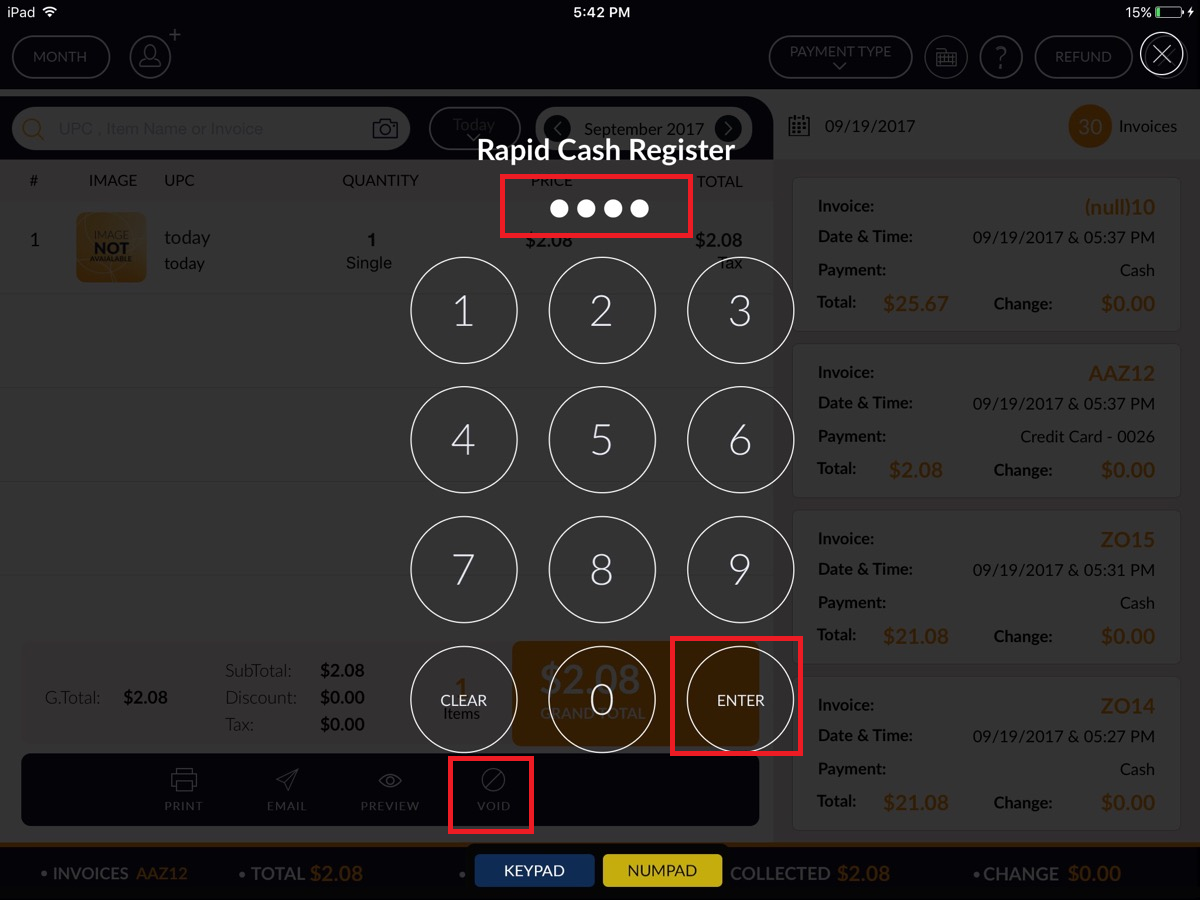
- The popup appears for the void invoice. Select Yes option
- Now, a message appears for confirmation ‘Confirm to void this invoice no: A84’ click on Yes option.
- After click on Yes option, the void process is completed successfully and information message appears “Successfully Invoice Void”.
- Void invoice display with watermark.