Support Document
 Support Document
How do I delete a particular one item from the imported EDI file?
After Imported items from EDI File if a store wants to delete any one particular item then they can do it by
delete option.
Follow below steps to delete any one item
Follow below steps to delete any one item
- Open any browser, Go to https://www.rapidrms.com/Account/Branchlogin
- In the Sign in page, Login with your store credential.
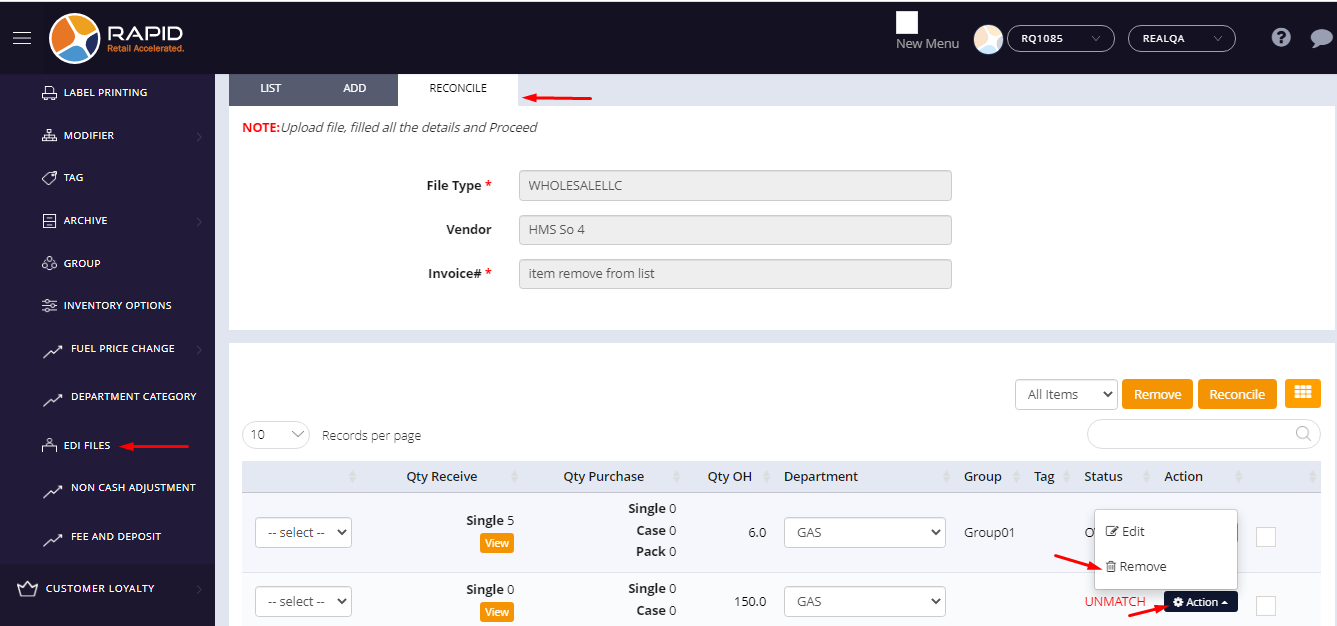
- In the Left side menu, in inventory go to EDI File option.
- In the EDI list, either import any one new edi file or open existing EDI in edit mode by action -> open order option.
- In the reconcile page, in the imported items list click on action button.
- Now click on the Remove option.
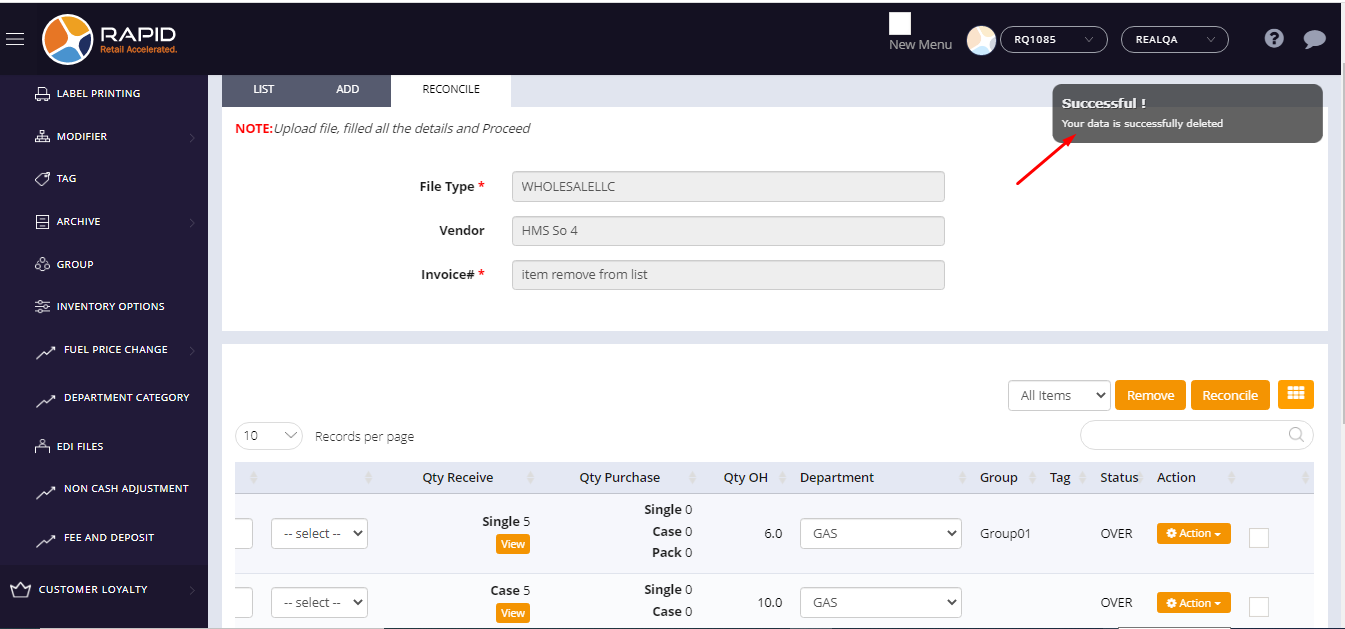
- That item will be deleted from the item list and one successful delete massage appears.