Support Document
 Support Document
How to do group price change through the iPad?
Group price change is a module by which you can change price and cost of item(S) in bulk or individual by
department, group, vender and tag.
Steps to change item price/cost.
Steps to change item price/cost.
- Open rapid RMS application.
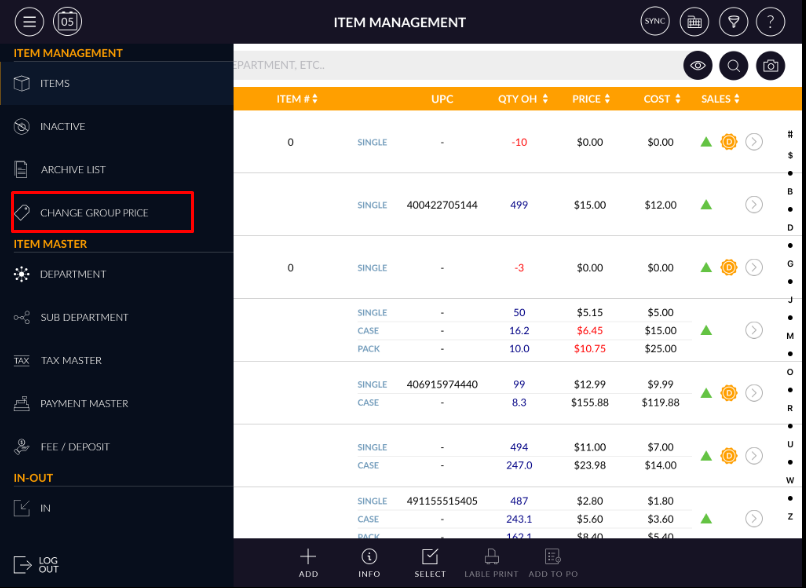
- Go to inventory management module and open it.
- Inside the panel, there is an option change group price.
- For new price/cost change click on ‘add’ tab.
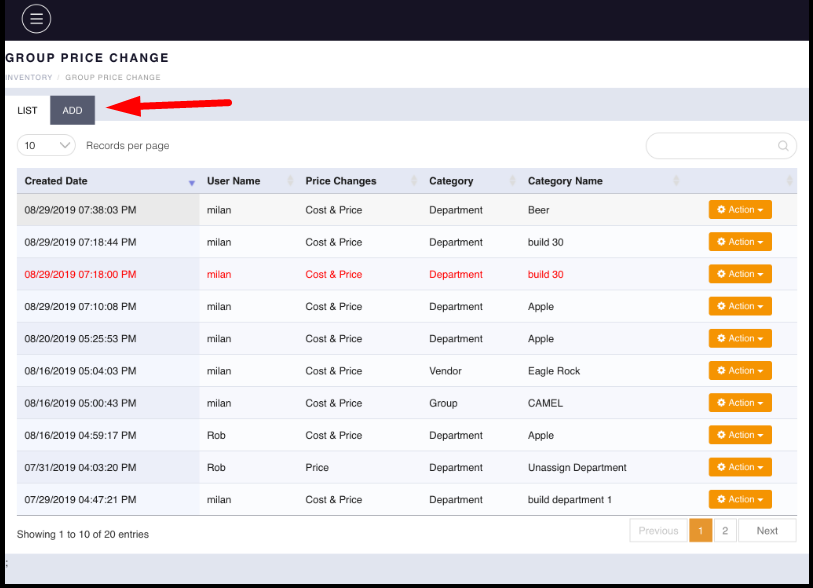
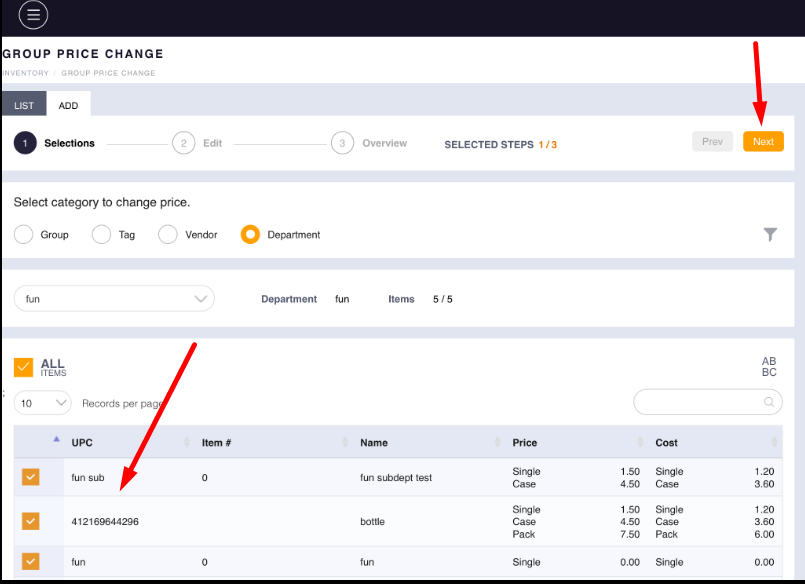
- When clicking on add then a page for category selection would display. From that select any of one.
- Select category from four in which belong items price/cost you want to change.
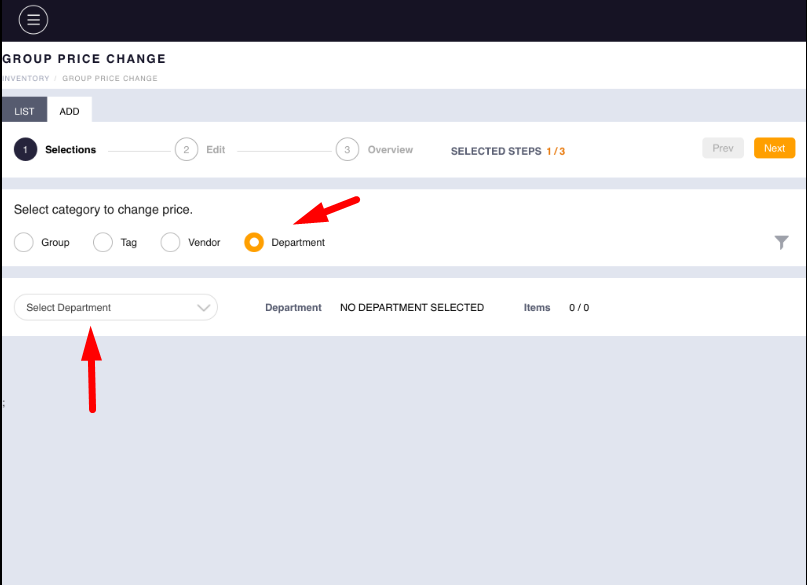
- Let suppose you want to change the price of any department’s item then select the radio button of the department.
- Then select a particular department from the list. All available items(S) of that department would be listed
- Select item(S) from the list.
- Click on next.
- In the second phase, there are two options available. 1) custom price and 2) Variable price.
- Custom price: When you select custom price option then the cost and price of single, case and pack can be the change of selected items.
- Variable price: When you select variable price than items price/cost will be increase or decrease in $ or % according to enter a value.
- When select variable price then pops up will open.
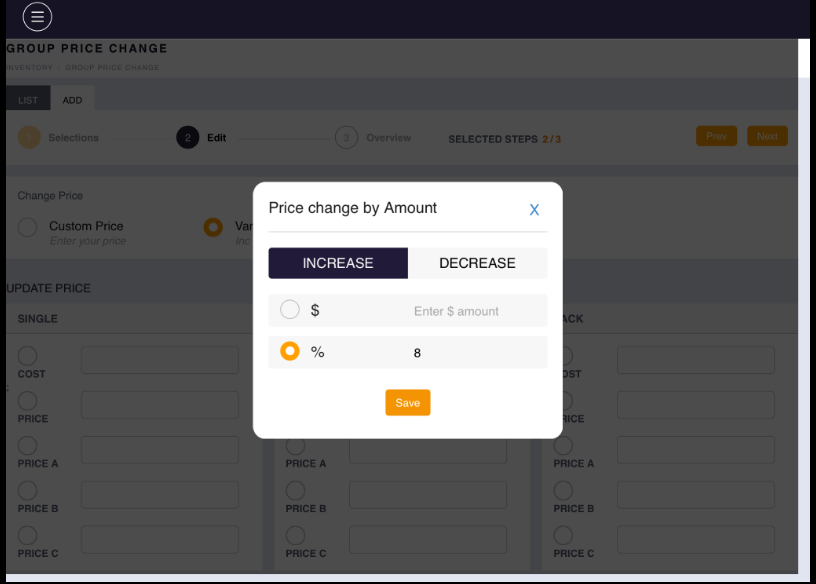
- According to the selected option and value, item price and cost value would reflect in case pack table
- Apply next.
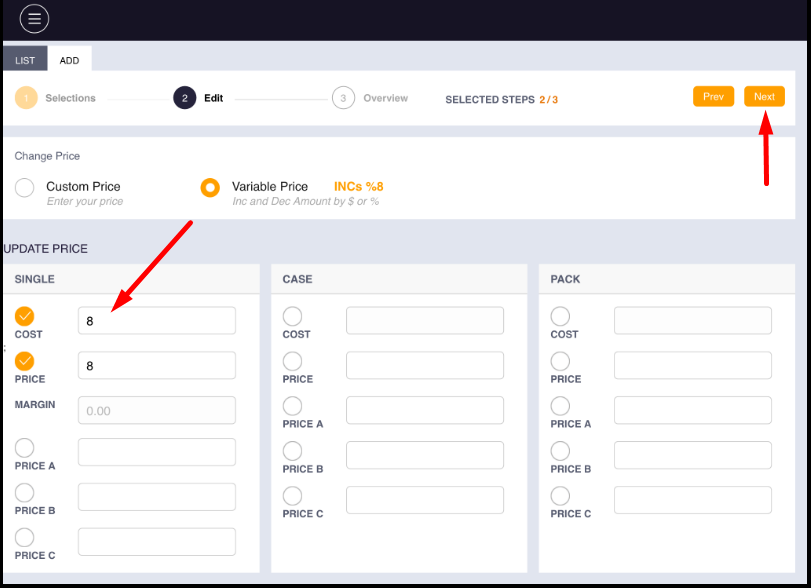
- As we have selected value increase by 8% then the new value will be increase by 8 % from the old
value. If the old value is 00 then nothing will be changed.
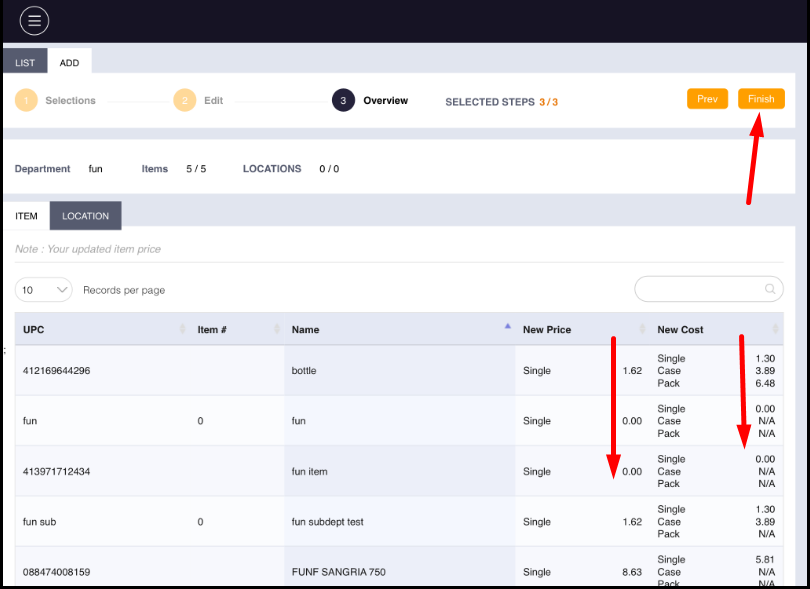
- Now click on finish.
- In inventory now item(S) will available with new price/cost.
- Change record will be listed.
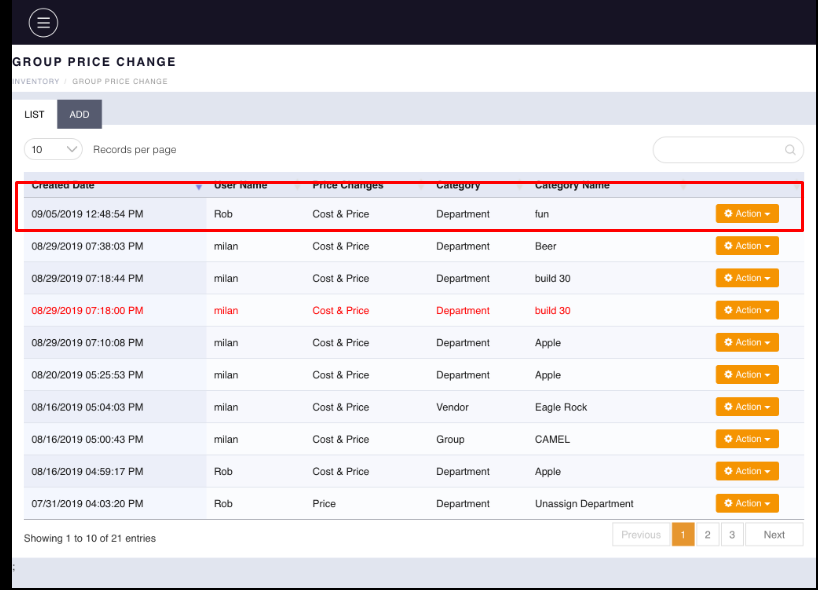
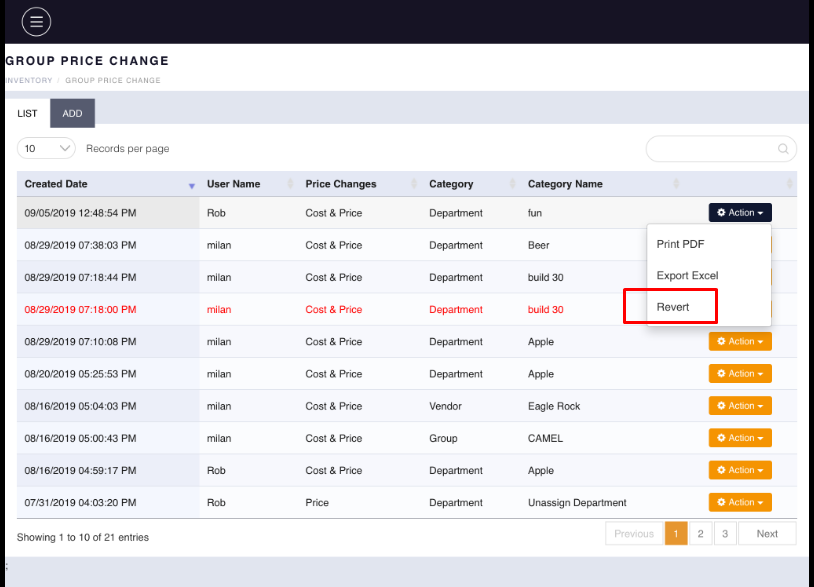
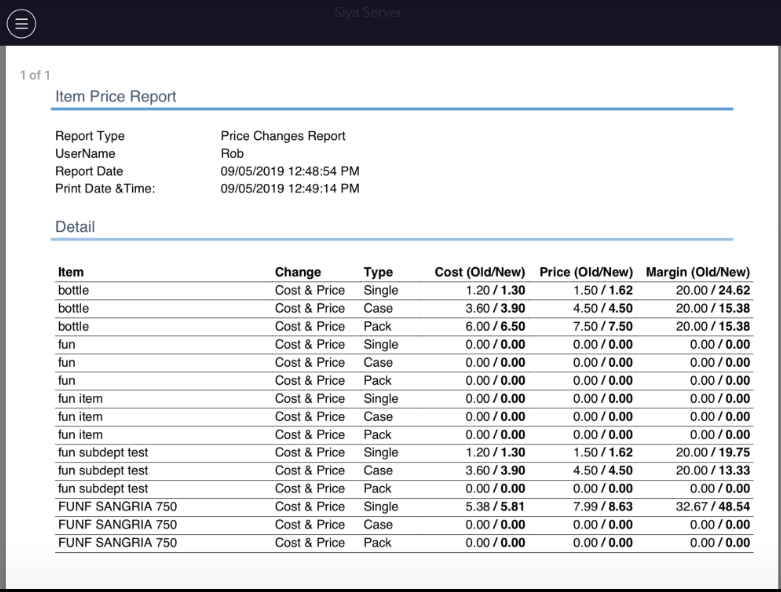
- In action button, there is three option available. If u will print pdf then item old and new value
record will be displayed.
- One more functionality is there if you want to revert price change then also you can.
- Click on the action button and apply revert. Your price change will revert and item get the old price.
And in the list that reverts change display with red colour.