Support Document
 Support Document
How to filter x report register wise ?
In x report, all the shift data display until z is not applied. In x report, particular one(self) register
data display.
But if the user wants to check the detail of another register then it can be possible.
But if the user wants to check the detail of another register then it can be possible.
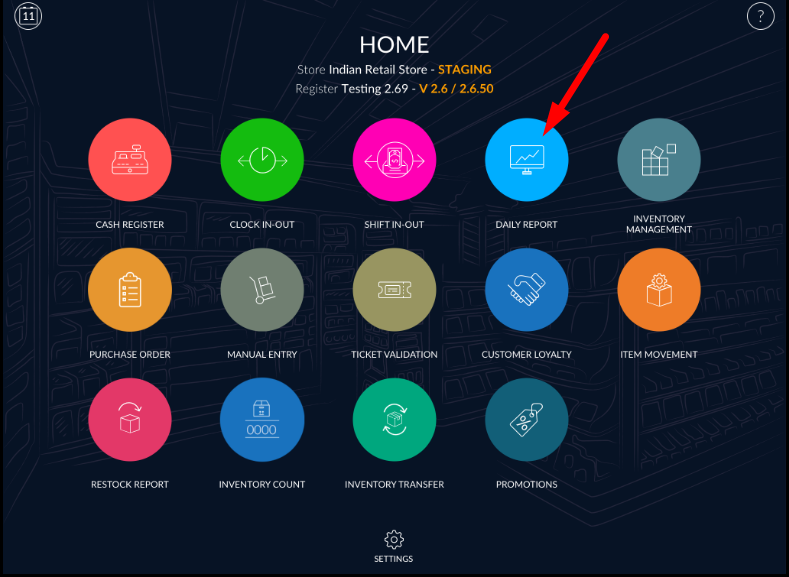
- Open rapid RMS application.
- Go to Daily report module.
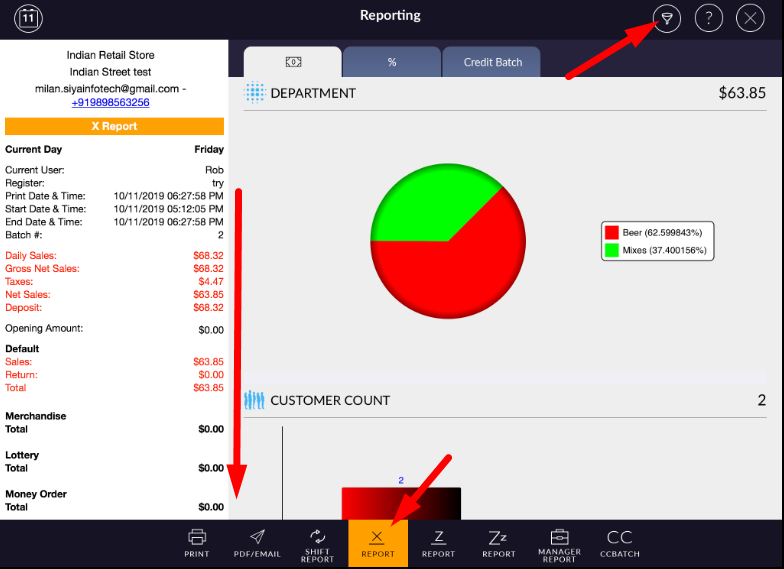
- Open x report.
- It will display all data of that particular register.
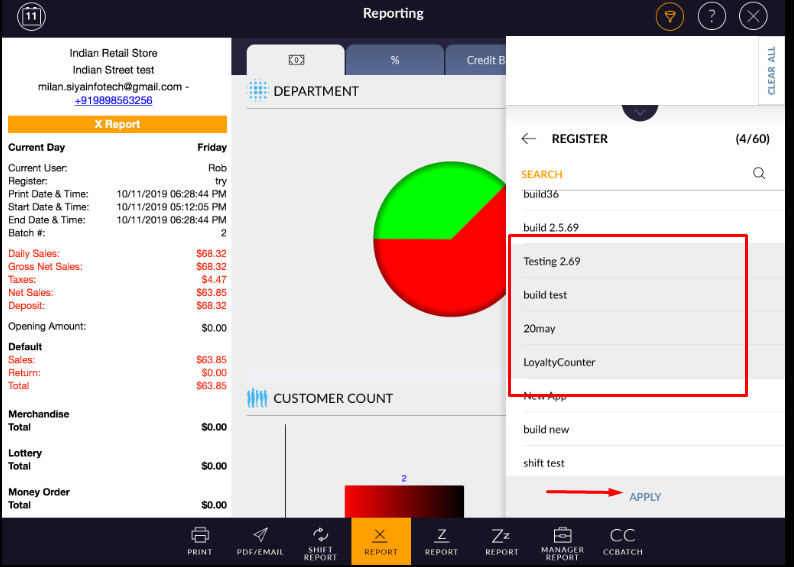
- If you want to check another register data then select filter.
- Select register from the list.
- Selected register data will display in x report.
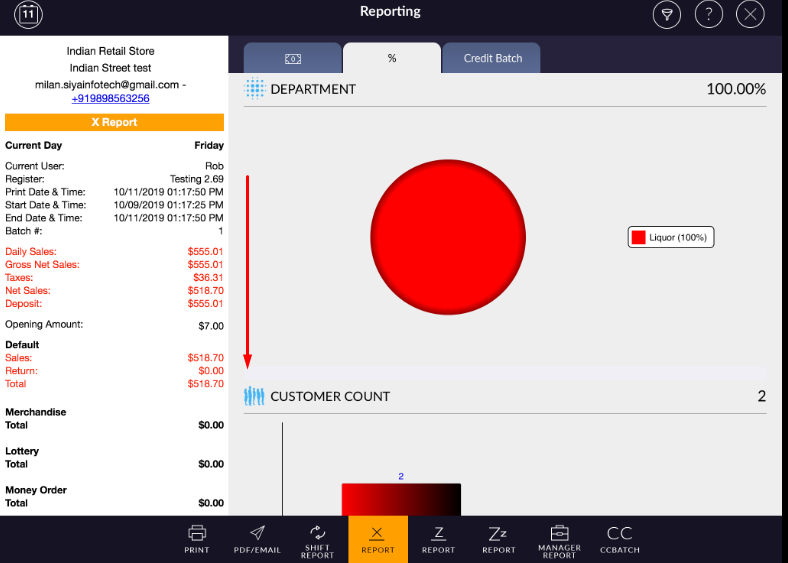
- From clear all option all register can be removed from filter.