Support Document
 Support Document
How to edit customer?
In rapid RMS under customer loyalty module existing customer list available. If you want to edit any
customer details then it can be possible by customer loyalty module.
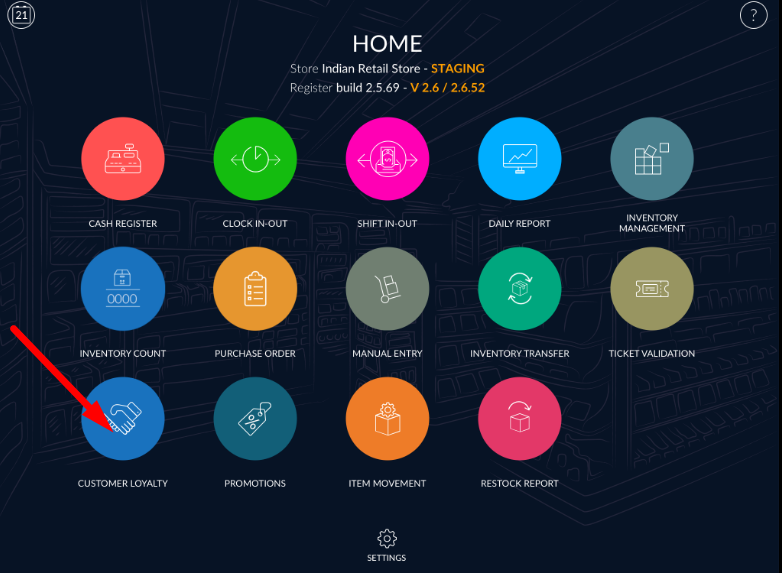
- Open rapid RMS application.
- Go to the customer loyalty module.
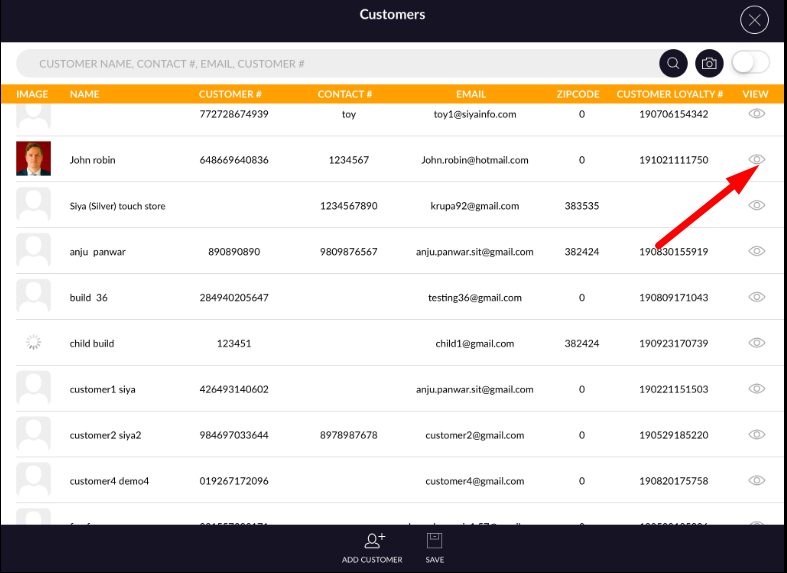
- All existing customers listed in customers page.
- Open that customer from view option whom detail you want to edit.
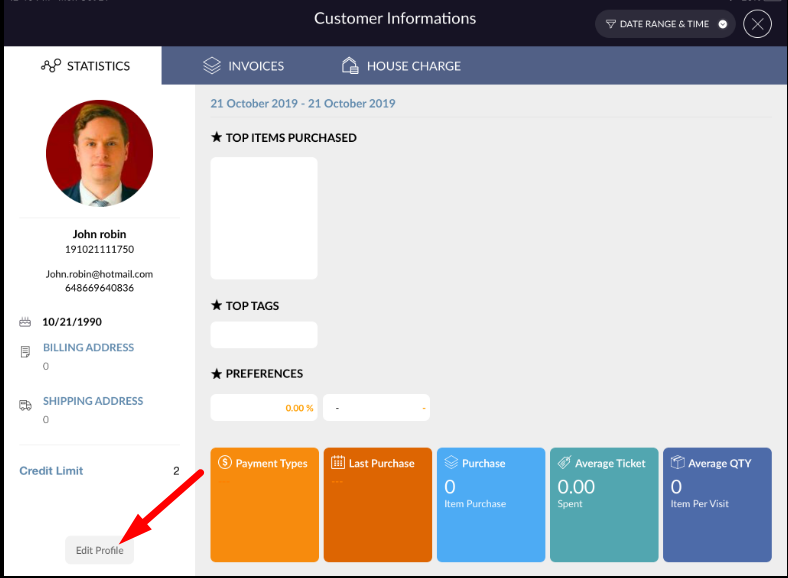
- The customer detail page will open.
- Click on edit profile.
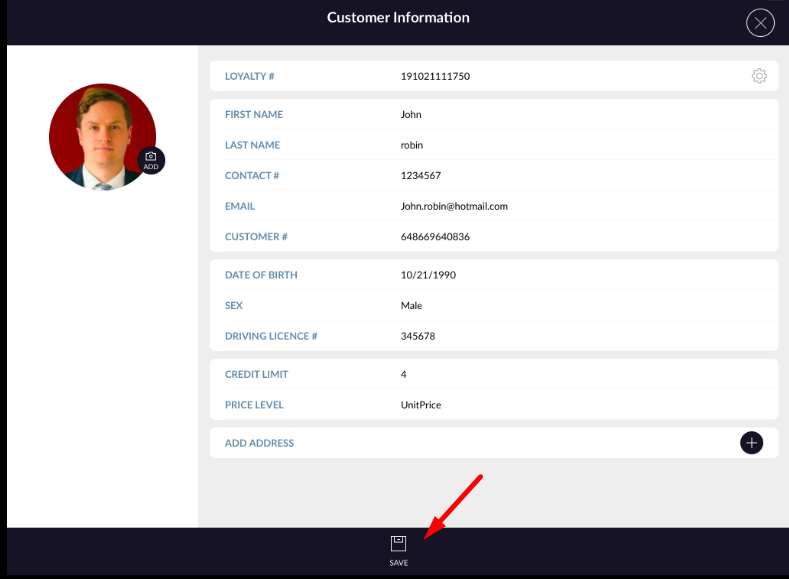
- Change detail and click on save. New edited detail remains to save in customer.