Support Document
 Support Document
How discount bifurcated in report ?
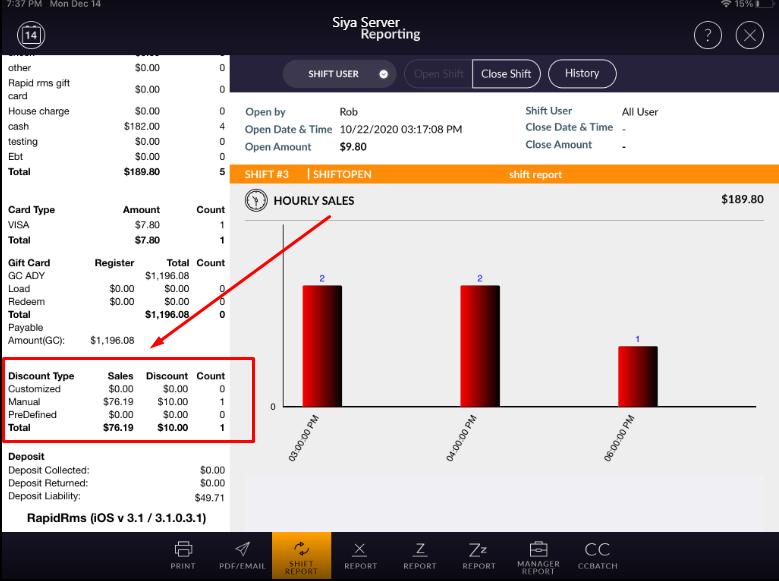
In report there is one section available for all kind of discounts.
In every report discount section is there like shift report, X report, Z history, ZZ history, Centralized Z, Centralized zz etc.
In discount report there are four fields available.
Discount type : Discount type is a text that shows type of discount.
Sales : In sales it consider amount of selling on which particular discount is applied.
Discount : This field shows that by x type of discount y amount discount is applied in report.
Count : In this field it shows that how many number of times particular discount applied.
In every report discount section is there like shift report, X report, Z history, ZZ history, Centralized Z, Centralized zz etc.
In discount report there are four fields available.
Discount type : Discount type is a text that shows type of discount.
Sales : In sales it consider amount of selling on which particular discount is applied.
Discount : This field shows that by x type of discount y amount discount is applied in report.
Count : In this field it shows that how many number of times particular discount applied.
Discount type
-
Customize discount
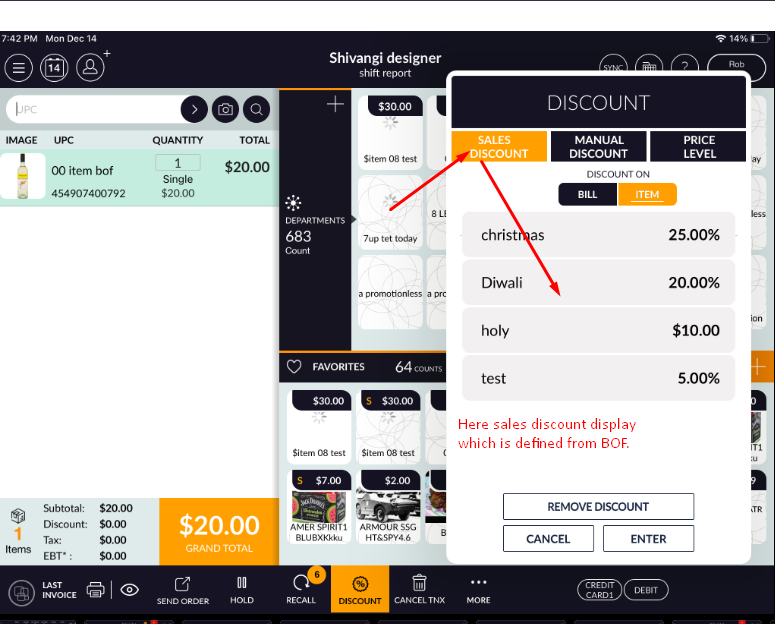
In customize discount sales discount value is calculated.
Discount which is defined from BOF and applied in POS screen will calculated in customized discount.
-
Manual discount
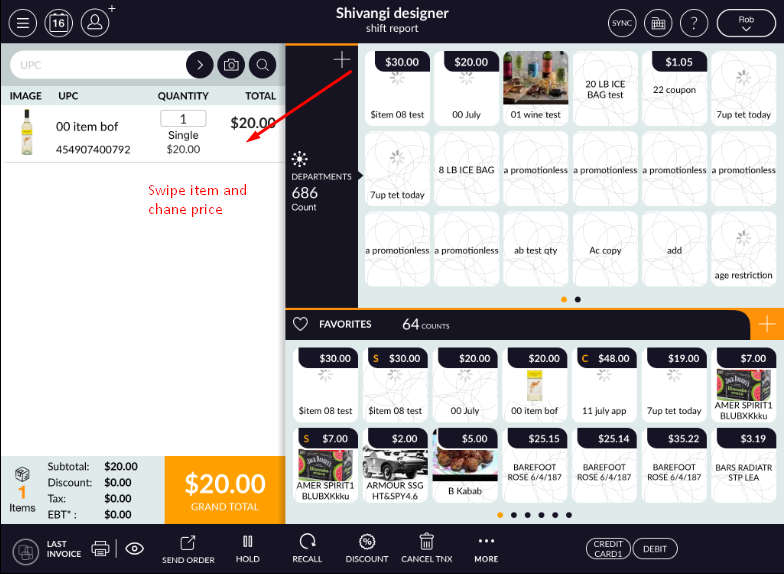
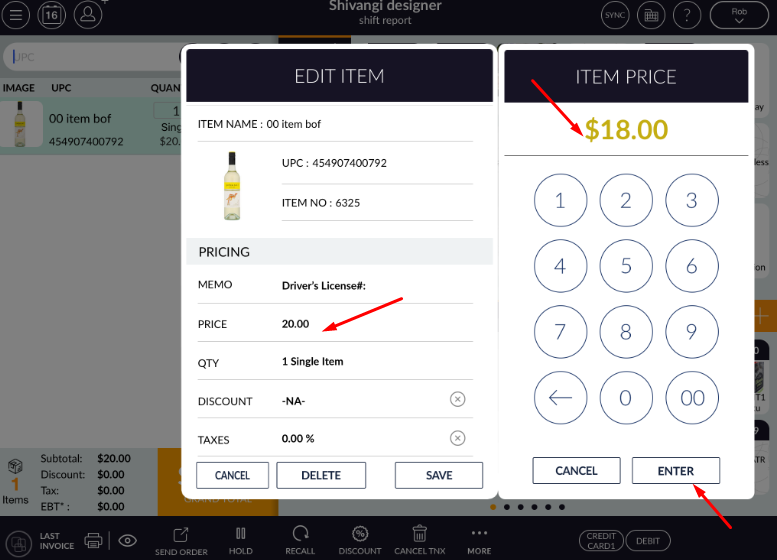
Manual discount is kind of discount which discount is applied from POS when items are ring up in bill.
When discount is apply from discount option then that amount of sale and discount is consider in manual discount.
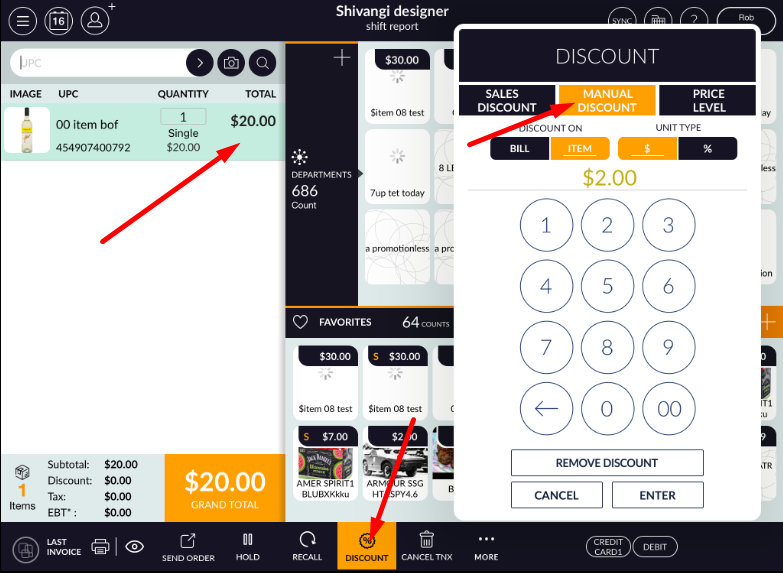
When discount is apply from swipe discount then also that sales and discount amount consider in manual section respectively.
-
Manual discount
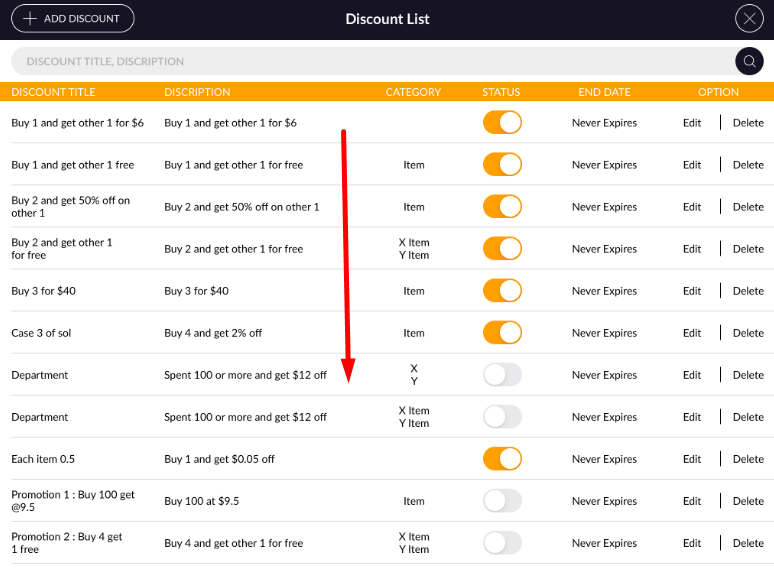
In pre define discount those discounts are consider which are pre define, means already define from somewhere in system. Below discounts are consider in section of pre define discounts.
1) quantity-Price
2) price level
3) Promotion
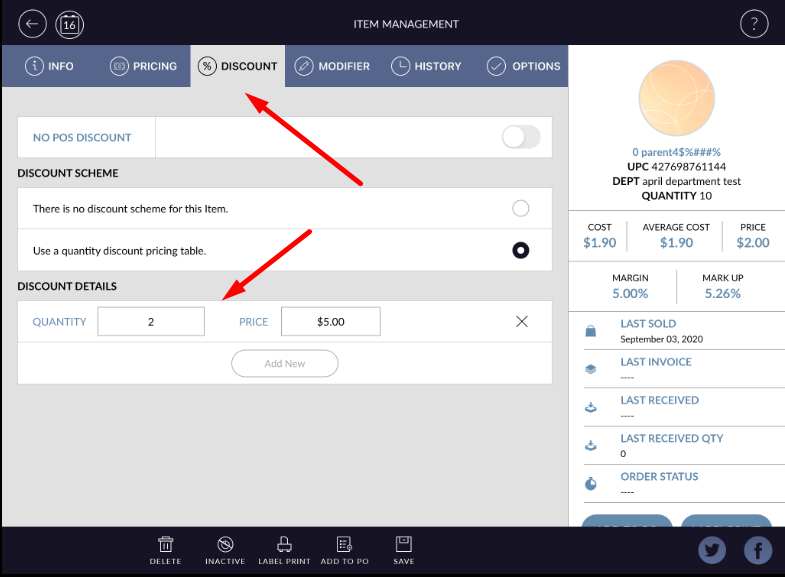
Quantity-price : Discount which is given from inventory and at the time of item ring up apply in bill then that discount and sales value are considered as predefine discount.
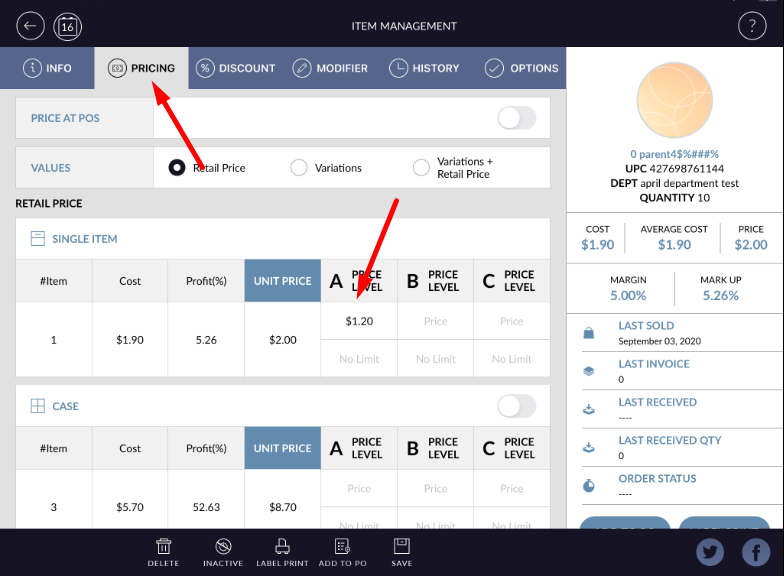
Price level : From inventory if price level is define and apply in POS then that value of discount consider in pre define discount.
Promotion : In rapid rms there is one module available as promotion, IN this module if discount is define and that set discount apply in POS then that discount is consider in pre define discount section in report.