Support Document
 Support Document
How to disable tender from setting ?
Please follow the below steps to disable tender:-
- Open rapid RMS application.
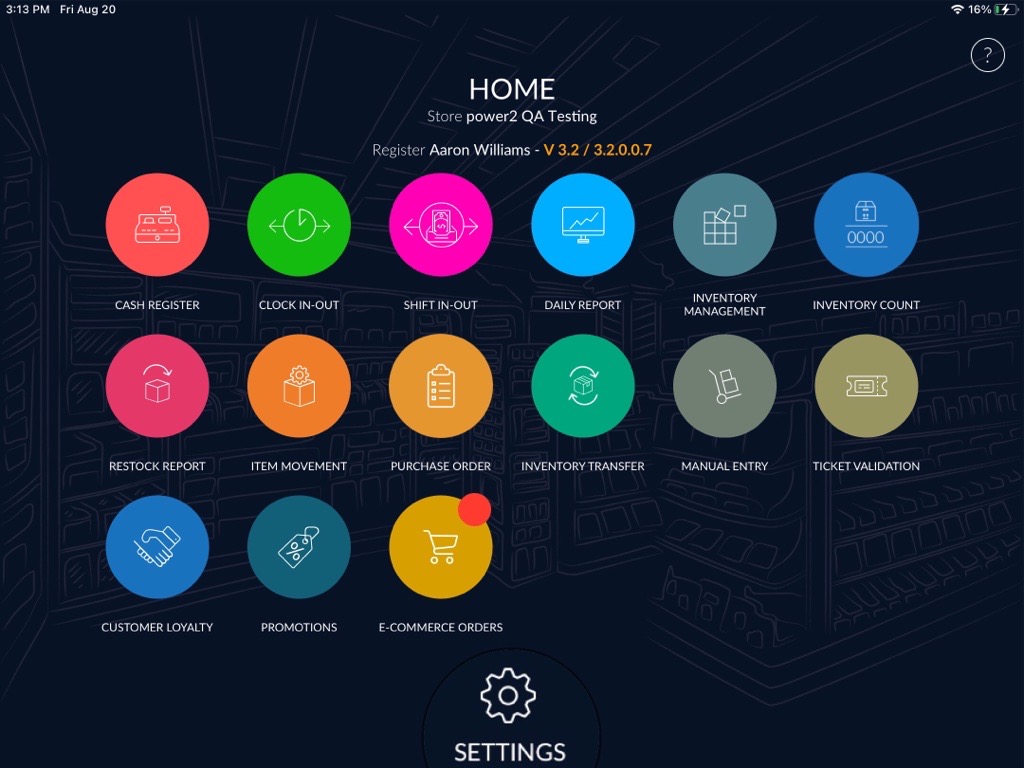
- At the bottom, click on the setting option from the dash board.
- Enter a quick access password.
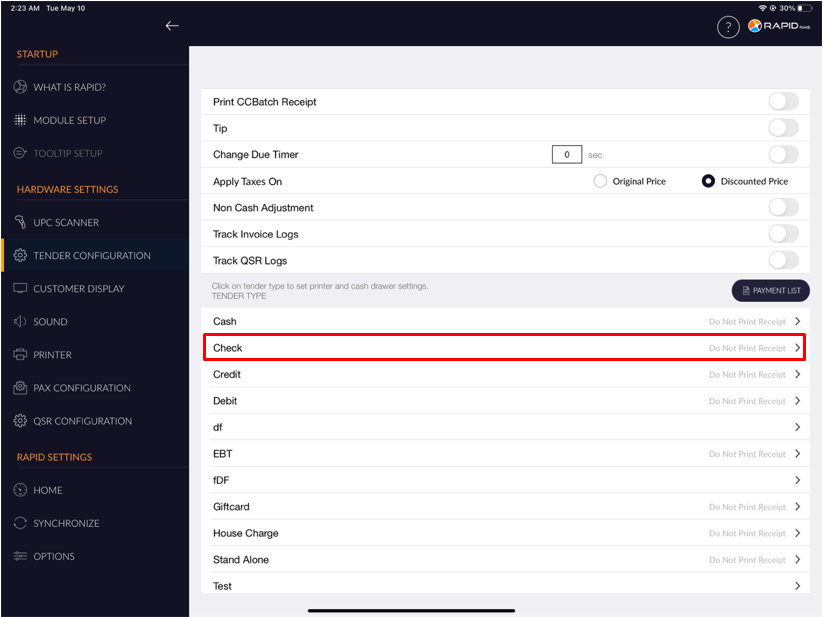
- Select the Tender configuration option from the right side option.
- It will appear the list of all available tender.
- Select tender from the list.
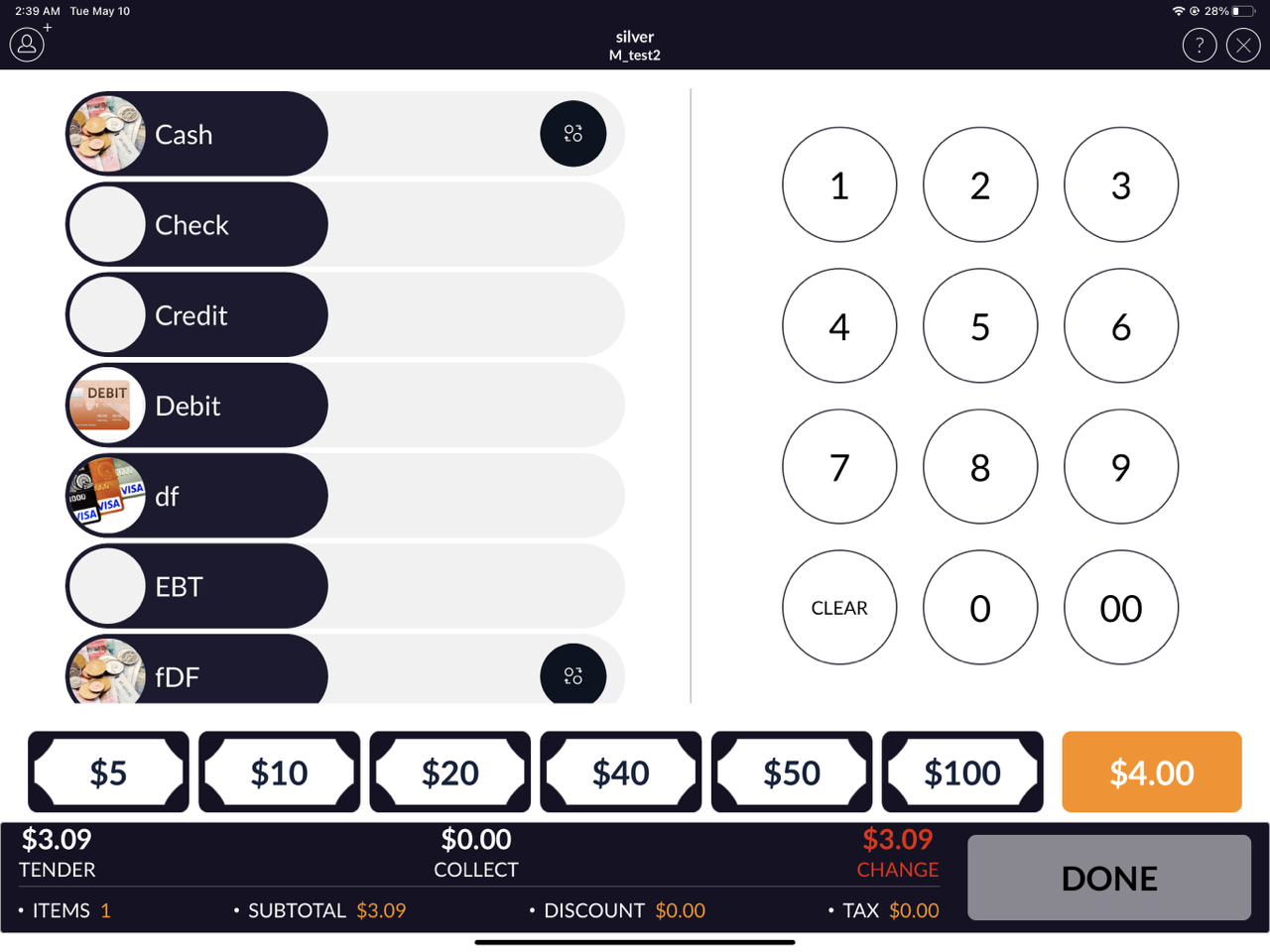
- As you can see in the above image, the Check payment type or tender type appears.
- I.e. We are going to disable the Check tender type or payment type .
- There will appear the tender disable toggle button.
- By default, the tender disable toggle button is turned off.
- To disable the tender, turn on the tender disable toggle button.
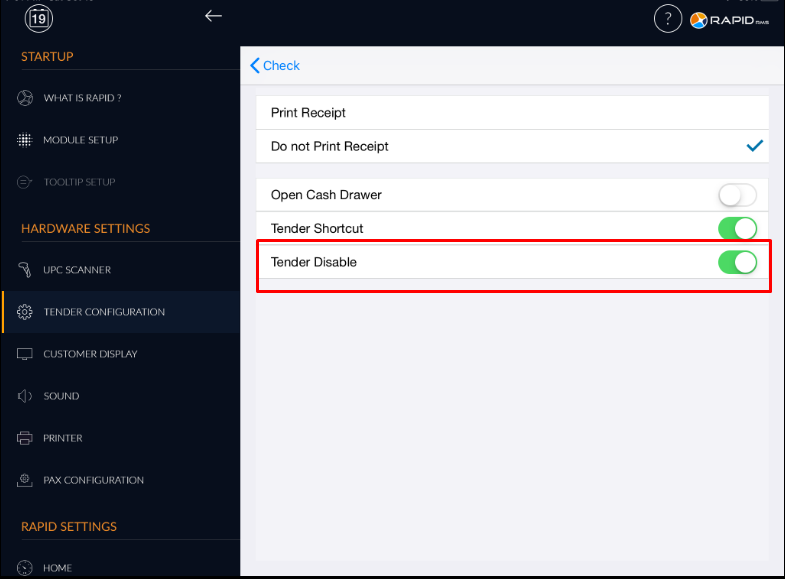
- It will not appear tender temporarily while you have turned on tender disable the toggle button.