Support Document
 Support Document
How to delete QSR sub group ?
When user want to delete sub group then it is possible by deleting QSR sub group from inventory management
module.
Follow below procedure to delete qsr sub group.
Follow below procedure to delete qsr sub group.
- Open inventory management.
- Go to QSR sub group tab.
- There should be list of available qsr sub group.
- Open qsr sub group.
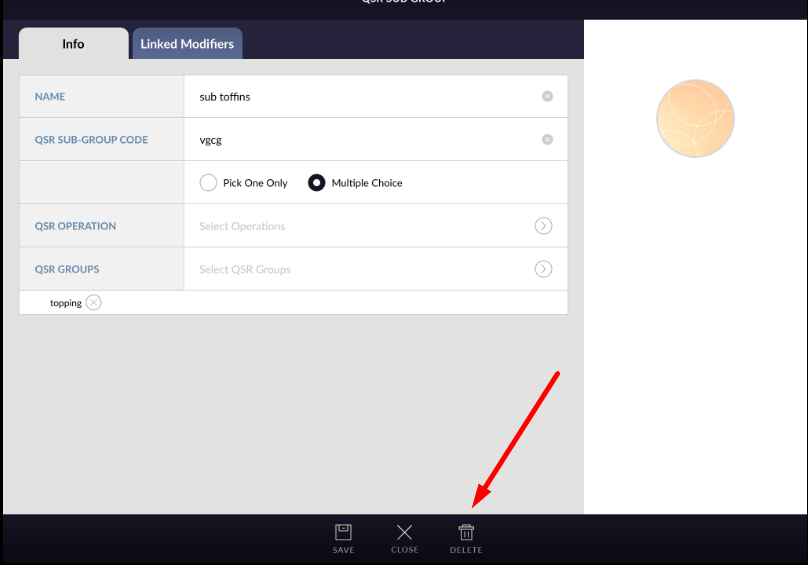
- At bottom there is one delete button available.
- Click on delete button.
- QSR sub group will delete successfully.
- Deleted sub group will disappear from QSR group list.
- As sub group is deleted, that deleted sub group should be remove from linked modifier and linked qsr sub group.