Support Document
 Support Document
How to delete pending receiving invoice?
Follow below steps to delete pending receiving the invoice.
- Open Rapid RMS application.
- Open purchase order module from the dashboard.
- Tap ‘receiving pending’ module.
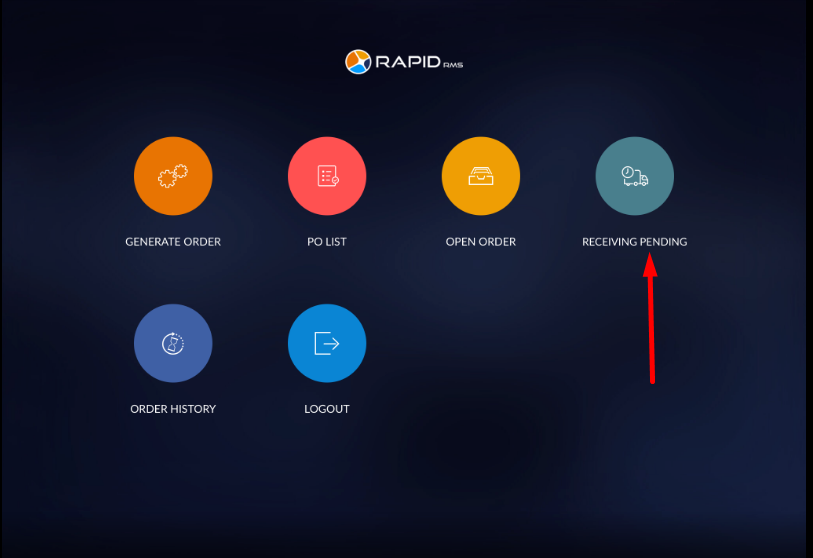
- In receiving pending all the orders which are move from open order would listed.
- Orders will display with created date & time, opn #, title, invoice, receiving date & time, user and Action.
- Now swipe right to left side of that invoice which you want to delete.
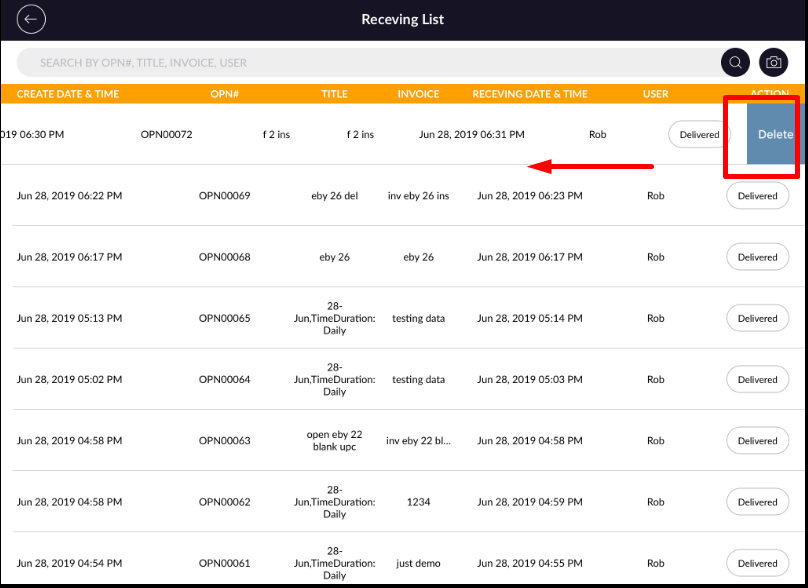
- Now you will see delete option and click on that.
- Now you will see confirmation msg.
- Click on the ‘yes’ option if you want to delete otherwise click on ‘no’ option.
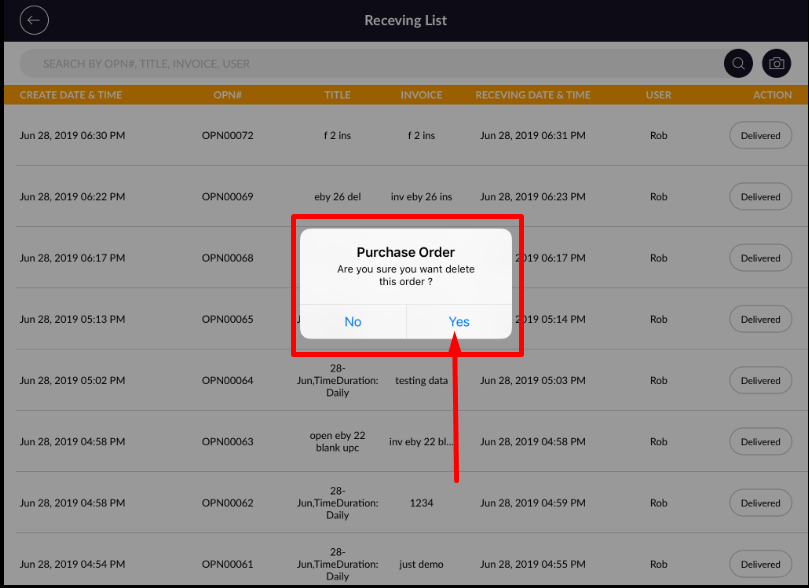
- Now you will see, invoice delete successfully.