Support Document
 Support Document
How to delete a customer?
If any customer is no more in use in application and if you want to delete that customer then follow below
procedure.
- Open rapid RMS application.
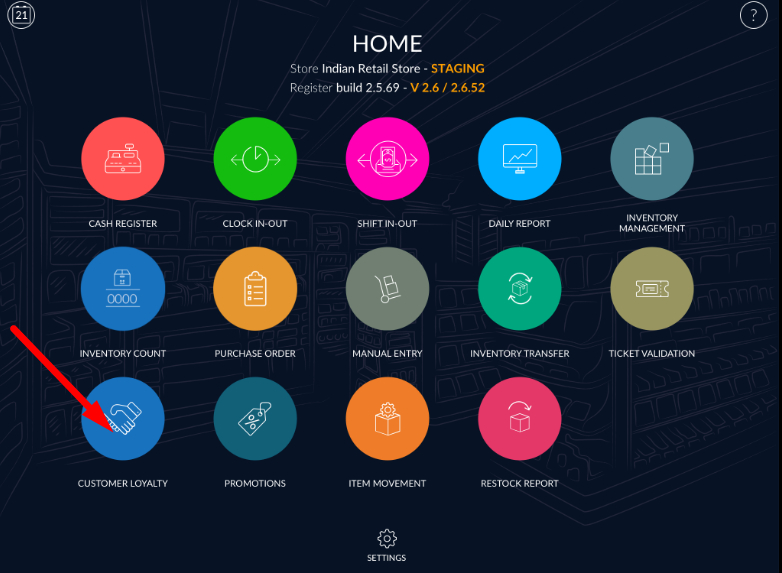
- Go to the customer loyalty module.
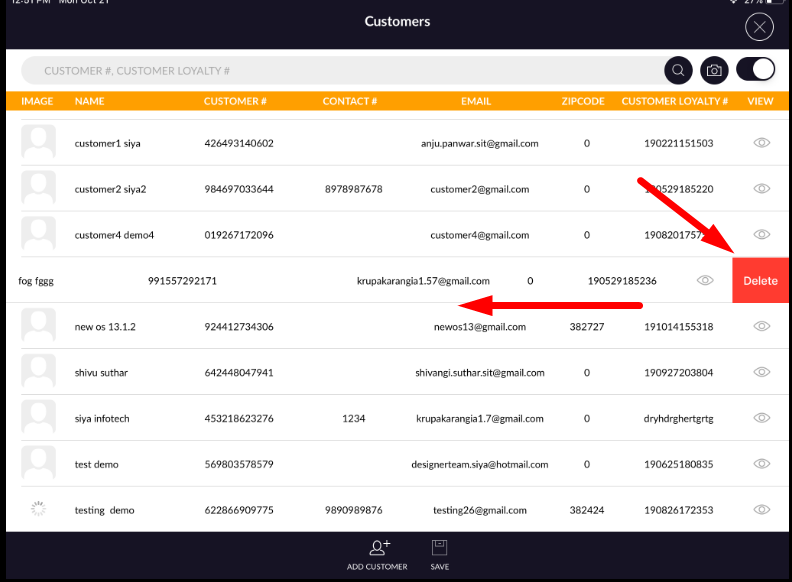
- All existing customer display in the list.
- Swipe left.
- There is one delete button.
- Apply that button.
- Give yes to the confirmation message.
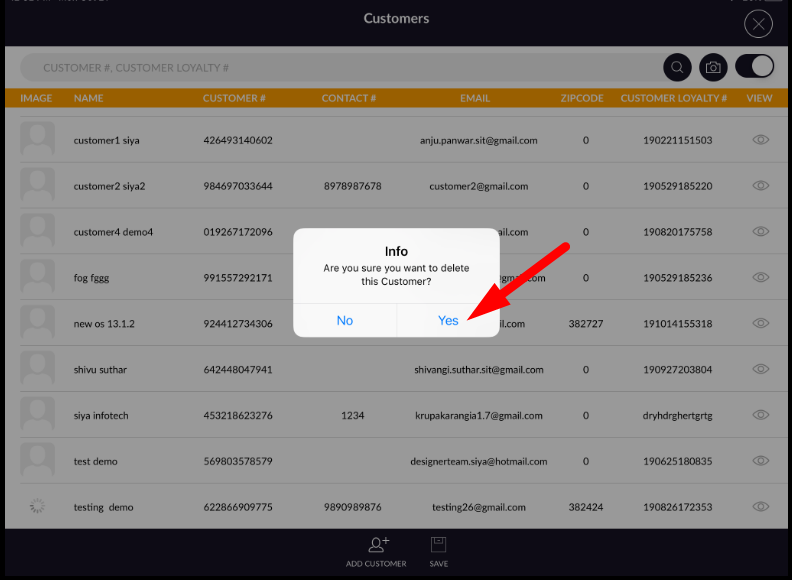
- Customer will remove from list.