Support Document
 Support Document
How to apply ZZ ?
ZZ report is mostly used for monthly selling data.
Usually, ZZ Report is applied at the end of the month.
When you apply ZZ report, all Z which are applied before are considered in ZZ.
All shift will be closed, when you apply ZZ report
Please follow the below steps:-
Usually, ZZ Report is applied at the end of the month.
When you apply ZZ report, all Z which are applied before are considered in ZZ.
All shift will be closed, when you apply ZZ report
Please follow the below steps:-
- Open rapid RMS application.
- Go to daily report module.
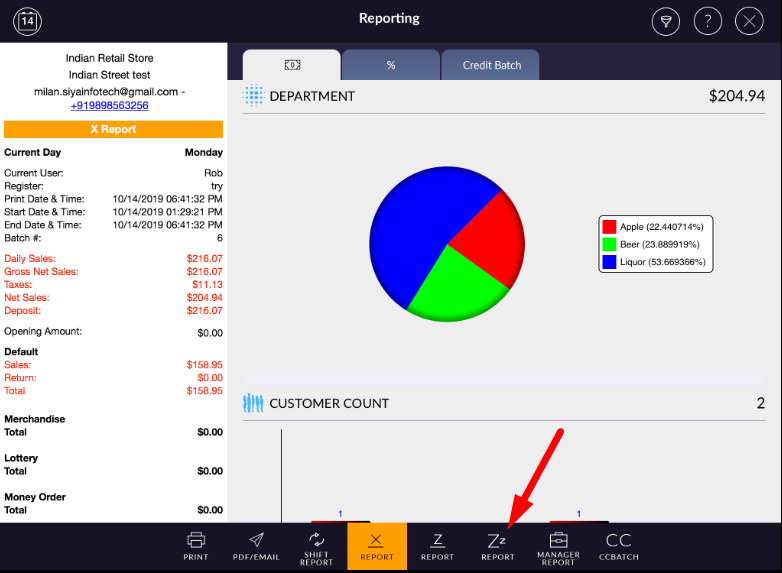
- At the bottom bar, select ZZ report option.
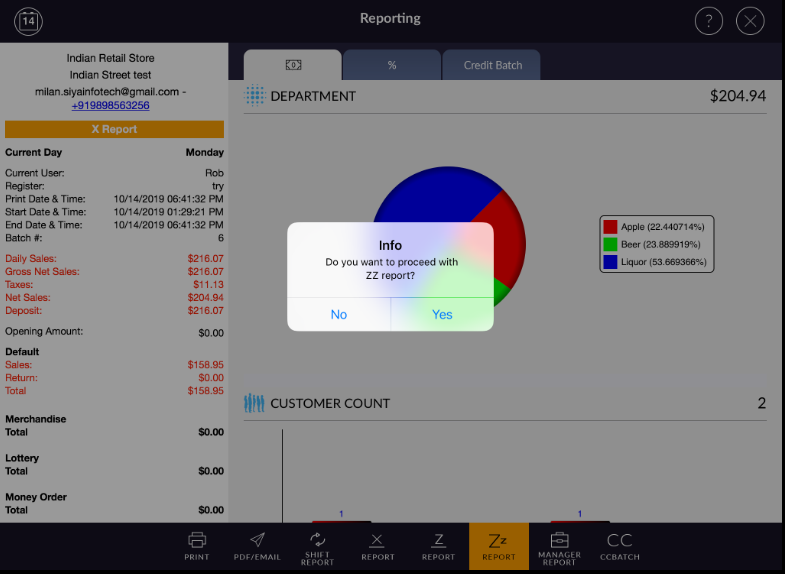
- It will prompt confirmation message.
- Select Yes button.
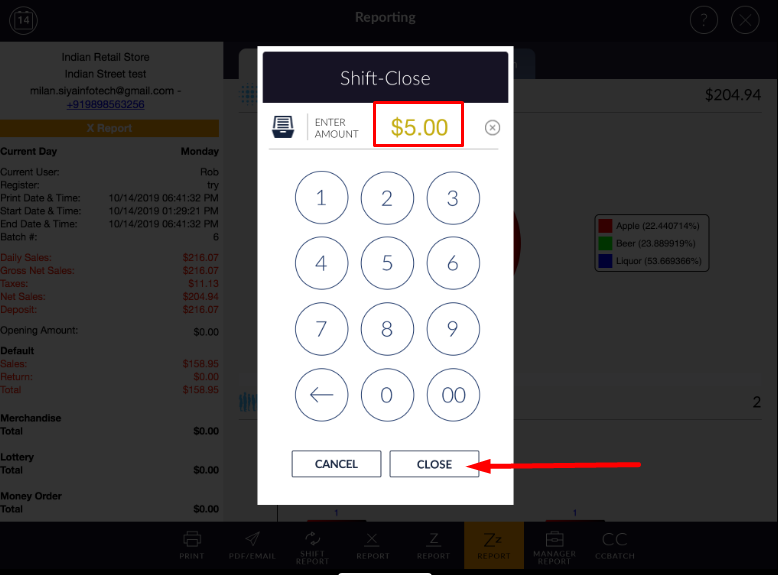
- If you have any open shift or pending shift to close, it will ask you to close the shift.
- It will open pop up window to enter closing amount.
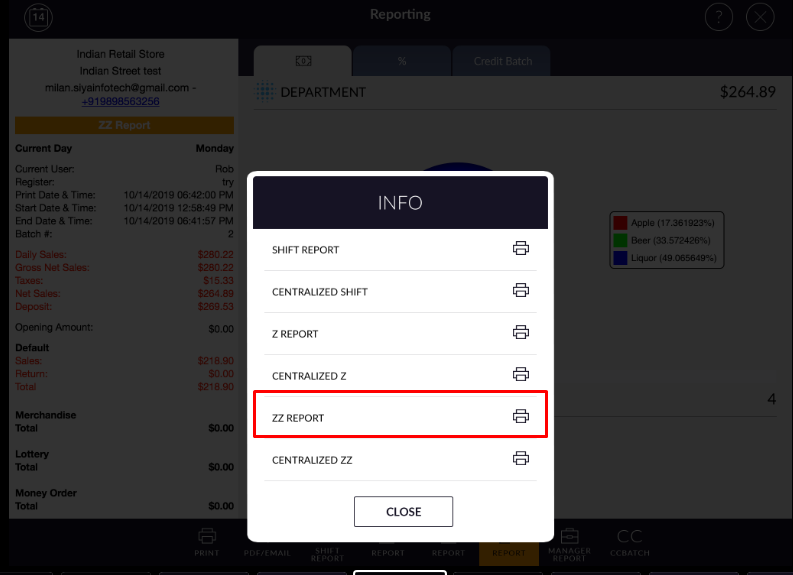
- When you apply ZZ, it will ask you to print the report.
- If you want to print report, you can print with it from here.
- When you apply Z report, X report will reset automatically.