Support Document
 Support Document
How to apply Z ?
The Daily report module is mostly used to view selling details and reporting. At the end of the trading day,
you can check your total sales in Z Report. In this article, learn how to apply Z Report at the end of the
day.
Shift Report:- All selling data will appear in between taken particular shift.
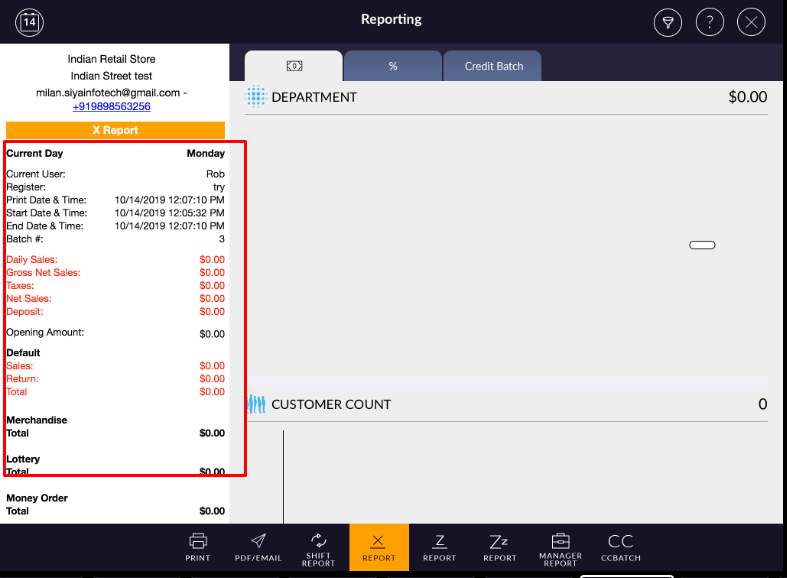
X Report:- When you apply X report, all shift data will appear in X Report.
Z Report:- When you apply z, all x data will be reset and report will move into Z history. Generally, z is applied at the end of the day to review daily report data and detail.
Please follow the below steps:-
Shift Report:- All selling data will appear in between taken particular shift.
X Report:- When you apply X report, all shift data will appear in X Report.
Z Report:- When you apply z, all x data will be reset and report will move into Z history. Generally, z is applied at the end of the day to review daily report data and detail.
Note:- Reporting might be mismatch if the Shift or day close
occurs during a fuel transaction. It is recommended that shift or day close should be performed when all
pumps are clear.
Please follow the below steps:-
- Open rapid RMS application.
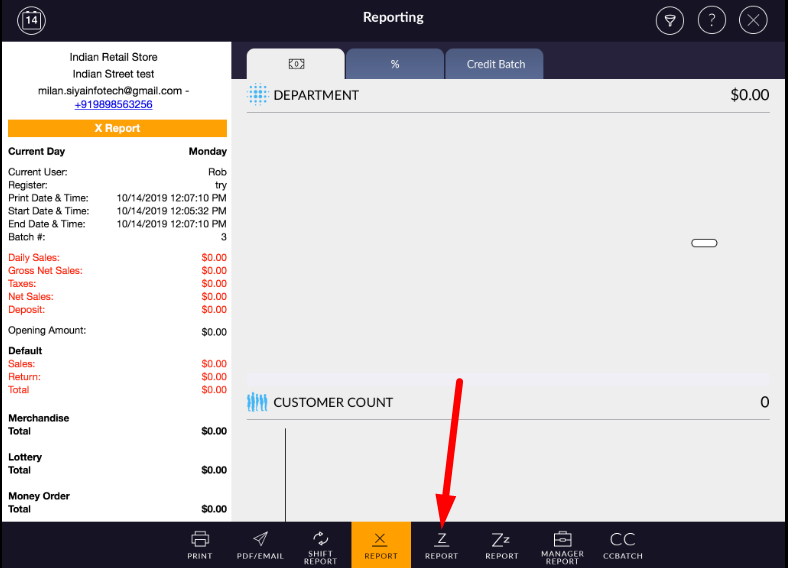
- Go to daily report module.
- At the bottom bar, select Z report option.
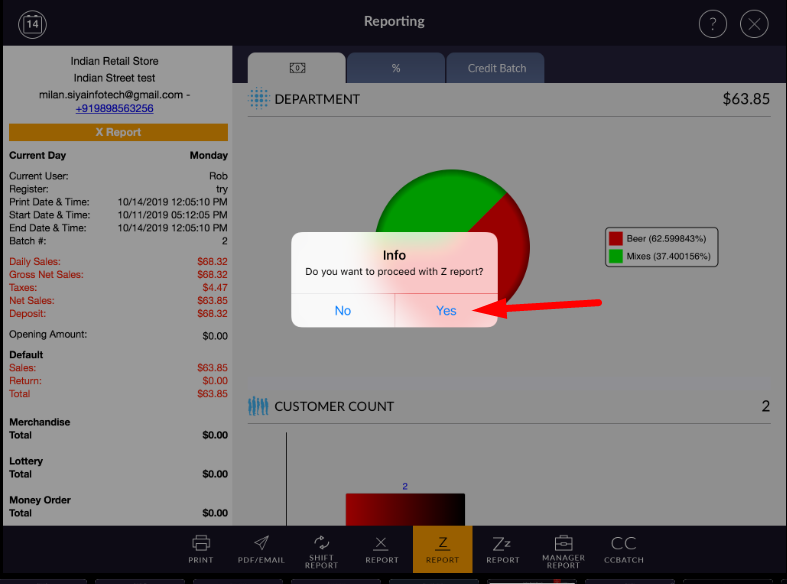
- It will prompt confirmation message.
- Select Yes button.
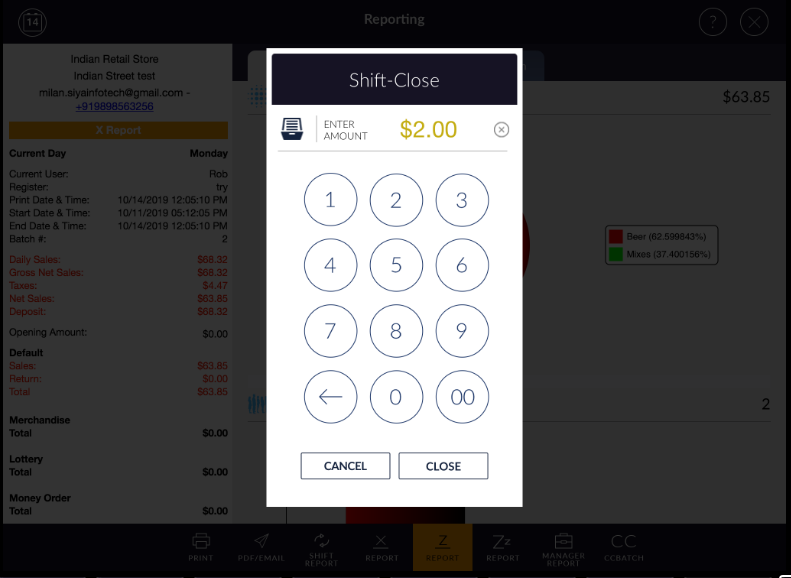
- If you have any open shift or pending shift to close, it will ask you to close the shift.
- It will open pop up window to enter closing amount.
- When you apply z, it will ask you to print the report.
- If you want to print report, you can print with it from here.
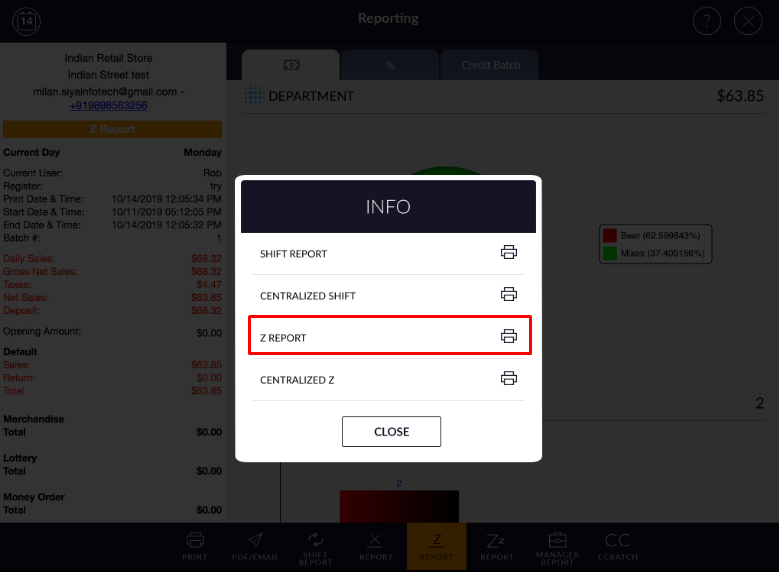
- When you apply Z report, X report will reset automatically.