Support Document
 Support Document
How to customize modifiers in item ?
In bill screen modifiers can be apply on item.
For that follow below procedure.
Preselected modifiers
Customized modifiers
QSR group wise modifiers
For that follow below procedure.
- Open inventory management module.
- Set modifiers in item.
- Set qsr group and qsr sub group in modifier.
- Note that if from item side configuration of modifiers would proper then only in RCR all linked modifiers will display.
- Go to RCR and ring up any food item
- When food item will ring up then it will display with customize button.
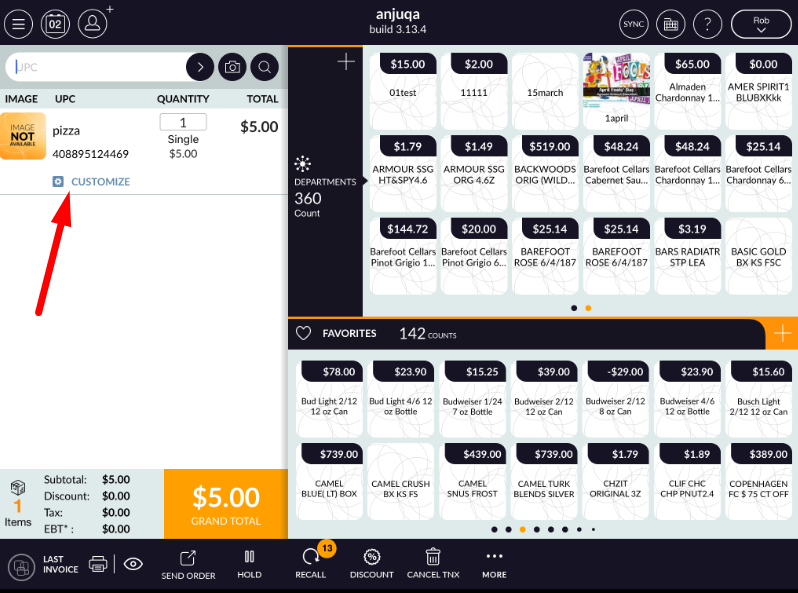
- Click on customize button.
- One window will open with all available modifier list.
Preselected modifiers
- First preselected modifiers will display.
- In preselected all modifiers will display according to QSR group.
- Modifiers will display with operation.
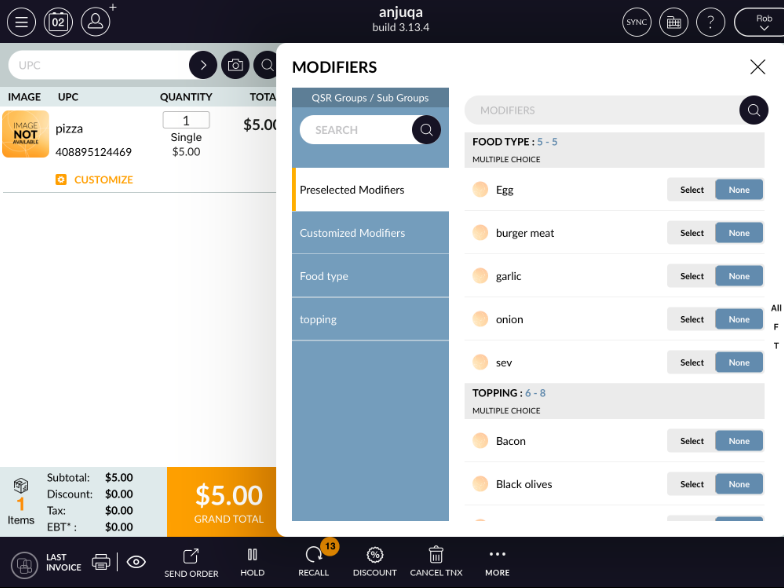
- You can select modifiers with select button and at a time only one operation selection is possible.
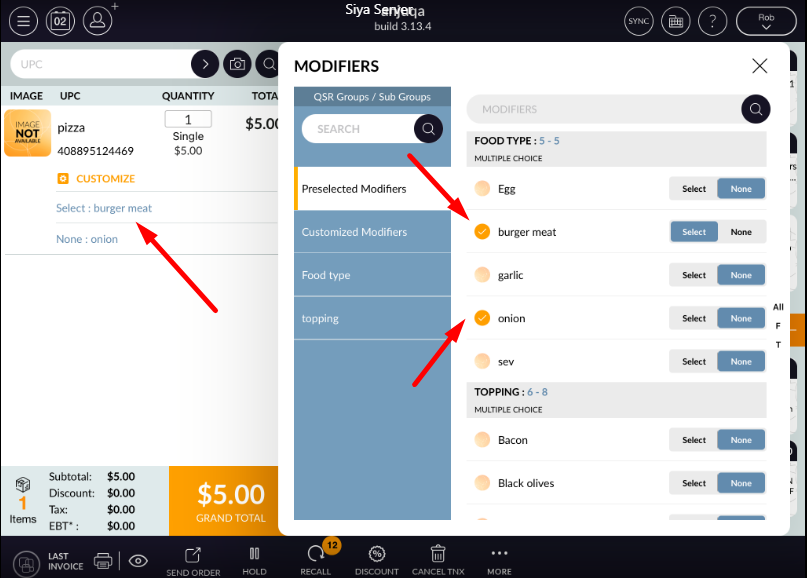
Customized modifiers
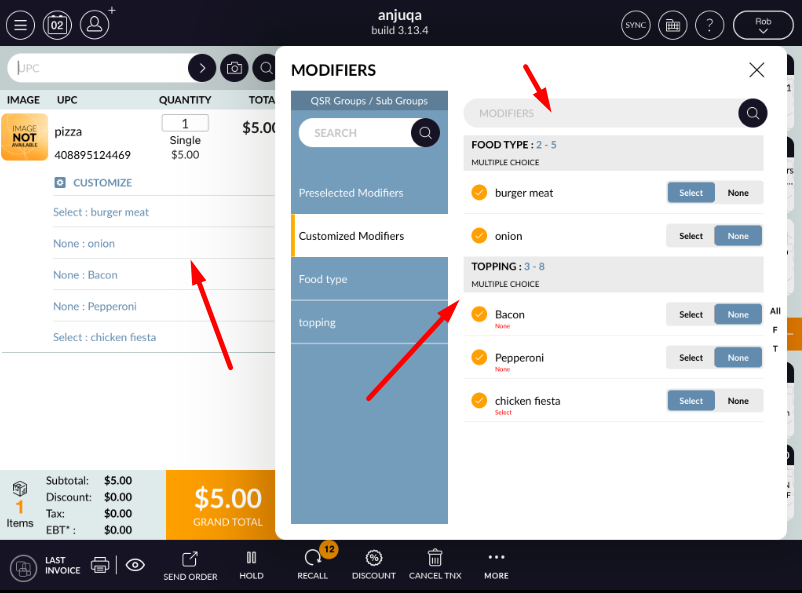
- In customized modifiers tab all modifiers are display which are selected from preselected modifiers list.
- Modifiers you select will display with operation selection.
- You can change operation from there also.
- In customized modifier there is search bar to search modifier from list.
QSR group wise modifiers
- All qsr group which are configure with item will display in modifier window.
-
When select any qsr group then if any qsr sub group available belong that group then it will display.
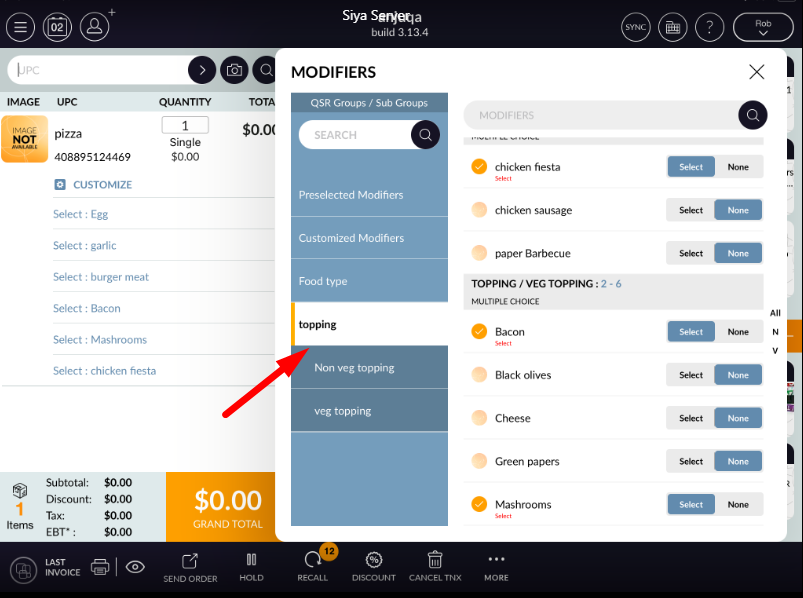
- In qsr sub group all available modifiers will display with that operations.
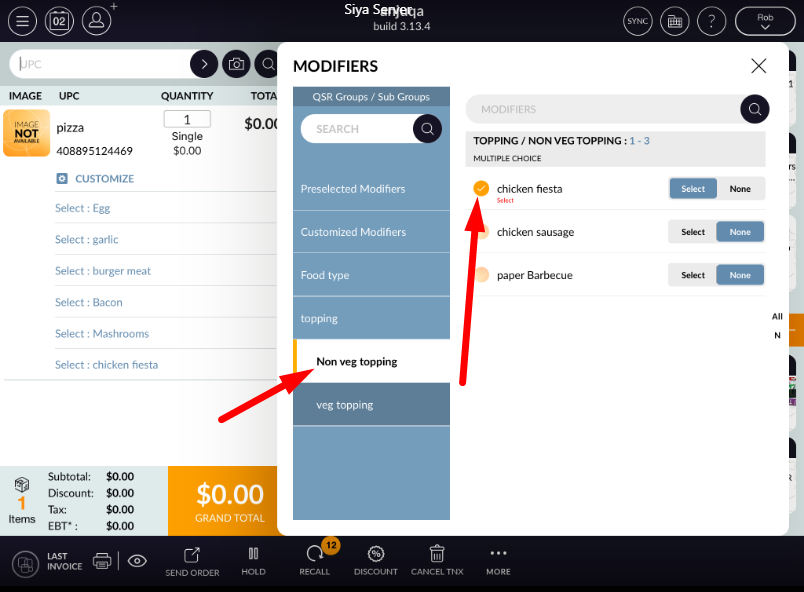
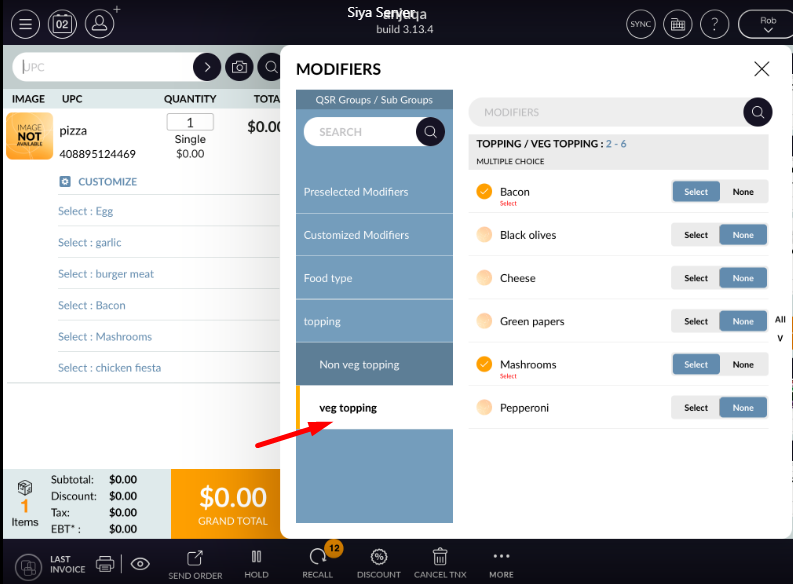
-
If in any qsr group compulsory modifier selection is defined then it will display with that defined
text.
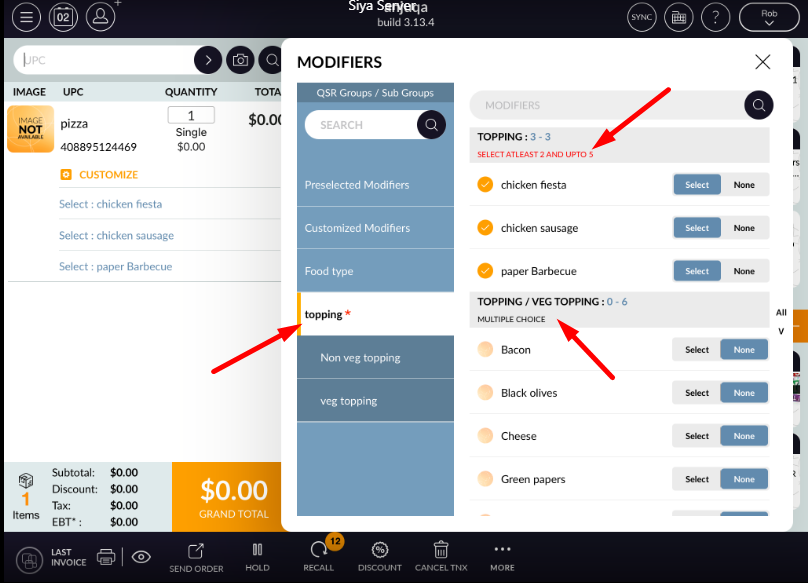
- In every window search bar is there to search listed modifier.