Support Document
 Support Document
How to create a new invoice in inventory count?
Inventory count is a module for item collection record for available items holding on different places.
For creating new module follow the below procedure.
For creating new module follow the below procedure.
- Open rapid RMS application.
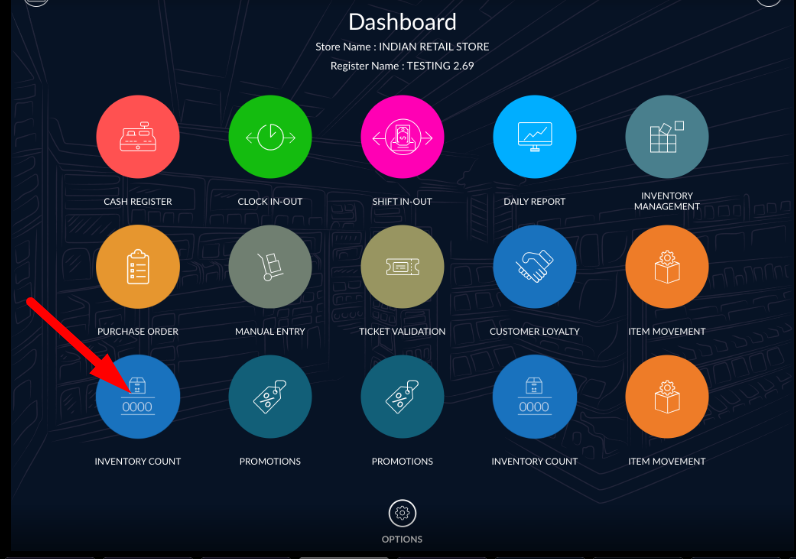
- Go to dashboard and select inventory count module.
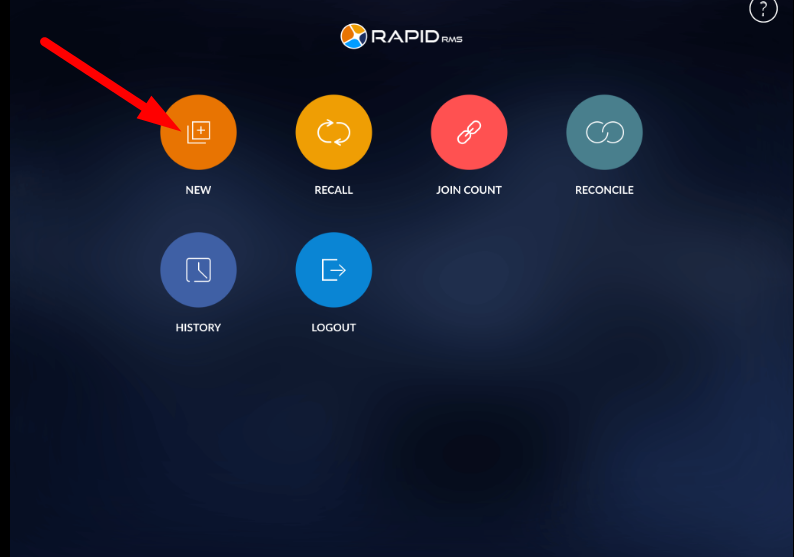
- On inventory count module dashboard click on new.
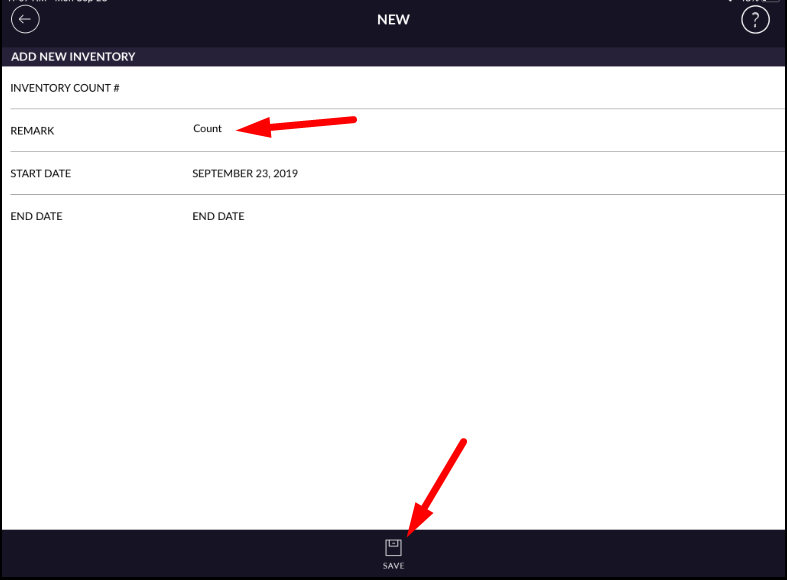
- When creating a new invoice that means for a particular store start to counting items from any place of the store.
- In remarks enter any text.
- Click on save.
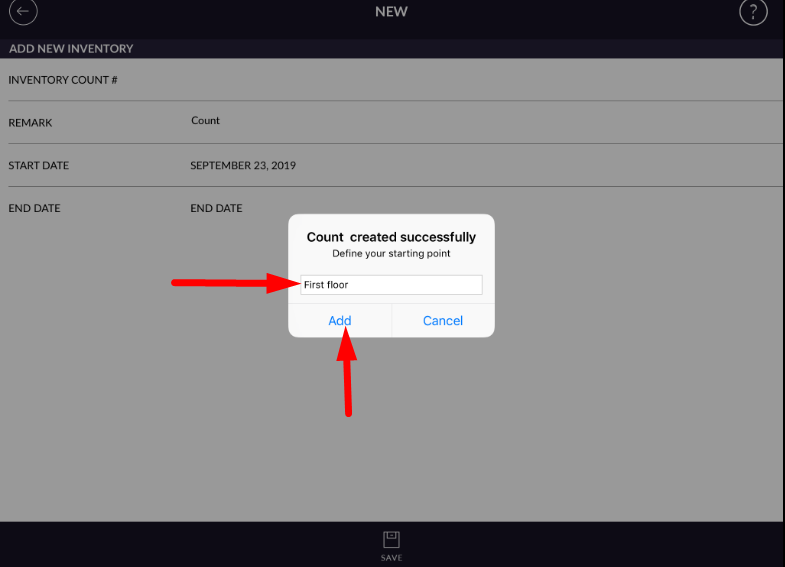
- One pop up open for entering that place name from where you need to start counting.
- Enter the place name.
- Click on done.
- One page for item adding will open.
- Item(s) you found, You can enter from search option.
- After selecting an item from the list click on add.
- Items will be added to our counting list.
- Item will display with barcode, description, quantity available in-store and with price/cost.
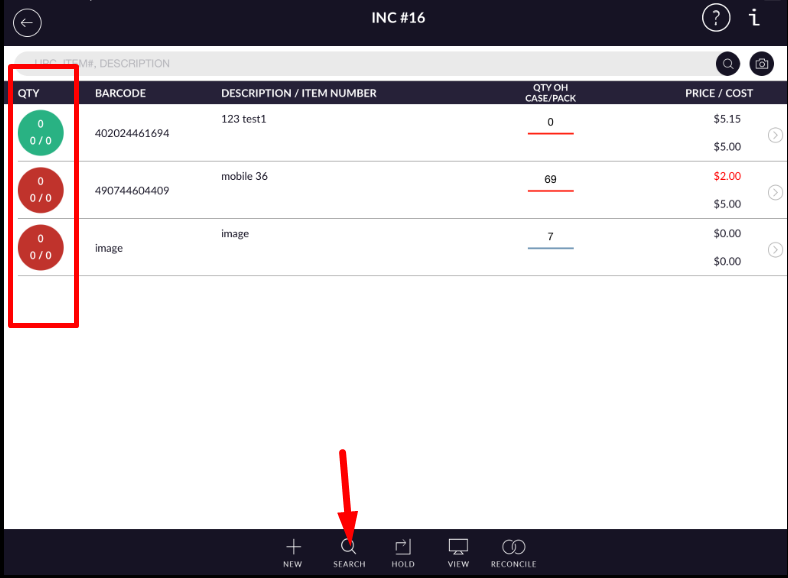
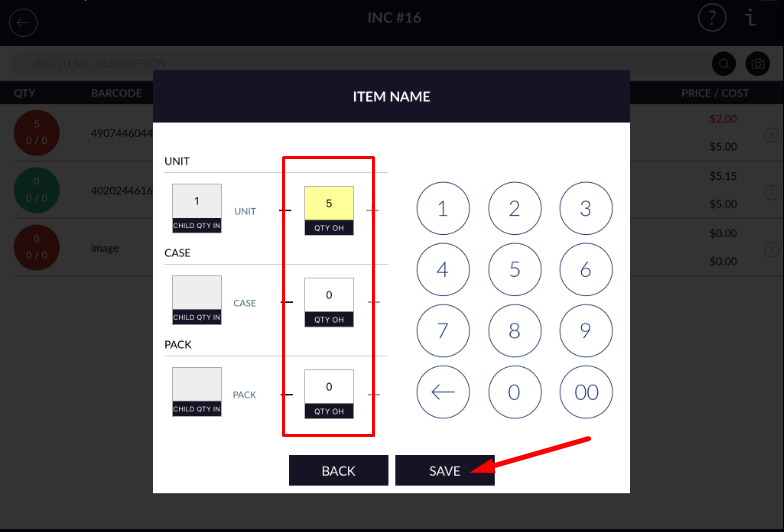
- In qty field enter qty which you found from that location.
- The quantity you can enter a quantity in form of single, case and pack.
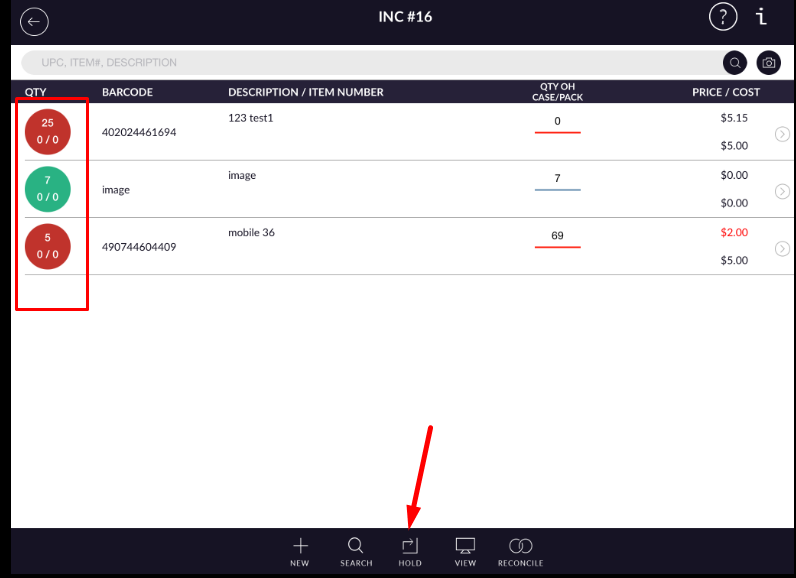
- After adding an item you can hold or reconcile invoice and proceed further.
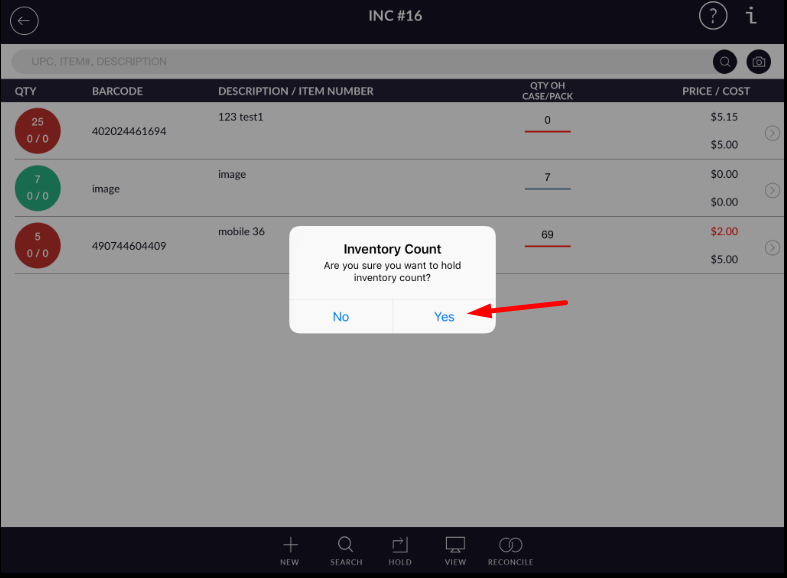
- By this way, the new invoice can created in inventory count.