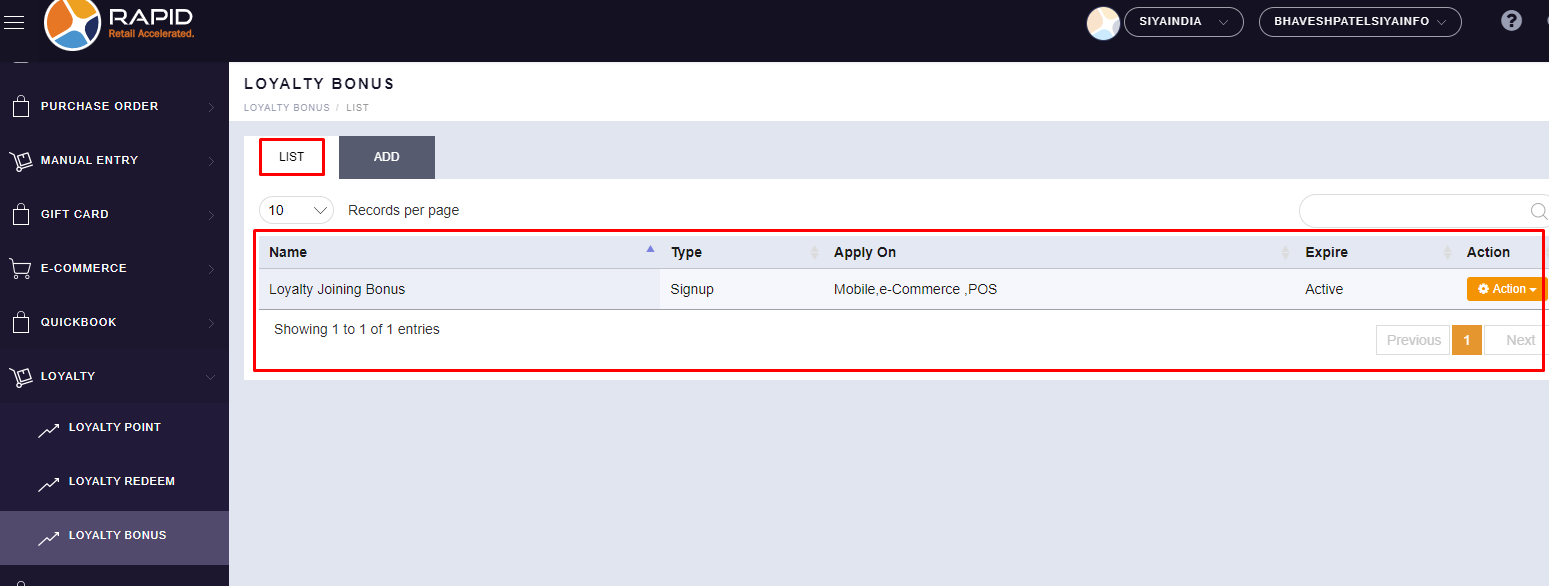
Support Document
 Support Document
How to create Loyalty Signup Bonus in the Back-Office ?
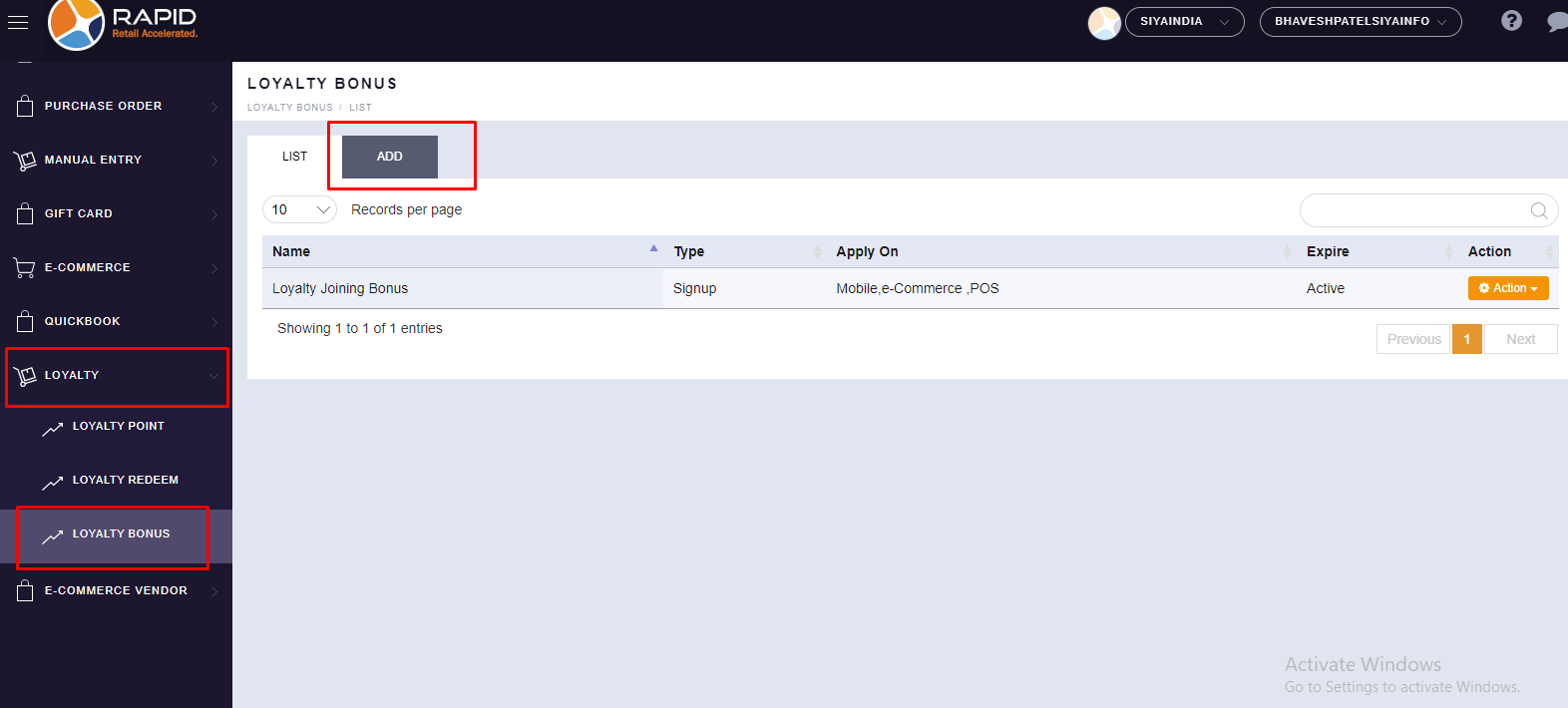
- Login on the Back-Office website.
- Left side, you will find the “LOYALTY” section, click on it.
- In the Loyalty section, you will find the “LOYALTY BONUS” option, click on it.
- Click on the “ADD" button.
- Please fill up all the details to create bonus points.
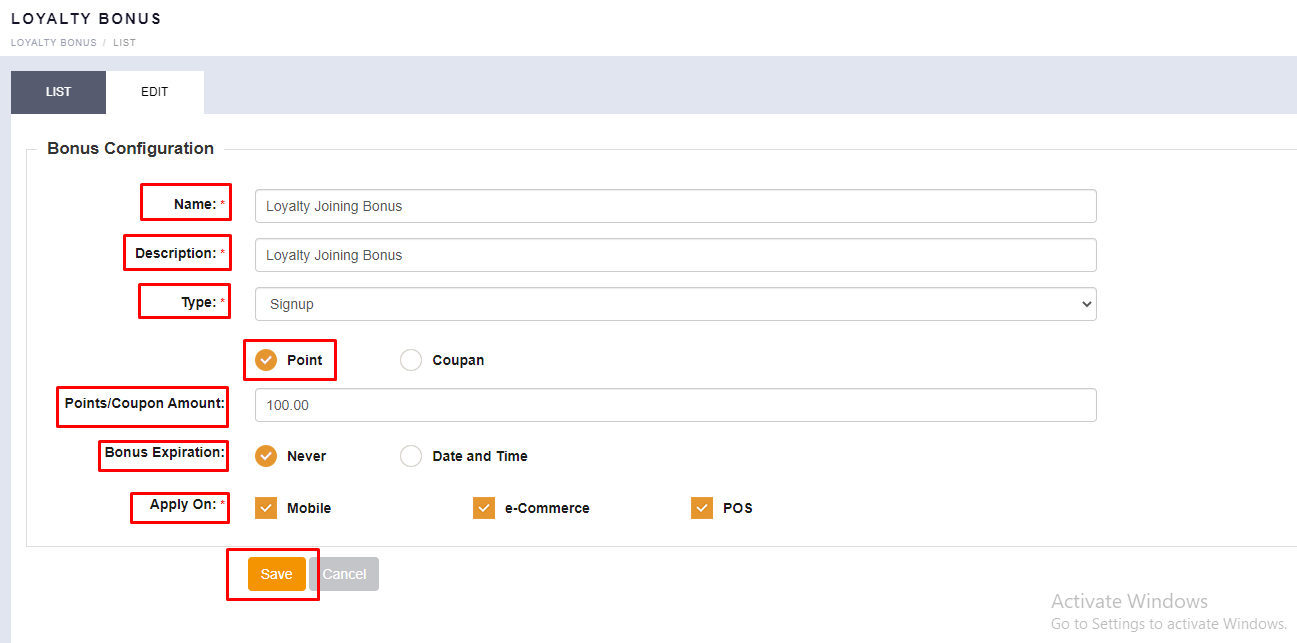
● Name: You can put your Loyalty Bonus Name (For Example : Loyalty Joining Bonus).
● Description: You can put any description as per your requirement.
● Type: You have to select the “Signup” type from the given list.
● Point or Coupon: Selection one option either Point or coupon (For Example : Here we have selected “Point” option)
● Point/Coupon Amount: You can put your Bonus Amount which you want to give at the time of Signup.
● Bonus Expiration: You can choose one option out of 2 options. (1. Never & 2. Date and Time)
● Apply On: Here, you can choose an option according to your loyalty in a specific Platform (Mobil, E-commerce, POS), you can choose all together also as per your requirement. - Click on the “
SAVE ” button. - Your created Loyalty Bonus will be displayed in the List option.