Support Document
 Support Document
How to Copy-Item in iPad:
If you want to create new Item which has almost the same information like your previously created Item then
RapidRMS give you the functionality to copy the existing Item detail for creating new Item. You don’t need
to enter every detail. Just change the detail which defers and provide unique barcode and save it.
Here are the steps on how to copy existing item detail.
Here are the steps on how to copy existing item detail.
- Open RapidRMS application in your iPad.
- Select Inventory Management from dashboard.
- Enter your valid passcode to access Inventory Management Module.
- Slide any Item from the list.
- Option bar has inactive, history, single, case, pack, copy and delete options.
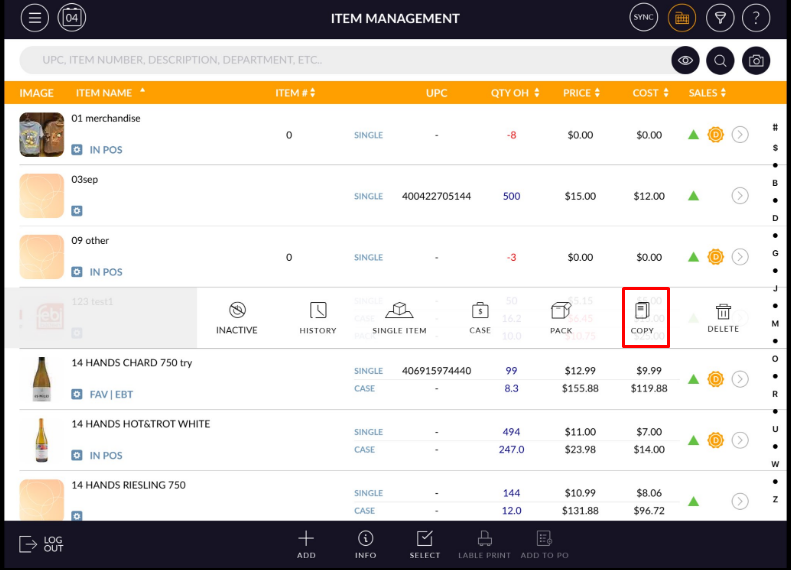
- Click on the Copy button.
- All the details of the existing Item will copy except barcode.
- Change the details according to you and save the detail.