Support Document
 Support Document
How to compare Deliver PO List with Validation/ME or EDI?
This functionality is used when a store wants to compare received items with an order list.
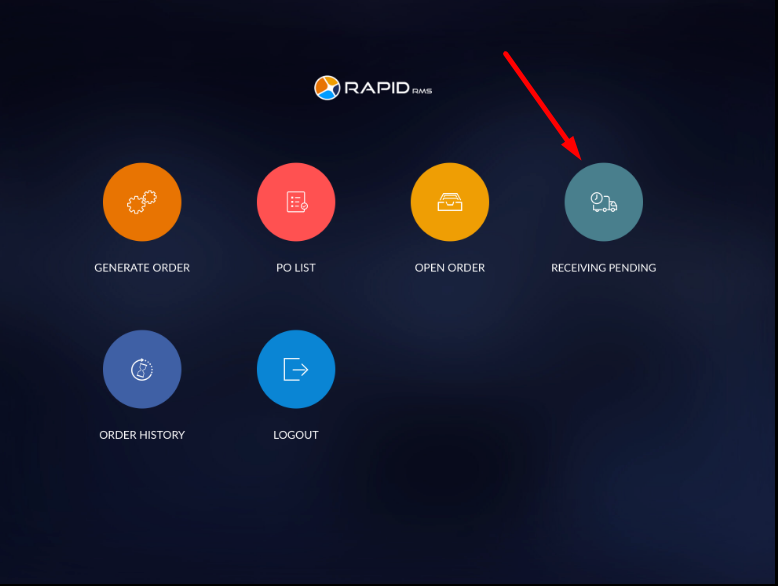
- Open Rapid RMS application.
- Open purchase order module from the dashboard.
- Tap ‘Receiving pending’ module.
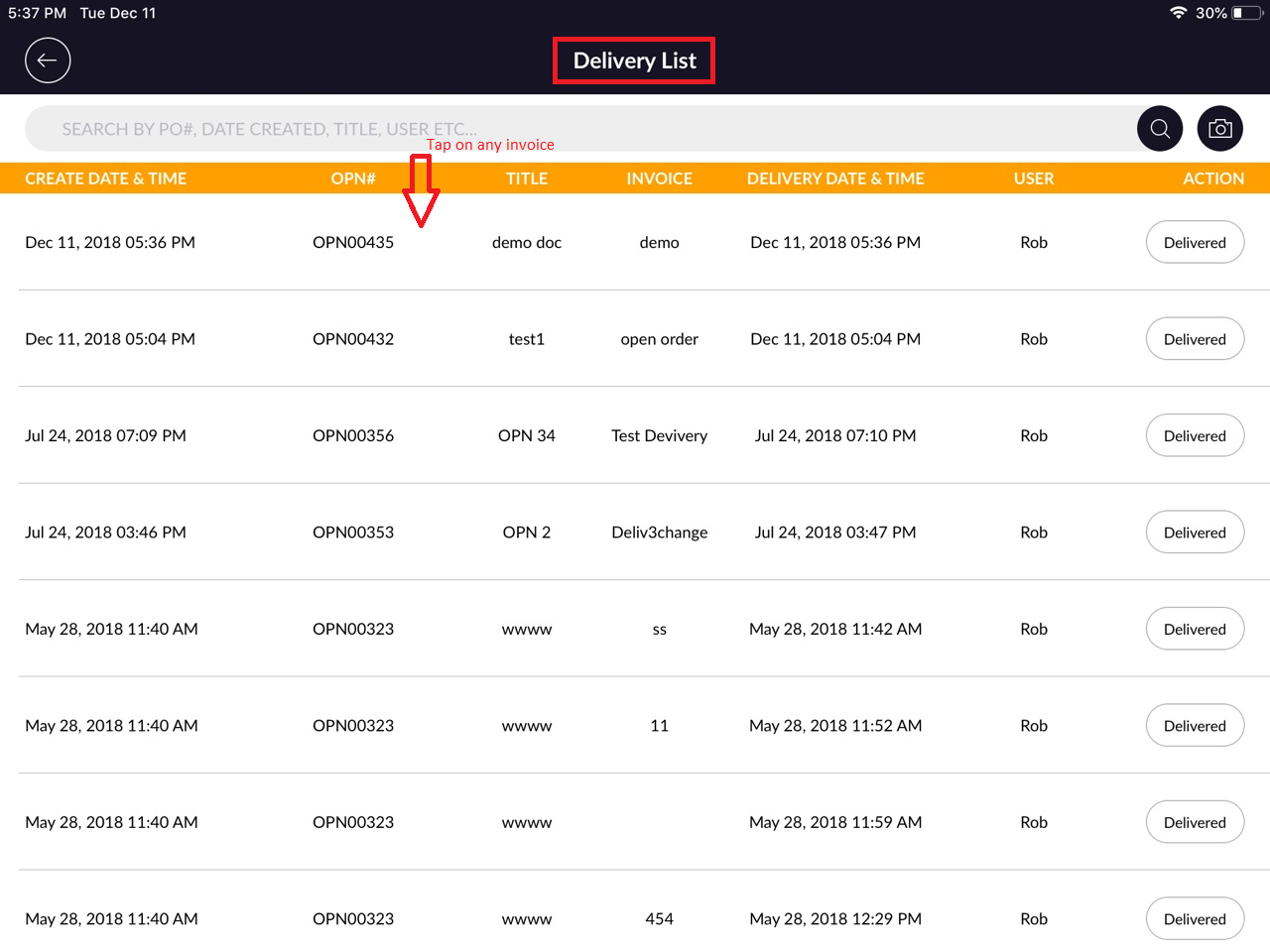
- In receiving pending all the orders which are move from open order would listed.
- Orders will display with created date & time,OPN#, title, invoice, receiving date & time, user and Action.
- Open any of the order which you want to compare.
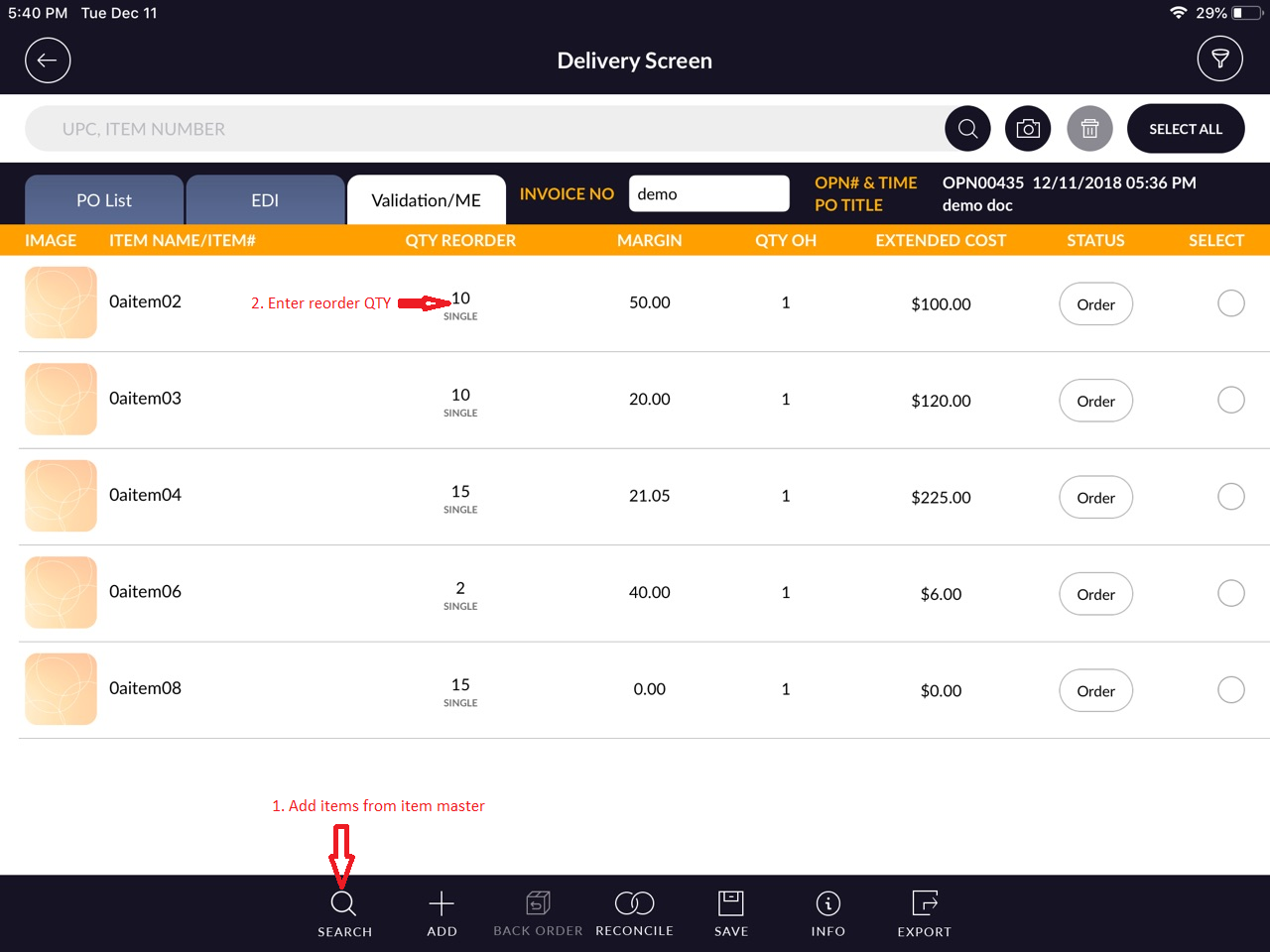
- In Delivery Screen, You will see Validation/Me and EDI option.
- Tap on Validation/ME option.
- At there, Scan or add items which store ordered and enter ‘Qty Reorder’.
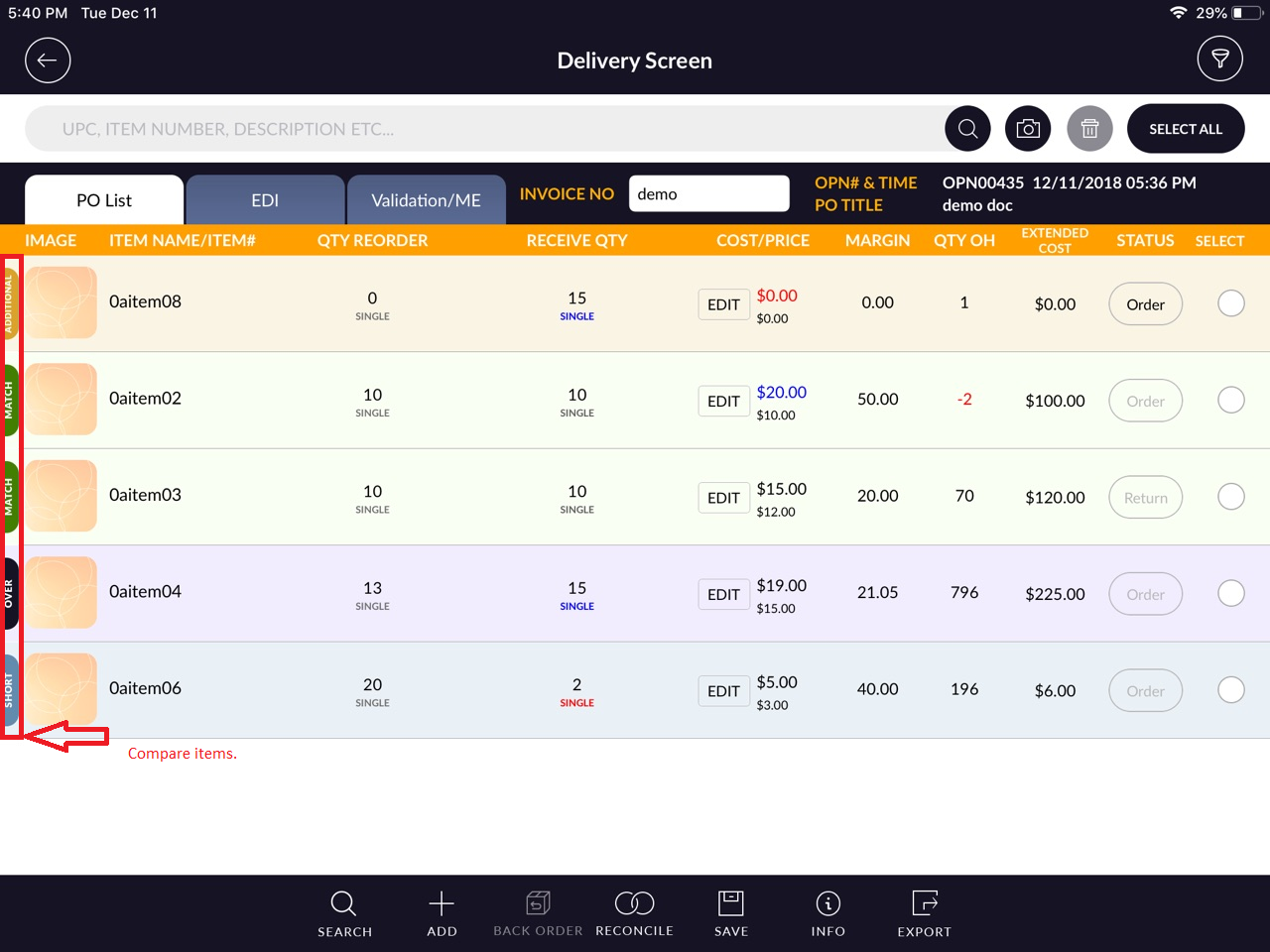
- Now go to PO list and compare items.
- You will see, items will compare with ME list and show status according to that. (Ex: Unmatch, match,
Over, Addition.)