Support Document
 Support Document
How to check Drop Amount Reports in BackOffice ?
- Login on the Back-Office website.
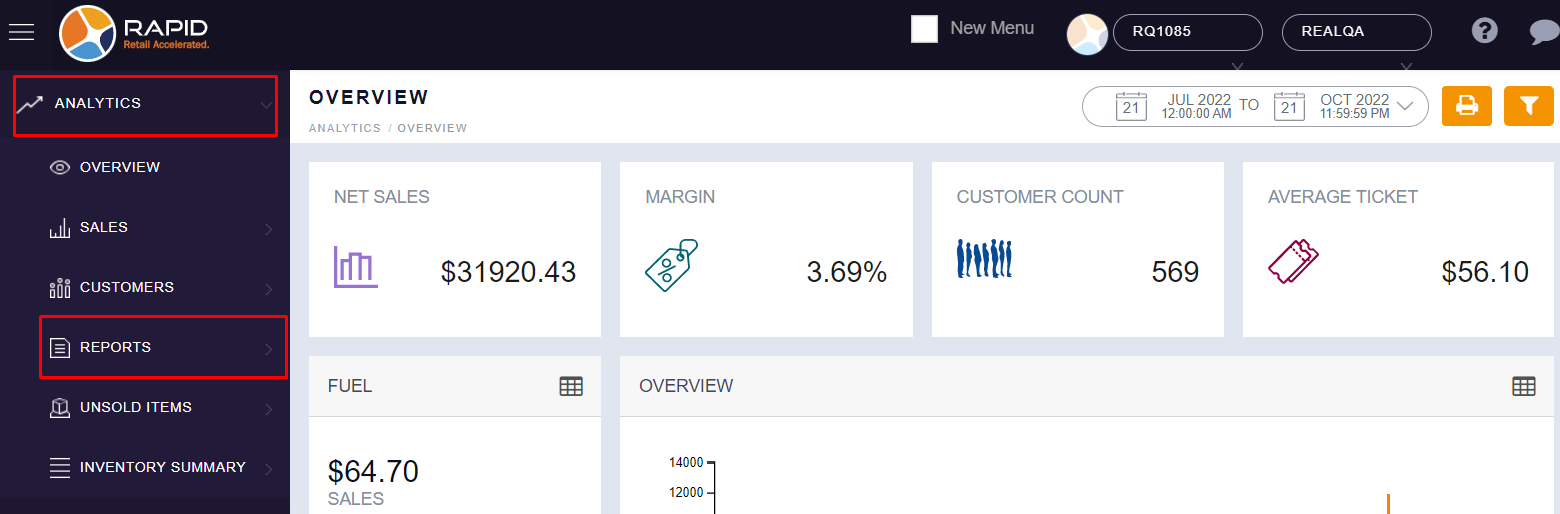
- Left side, you can see an option with “ANALYTICS”, click on it.

- In Analytics, You will find the “REPORT” option, click on it.
-
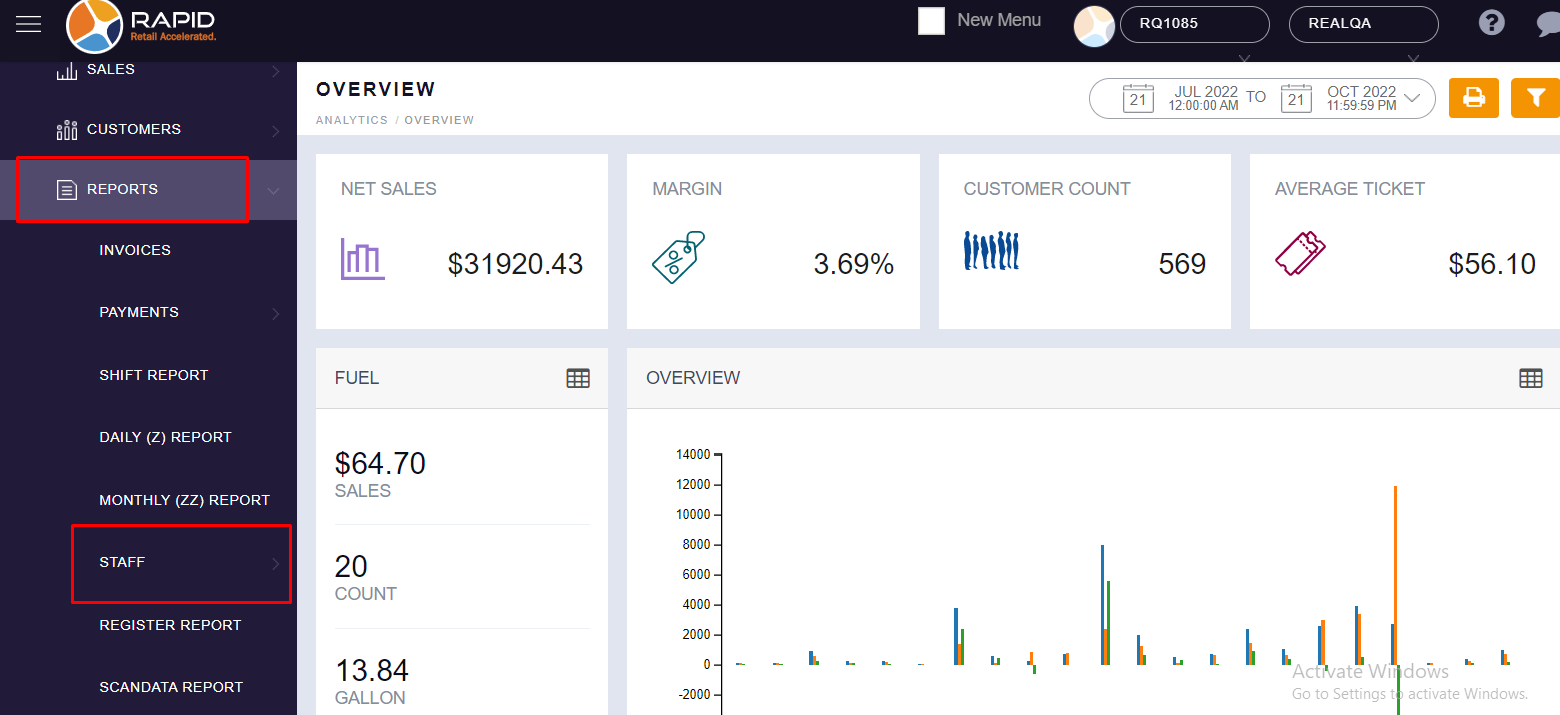
In Report, you will find the “STAFF” option, click on it.
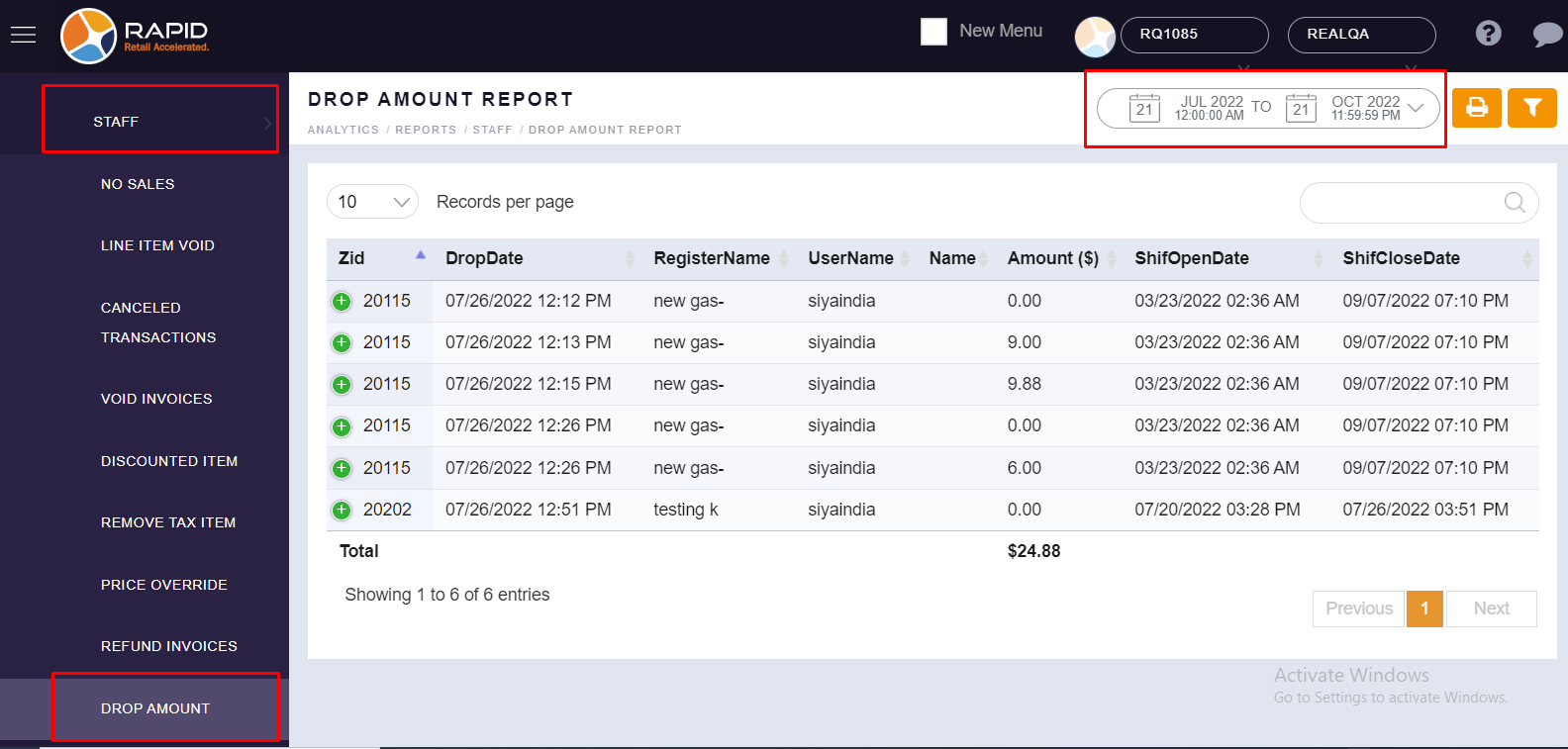
- In Staff, you will find the “DROP AMOUNT” option, here you can select date range as per your required
period and you can see your Drop Amount Report.