Support Document
 Support Document
How to check detail in shift report?
The Shift report is a printable report that provides an overview of each employee's activity and all
transaction details during their shift.
You can also view shift report details from Daily report module too. It appears current open shift report details in Daily report module.
Please follow the below steps:-
You can also view shift report details from Daily report module too. It appears current open shift report details in Daily report module.
Please follow the below steps:-
- Open rapid RMS application.
- Open Daily report module from Dashboard.
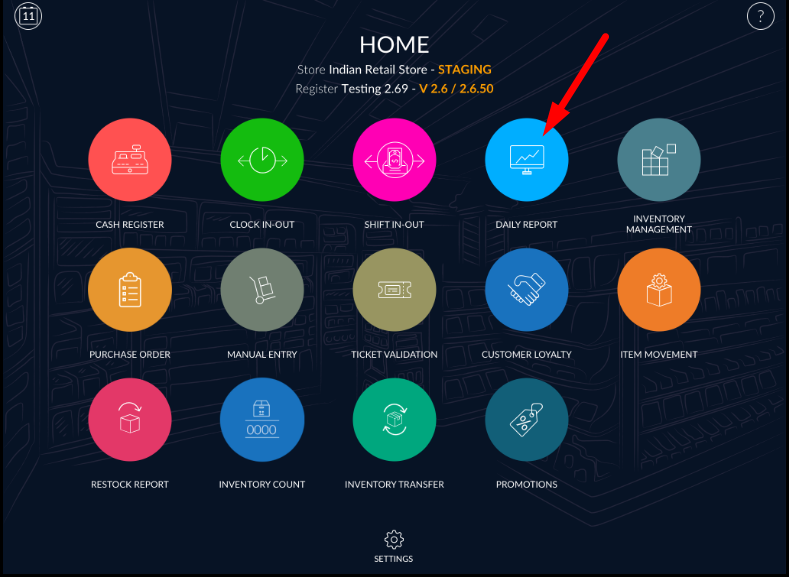
- When you open daily report, it will appear current opened shift report bydefault.
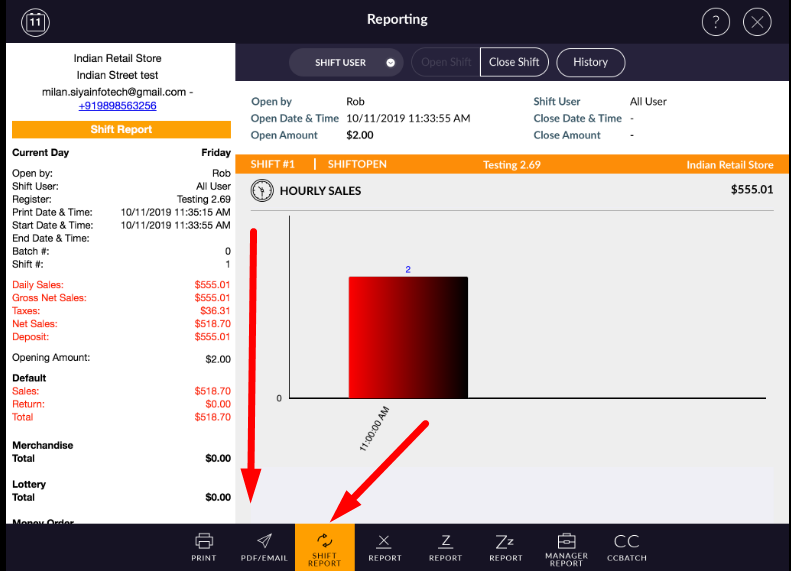
- In shift report you can view Open and close shift date & time, user name, register name, sales data and all transactions details accordingly.
Note:- Please note that department wise sell will not appear in shift
report.