Support Document
 Support Document
How to do card(swipe/signature) setting ?
For credit card, debit card or any other card transaction need to set configuration from setting module.
If cards are properly configured from setting then only at a time of transaction they would perform as card type otherwise they will consider as a cash payment.
If cards are properly configured from setting then only at a time of transaction they would perform as card type otherwise they will consider as a cash payment.
- Open rapid RMS application.
- Go to the setting module.
- Tap on the tender configuration.
- This kind of setting is only possible in which cards are available at the time of payment.
- Open either credit card, debit card, EBT or gift card.
- Initially, all options would off.
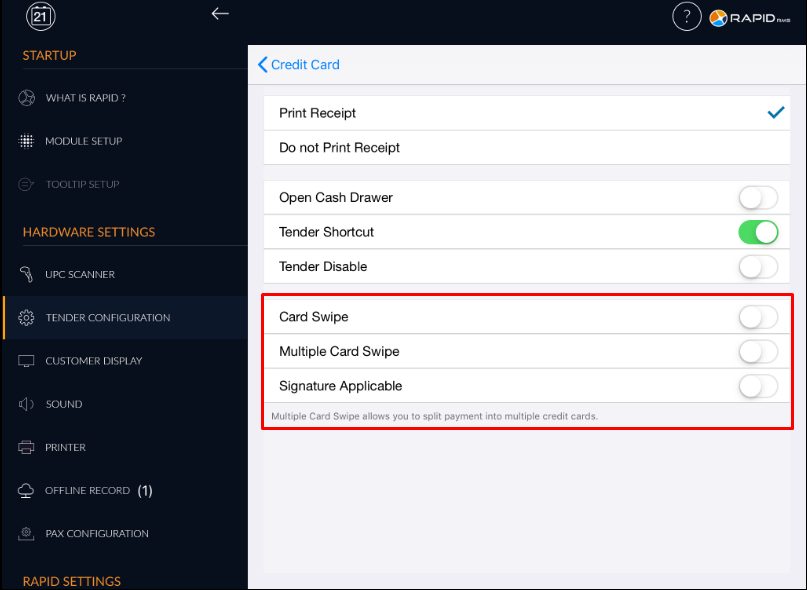
- When card option ON that means in the tender screen when payment is from any of card then screen for card open.
- When card option ON then merchant copy, and broad POS option enable.
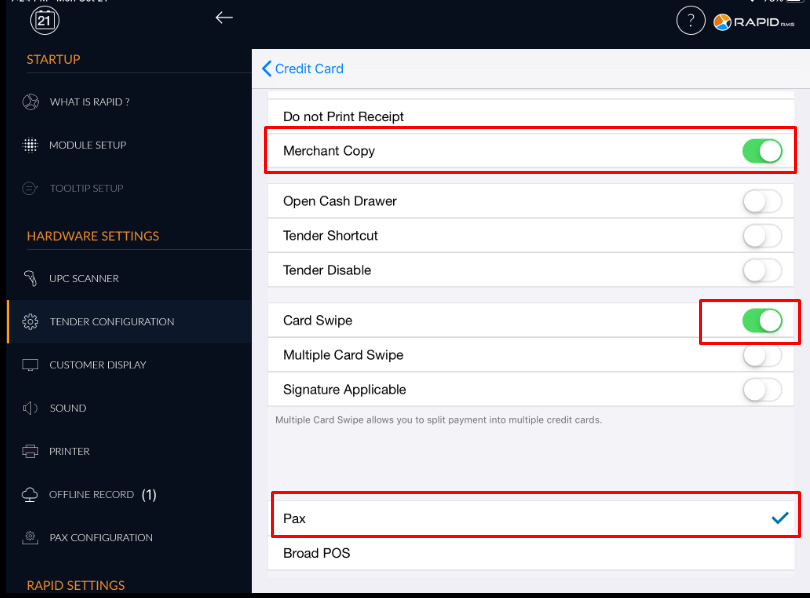
- When merchant copy On that means after payment complete one copy for the merchant will also print.
- For card, the transaction needs to select payment mode gateway either pax or broad POS. At a time only
one can be select.
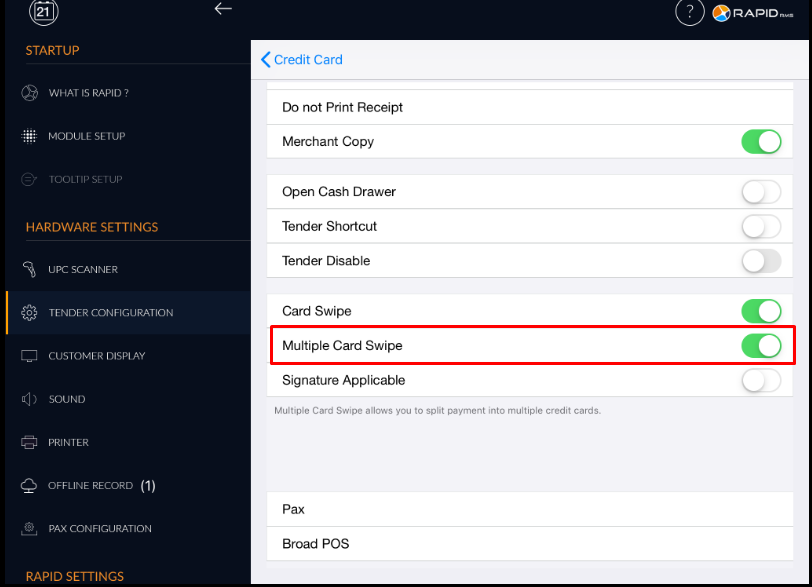
- When card swipe then only multiple card swipe can be ON. separately it can not be set as ON.
- In any payment type if you want to do payment by more than one card then set multiple card swipe
option ON.
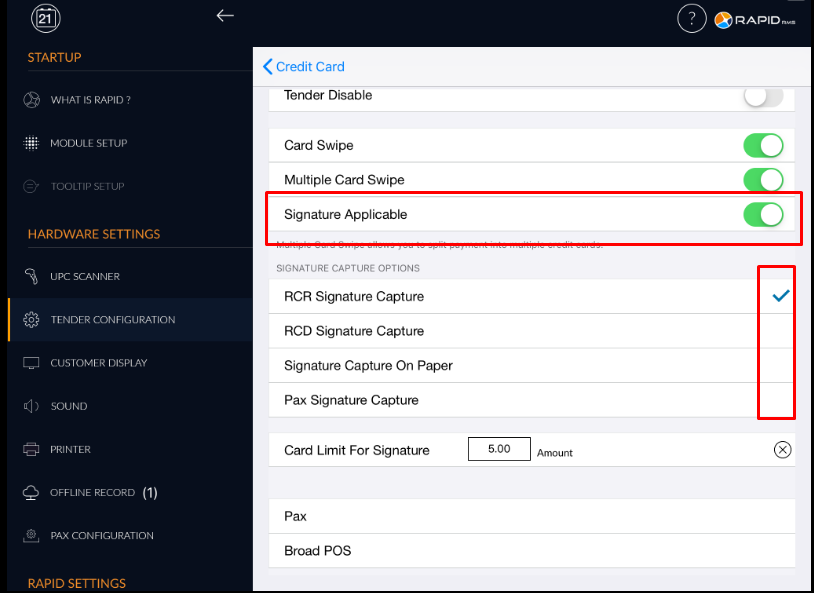
- There is one option signature applicable.
- When this option is ON then below that five other option open.
- You can select from any of four. At a time only one option can be selected.
- RCR signature capture that means at the time of card swipe in application one screen would open for signature.
- RCD signature capture that means if customer display is connected with rapid and this option is selected then in RCD module screen for signature will open.
- Signature capture on paper that means when complete transaction then in print receipt one receipt for signature will print.
- Pax signature capture is for doing signature at the time of pax transaction.
- There is one another setting for set card limit for signature.
- Whatever amount is set in card limit, the signature screen will open if the transaction is minimum of that much amount.
- I.e if there is set 5 $ that means if the transaction is of 5 $ or above then only signature capturing screen will open otherwise not.