Support Document
 Support Document
How can I give a manual discount on POS?
- In bill Ring up item(S).
- From bottom bar select option discount.
- Select items from the bill in which you want to apply the discount manually.
- Now from discount window select bill/item discount.
- Discount may be applied in % or $ according to selection.
- Click on Enter option.
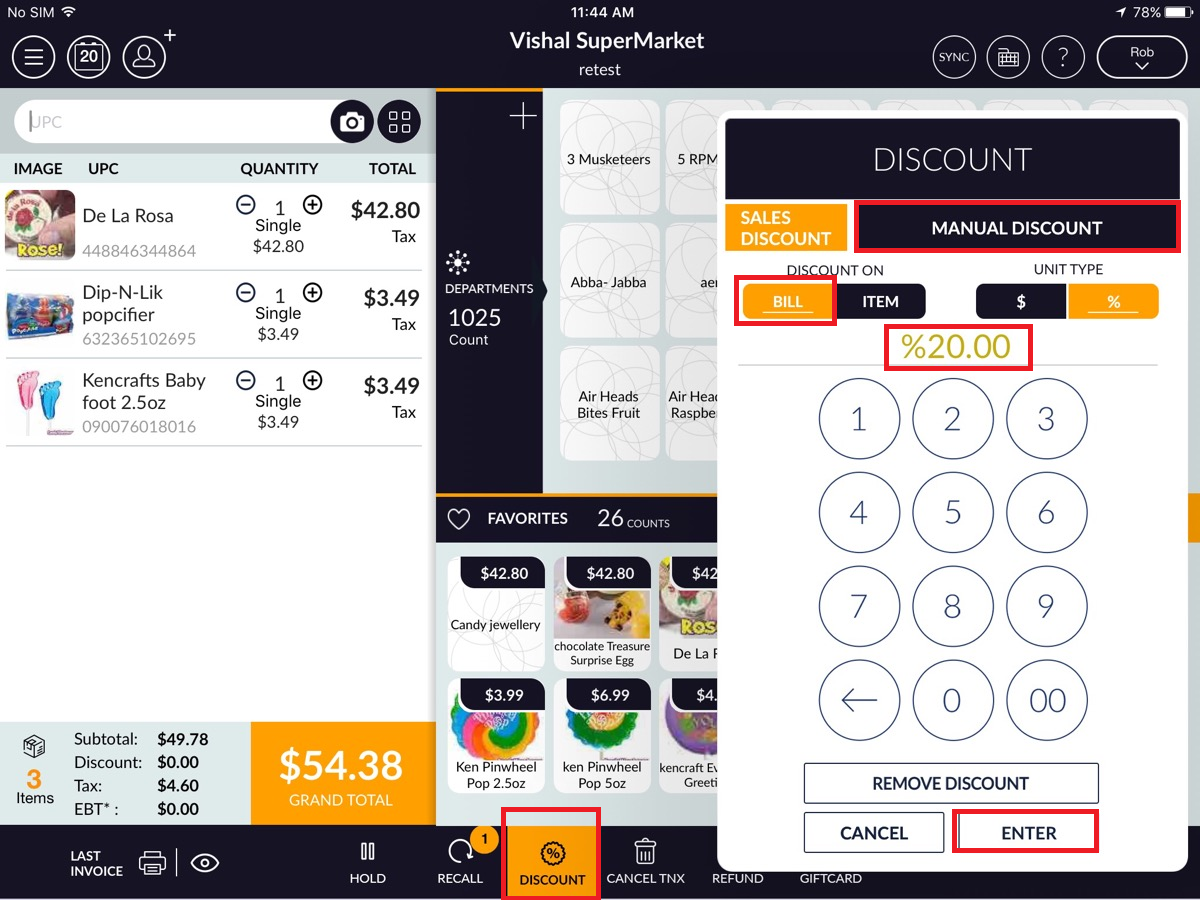
- Discount will apply on the selected item.