Support Document
 Support Document
How to apply EBT on ring up items?
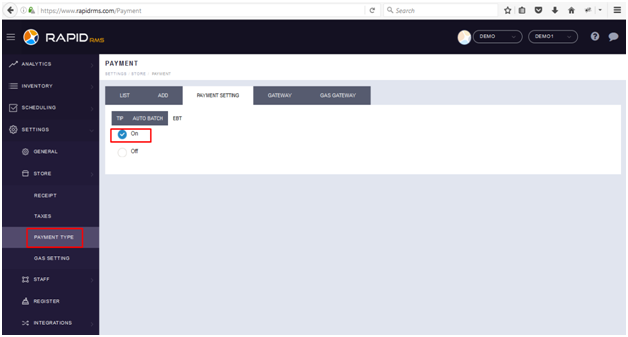
EBT option should ON from BOF before applying EBT on ring up items.
Steps to ON EBT option
- Sign in with your log in id -> Go to settings -> Store ->Payment Type ->Payment setting -> EBT -> Set
EBT ON.
- Open Rapidrms application.
- Go to Cash Register module.
- Ring up items.
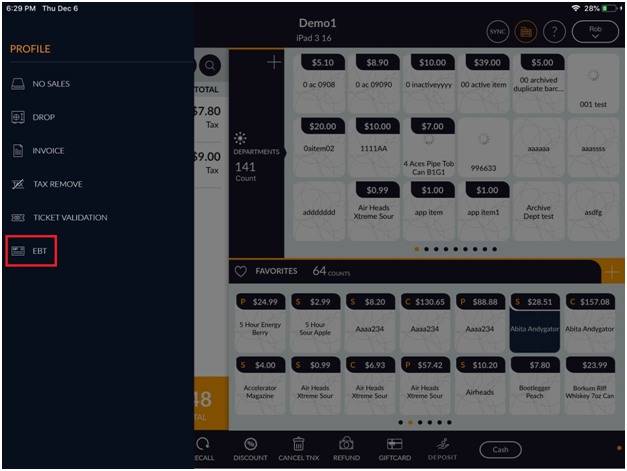
- In the left side of the pos screen, tap on main menu icon.
- Now, from list tap on EBT option.
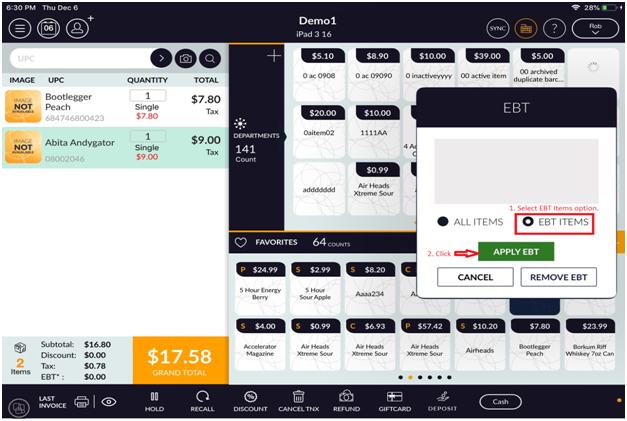
- Now you will see EBT popup for Apply EBT and Remove EBT.
- Now select Either ‘All items’ or ‘EBT Items’ option.
- After selecting any one option and according to that in bill screen item appear selected.
- Now click on ‘Apply EBT’ button.
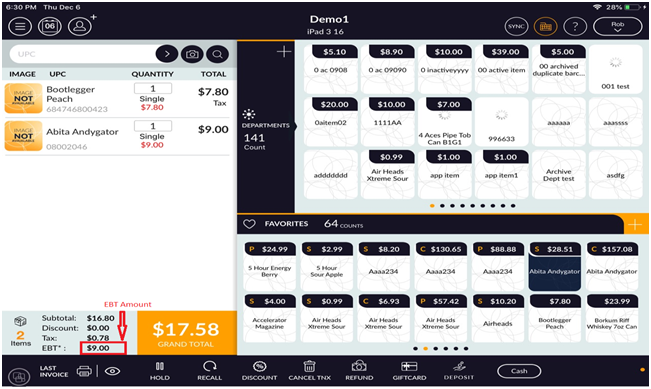
- Now In the bottom of the bill screen, you will see EBT Amount.