Support Document
 Support Document
How to add taxes to Item and Department?
- There are two ways to apply tax to your item.
- User can apply tax to a particular department and that department should associate with the items. Or User can apply tax to an item only.
- There are two tax types available 1) Department wise and 2) Taxwise.
Department wise Tax:-
- When the user creates any department, the user will assign tax to the department. So when the user rings up any item which is associated with the department, the tax will apply to the item.
- Default department-wise tax has resided when the user creates a new item from Item master. If the user
has applied tax to the department, it will apply tax to the item automatically.
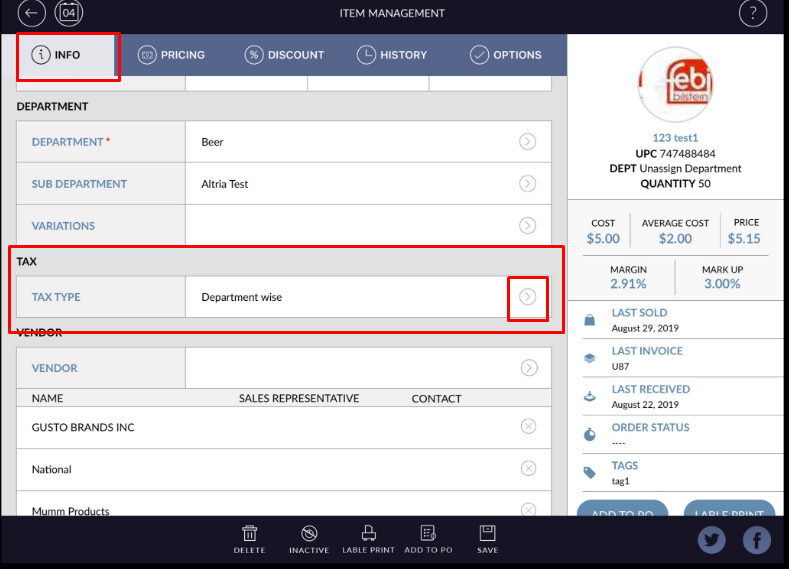
Taxwise Tax:-
- If you want to add tax for any particular item only then click on the “>” arrow from the tax option.
- Select the Taxwise option from the drop-down.
- It will move to the list of taxes.
- Select any tax from the list. You can select as many taxes you want to apply from the list.
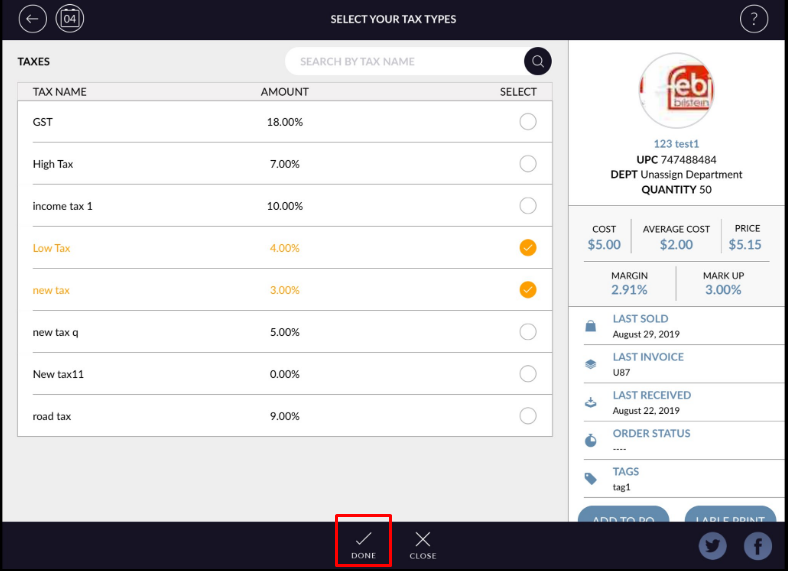
- Click on Done.
- Click on the Save button,