Support Document
 Support Document
How to remove items from sales restriction?
When in POS need to add sales restriction for any of item then need to set blue entry from BOF.
For add sales restriction from BOF follow below procedure.
Week Days:
Weekends:
Custom days:
For add sales restriction from BOF follow below procedure.
- Log in with web url.
- Configure store properly.
- Keep e comm option ON.
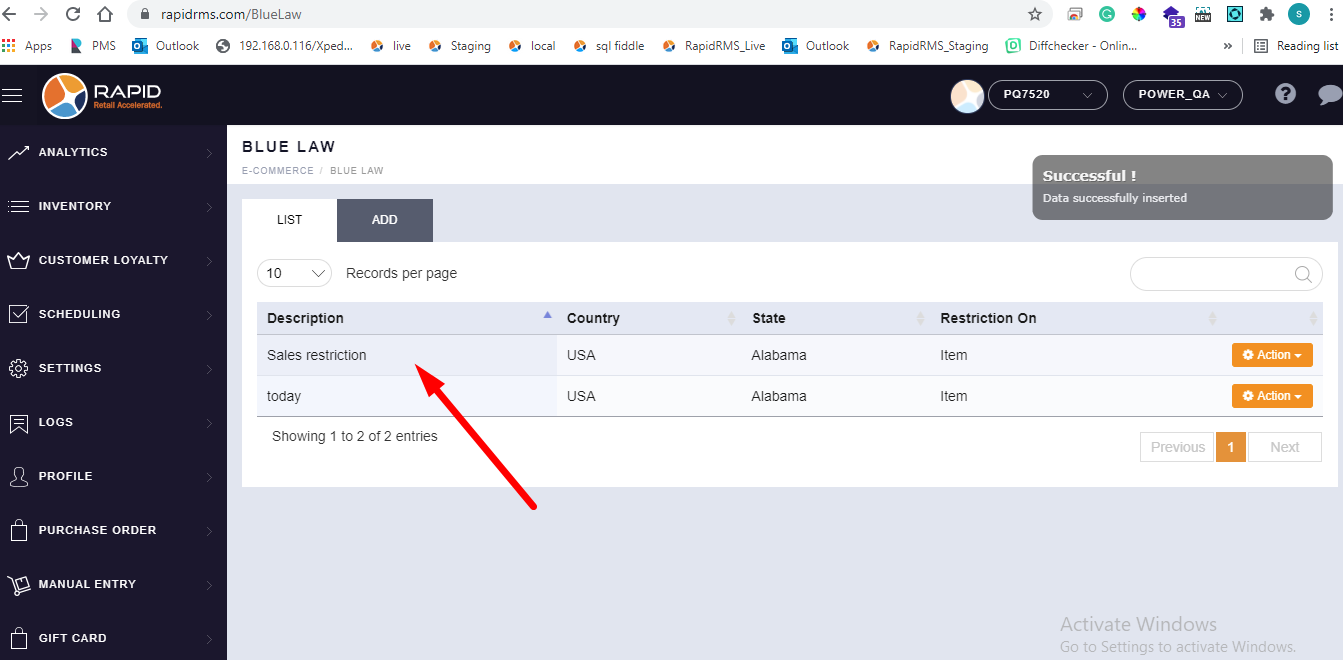
- Now go to blue law tab.
- When open blue law Then all available list display.
- There is one button available add.
- Click on add button.
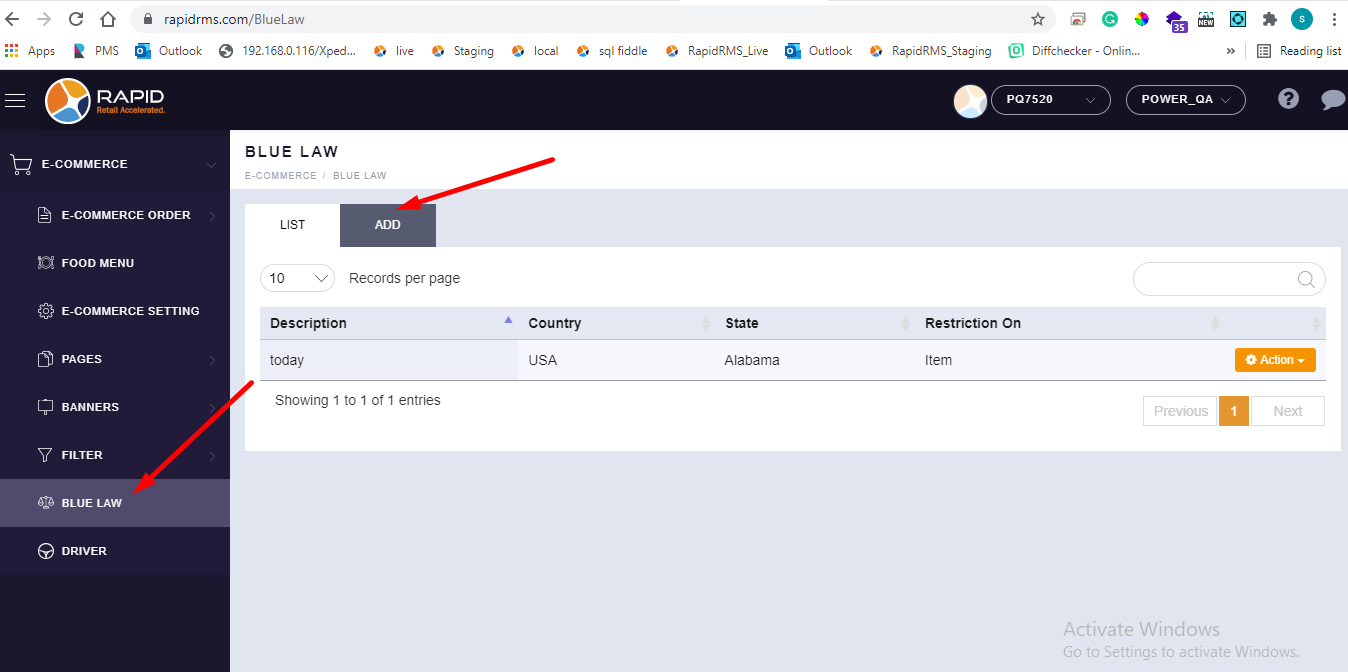
- When click on add then page for adding new entry for sales restriction will open.
- There is one field description.
- Enter name of sales restriction in it. Description field is compulsory to enter.
- Next field is country.
- This field is dropdown, From drop down need to select country.
- You can select one country from list.
- According to country select state in next field from drop down.
- Another field is block day/ time.
- here are two buttons that need to select for block day and time.
- First radio button is of date range selection.
- If you want to create sales restriction for any of time duration then need to select date range.
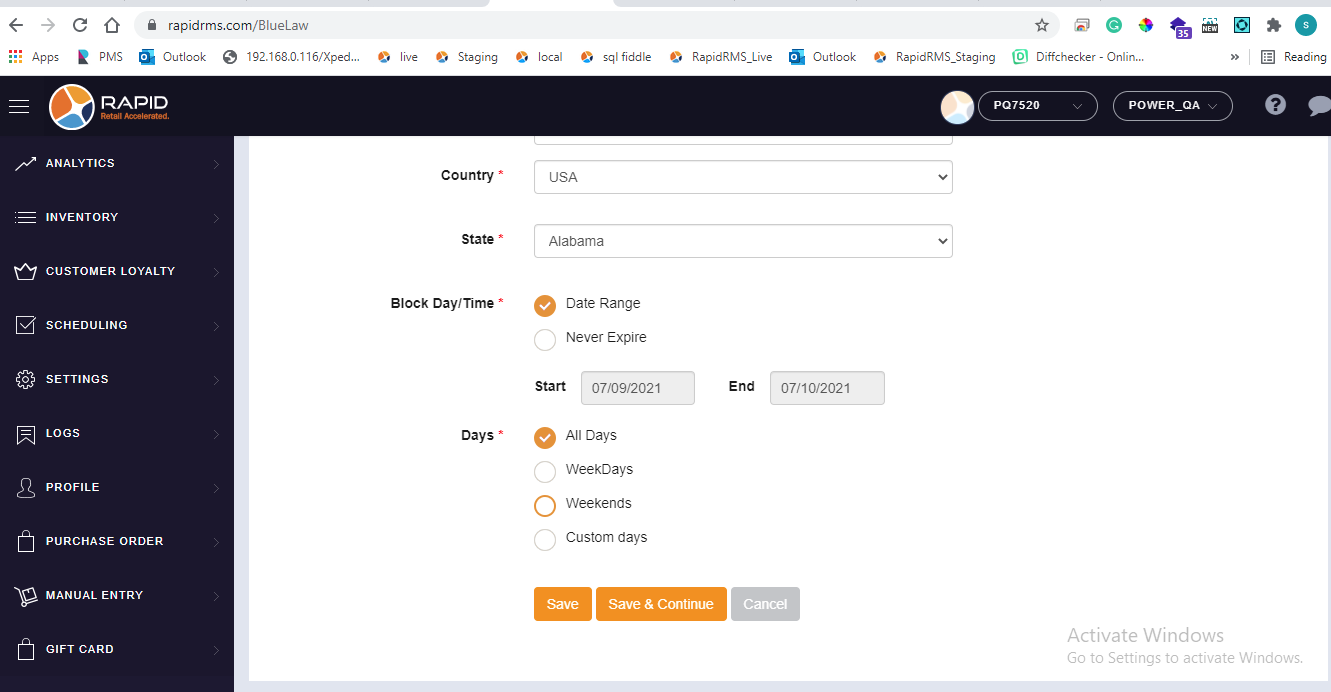
- If you select date range then need to select start date and end date.
- Start date should not be previous date.
- End date should not previous then start date.
- After that field of days selection is there.
-
ALL days: -
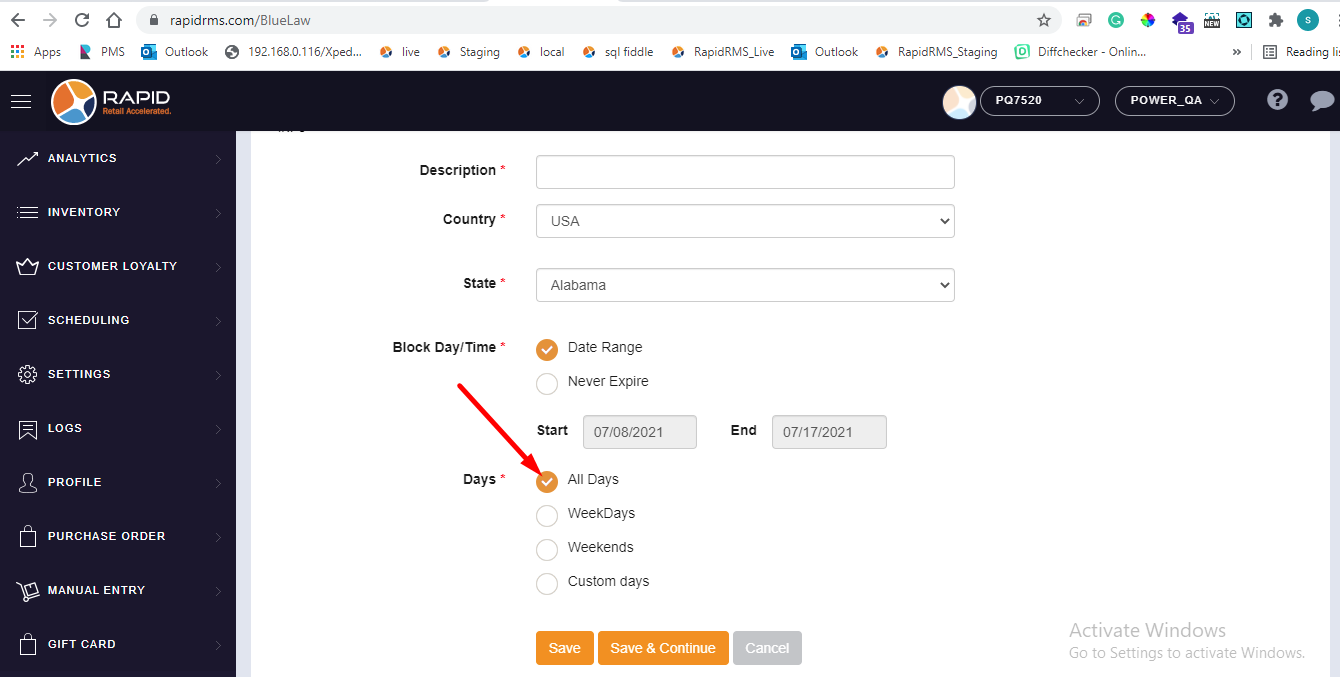
- If all days selection is available that means from date range selection all the days configured item is for sales restriction.
- If all days selection is available for never expire that meas item can never be sold till it is configured in blue law entry.
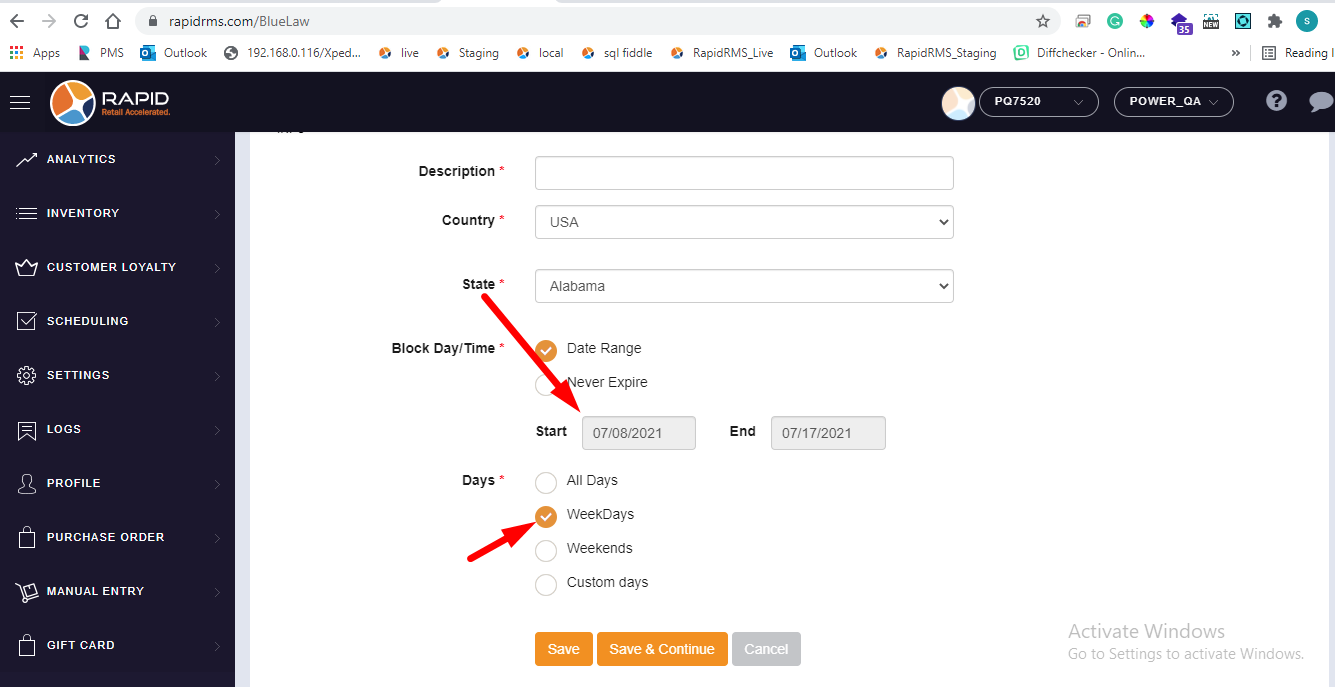
Week Days:
- When select any date range and with that select days option week days that means withing selected date
range in weekdays(monday, tuesday,wednesday,thursday,friday) Items can not be sold.
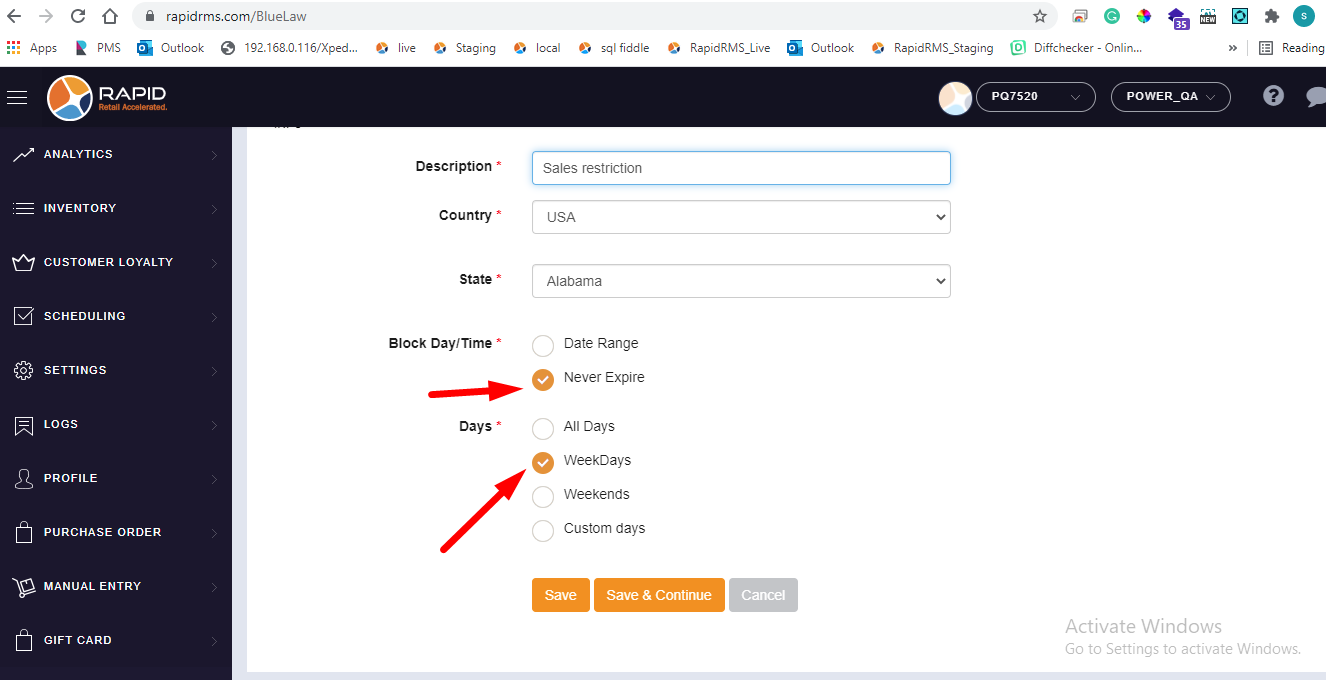
- If never expire option is selected that means withing weekdays(monday,
tuesday,wednesday,thursday,friday) that items would not sell, and this validity will never expire.
Weekends:
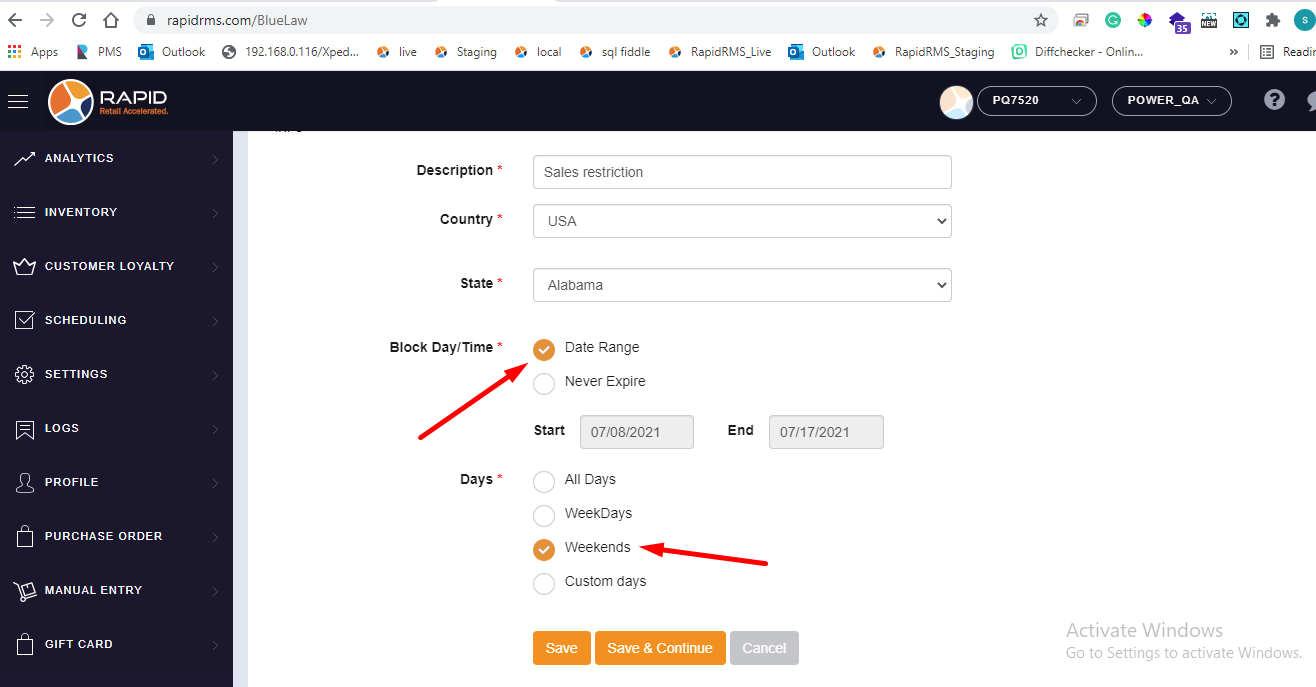
- If date range is selected and with that range from days if weekend option is selected that means
withing start date and end date range in weekends(Saturday and sunday) configured item can not be sold.
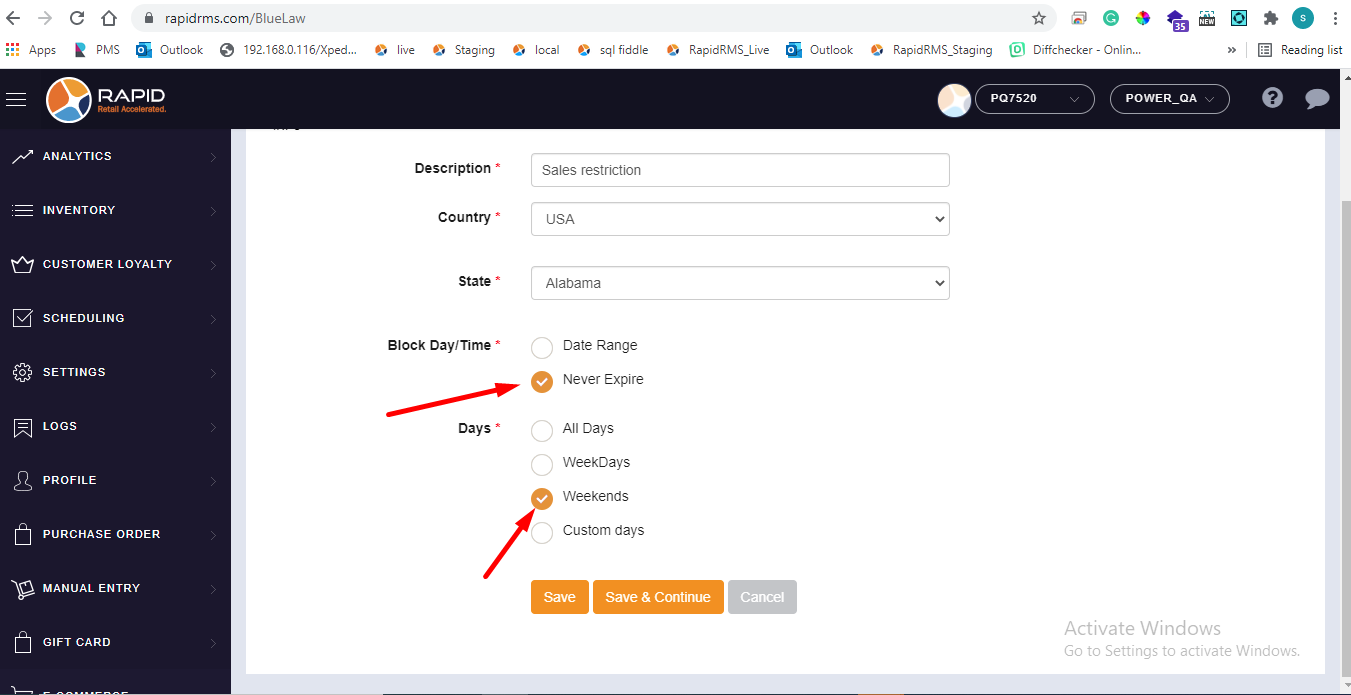
- If select never expire option with weekdays that means item can not be sold in weekends and this
validity will never expire.
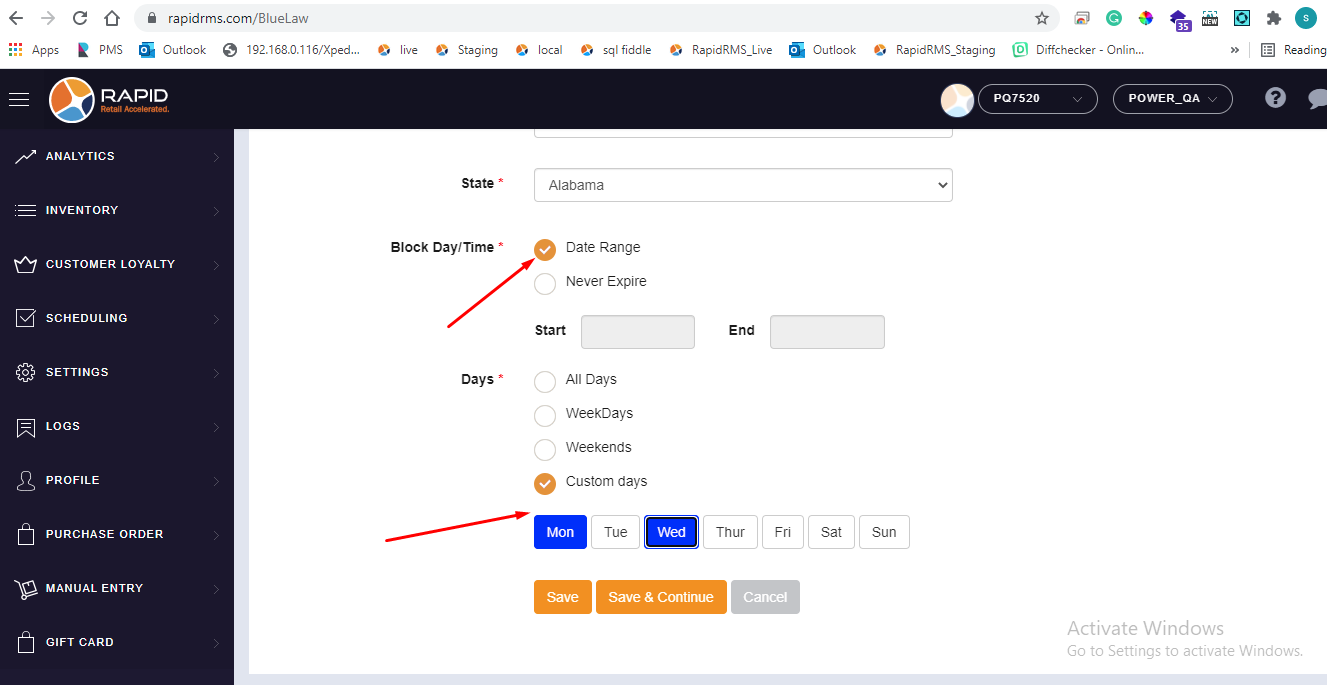
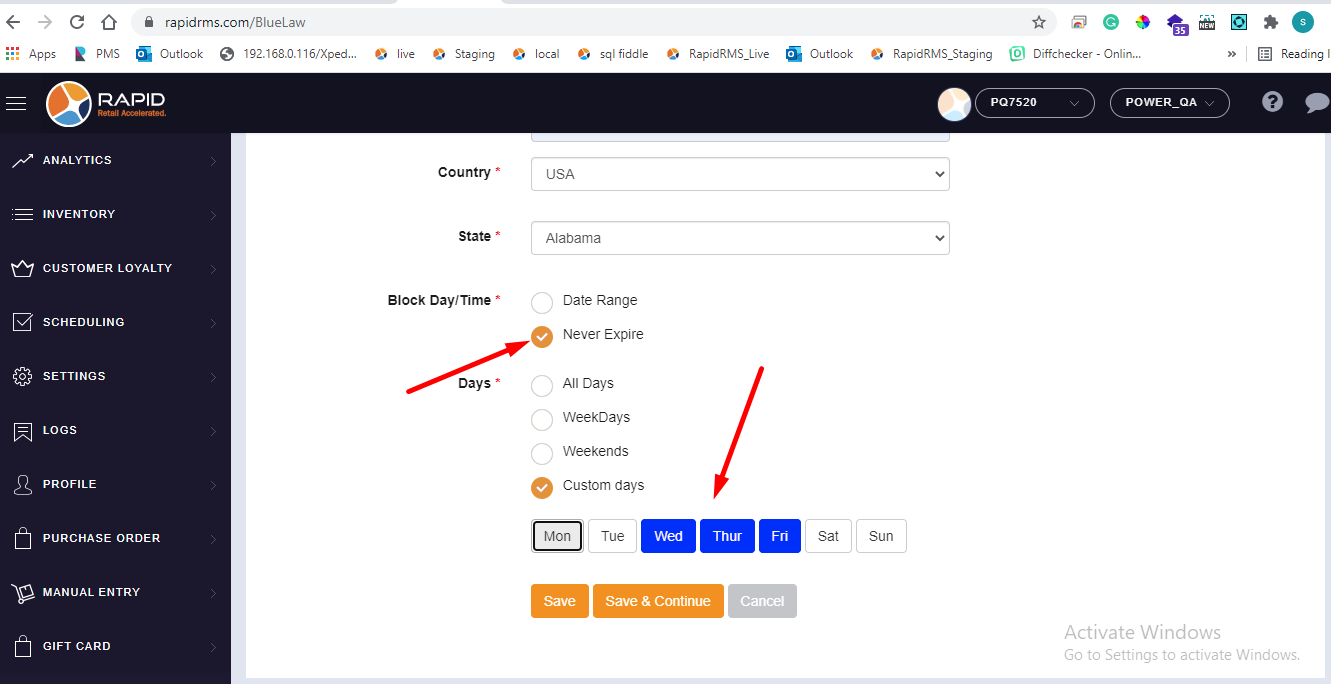
Custom days:
- When date range is selected with custom days that means withing selected date range on customized days
items can not be sold. I.e if monday and wednesday selected then on these days items can not sell.
- If never expire is selected customize days then at selected days item will not sold and this validity
will never expire till in blue law this configurations is set.
- After all data set click on save.
- New entry for sales restriction will set in list.