Support Document
 Support Document
How to add ‘Sales Discount’ from BOF and apply it on the bill?
Sales Discount is a reduced price offered on sales of goods or customer's total bill.
Add Sales discount from BOF
Follow the below steps :
Add Sales discount from BOF
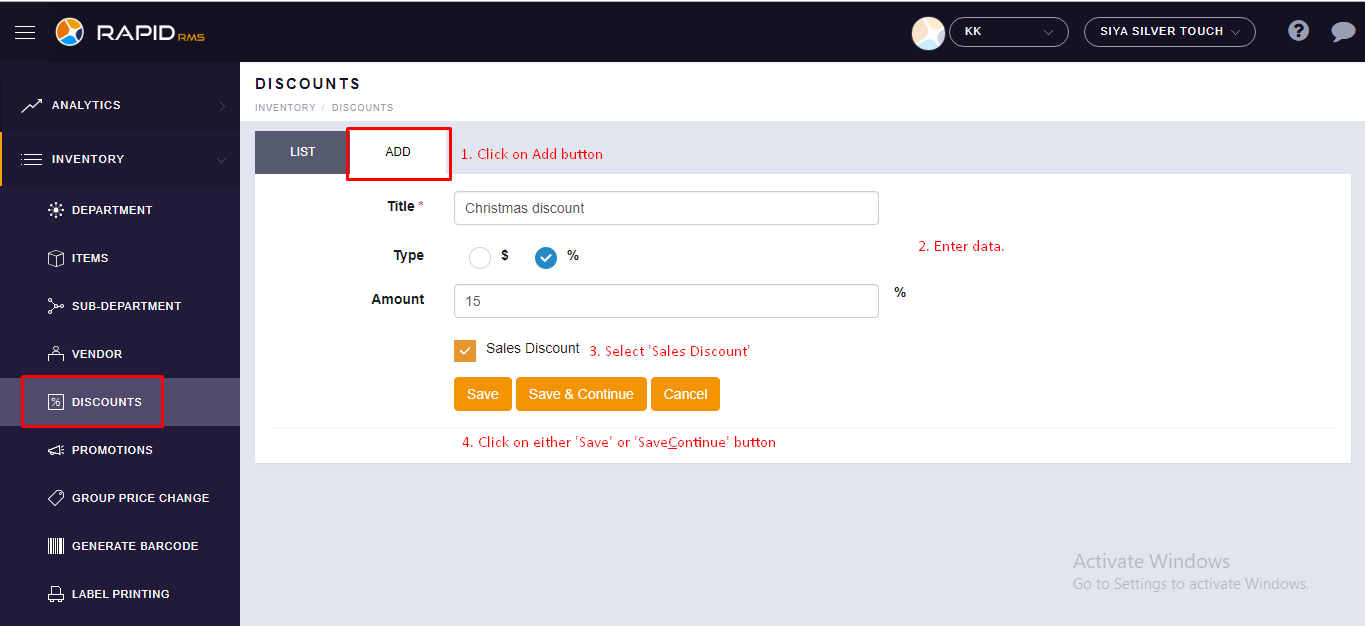
- In BOF, Sign in with your store -> Inventory -> Discounts.
- In Discounts Page, Click on ‘Add’ button.
- Now add sales discount detail in its respective field.
- Now select ‘Sale Discount’ option if not selected then the discount will not display in POS screen of iPad.
- Now Save new sales discount.
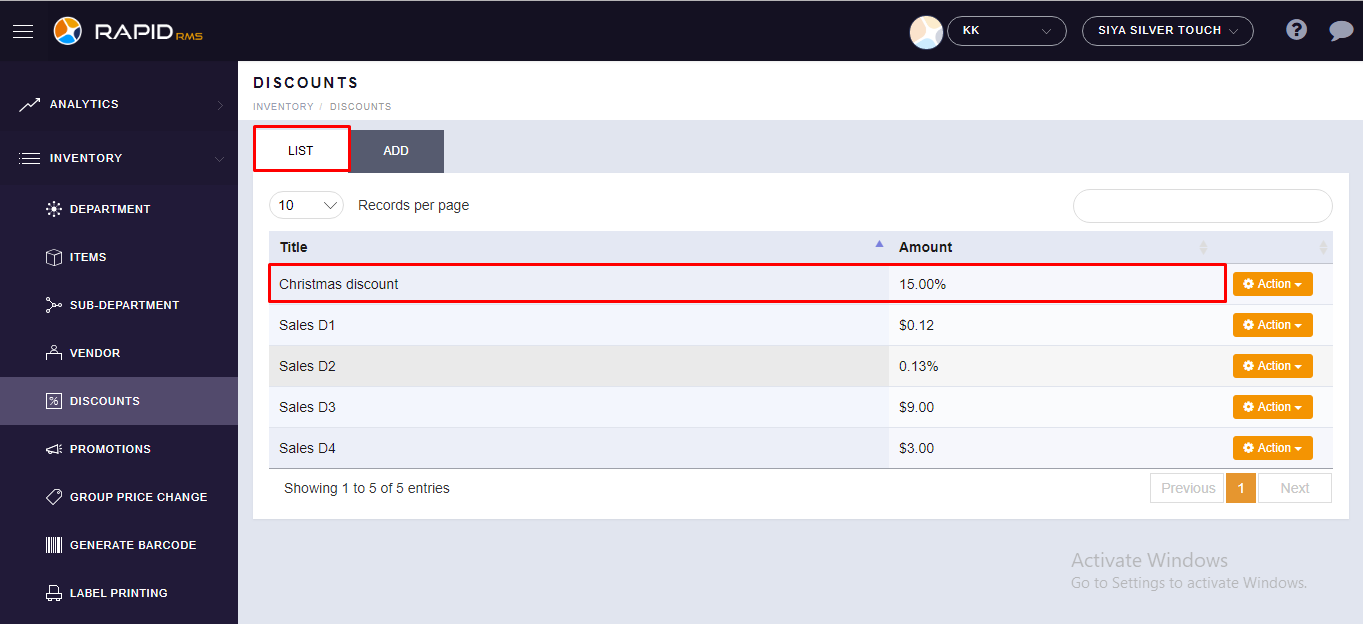
- Now You will see, newly added discount in List.
Follow the below steps :
- Open RapidRMS app.
- Go to RCR module.
- Ring up some items in bill screen.
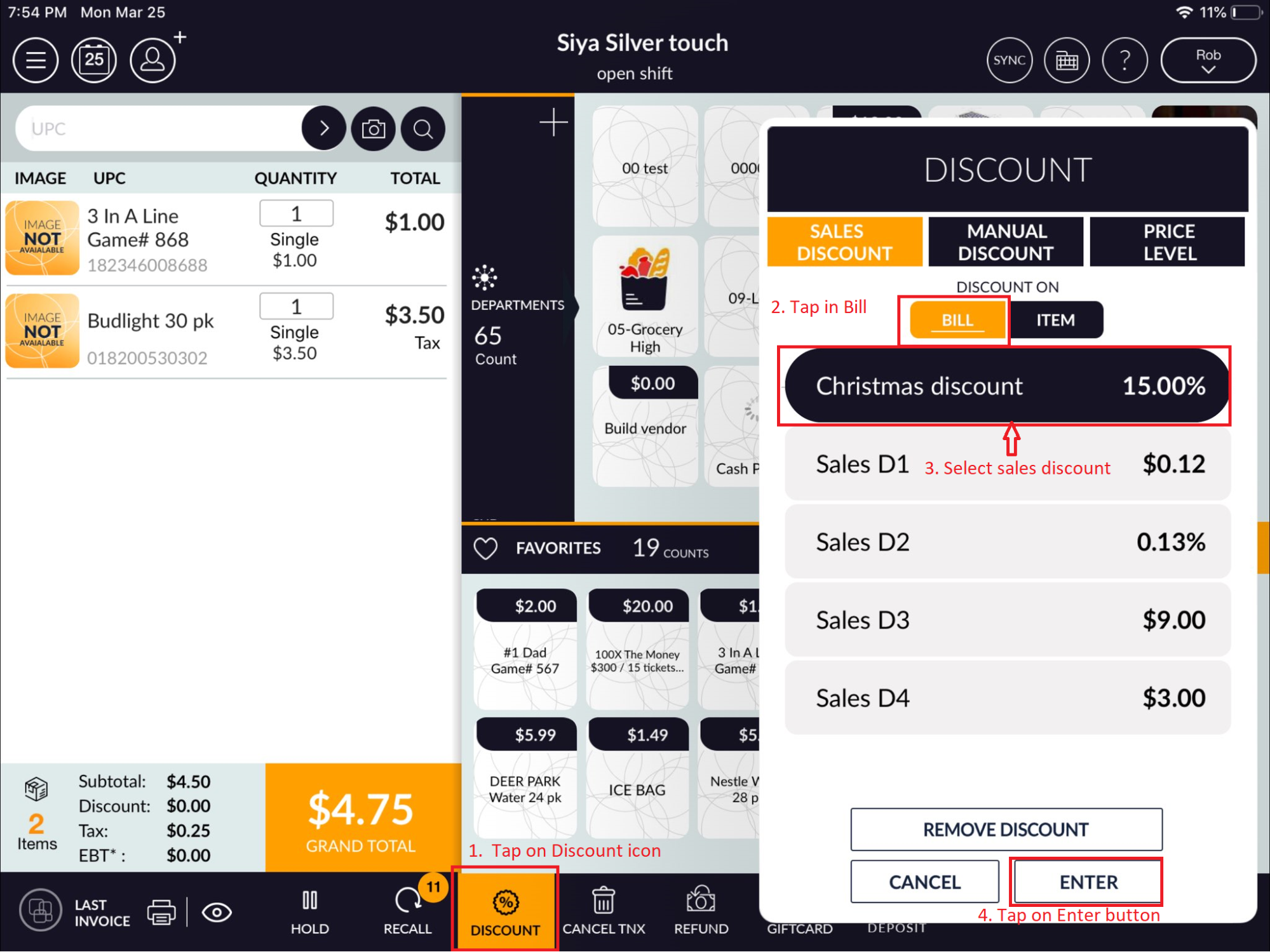
- Now In the bottom screen, tap on the discount icon.
- Now you will see, the discount popup with sales discount list which you have already added from BOF.
- Now either select Bill option or item. If select bill option then the discount will apply on customer bill otherwise on selected items.
- After doing the above process tap on ‘Enter’ button.
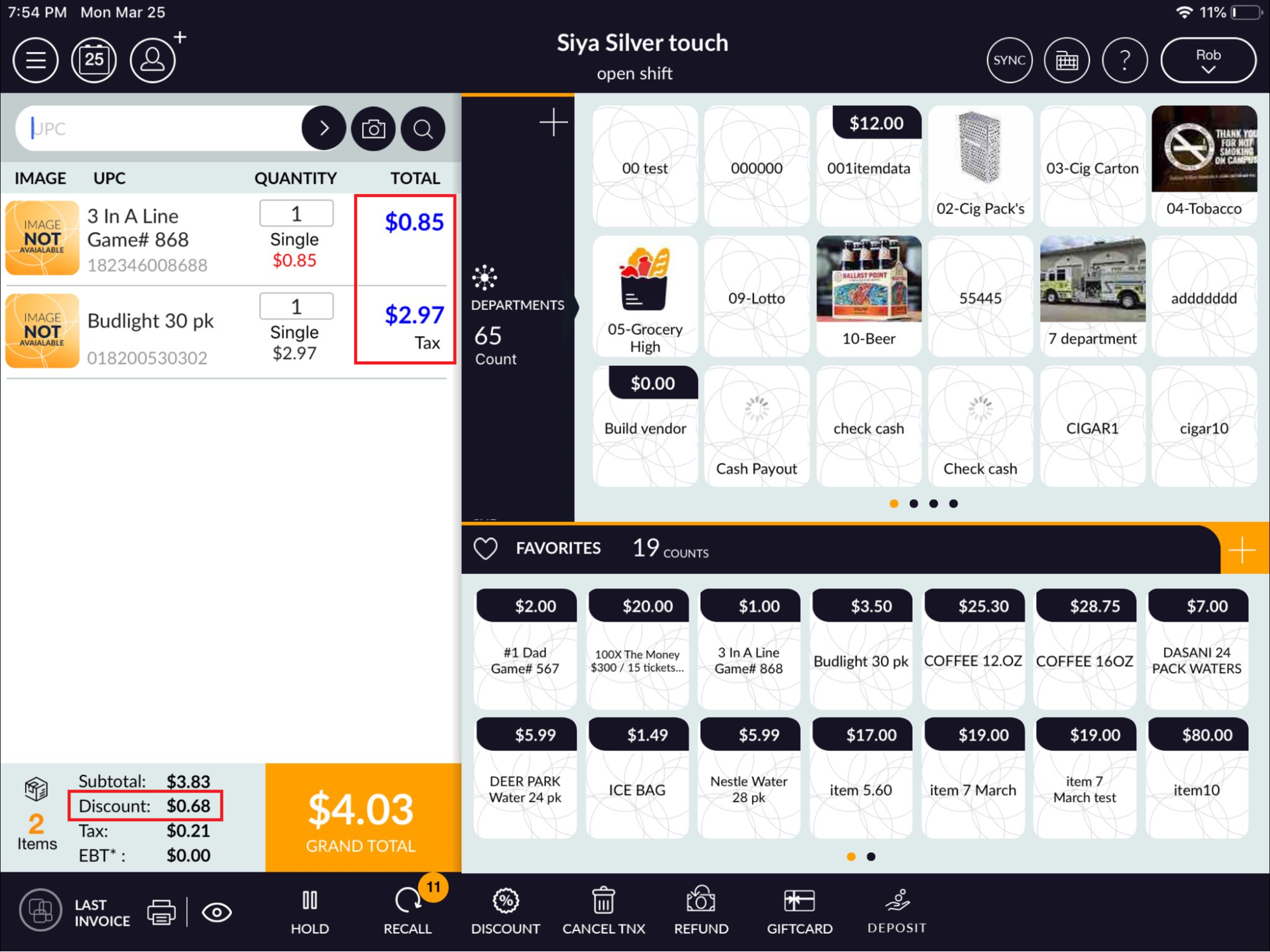
- Now you will see, applying a discount on the customer bill.