Support Document
 Support Document
How to add qsr sub group in modifier item ?
There are two ways to add sub qsr group into modifier item.
First way is, from qsr sub group master modifier item can be link and that way qsr sub group can be added in modifier item.
Another way is from modifier item sub group can be added.
Follow below procedure to add qsr sub group into modifier item.
First way is, from qsr sub group master modifier item can be link and that way qsr sub group can be added in modifier item.
Another way is from modifier item sub group can be added.
Follow below procedure to add qsr sub group into modifier item.
- Open rapid rms application.
- Go to inventory management module.
- Open modifier items tab.
- Open any of modifier item in edit mode.
- Now scroll that item there is one field available named as qsr sub group.
- When create modifier item then initially it display blank.
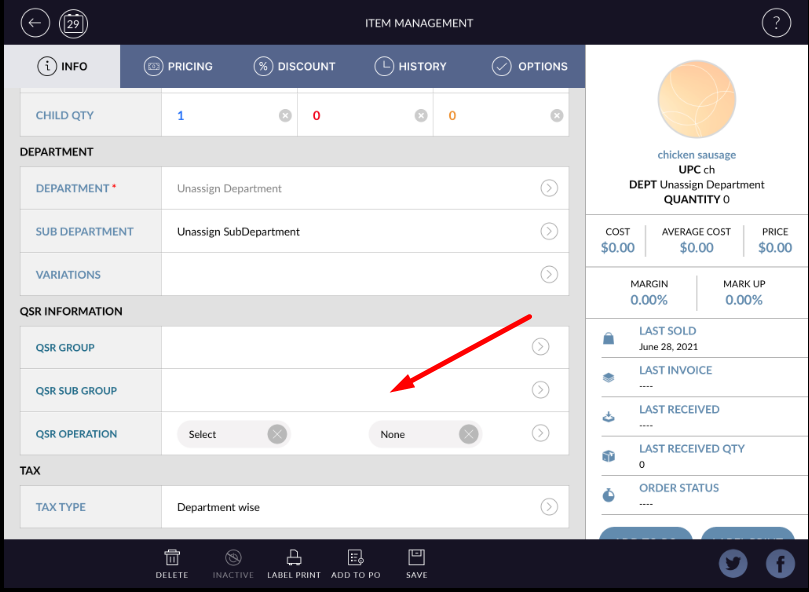
- To add qsr sub group click on arrow available in that field.
- All available qsr sub group in system will be listed.
- Select any of one radio button.
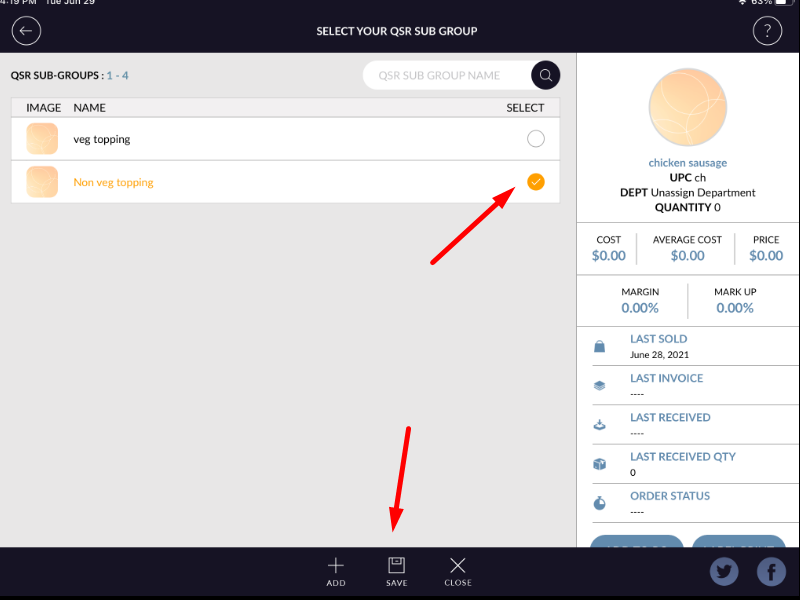
- Hit save button, qsr sub group will be added to item.
- There is search bar available to search qsr sub group from list.
- Note that at a time only one qsr sub group can be added in one modifier item
- Added qsr sub group will be display in modifier item.
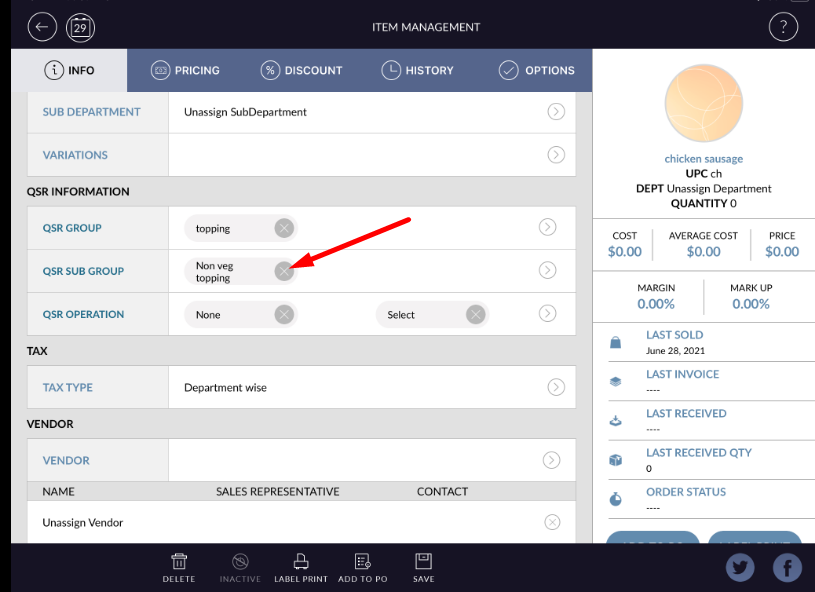
- Added qsr sub group can be remove by cancel button available behind qsr sub group name.