Support Document
 Support Document
How to add qsr operation in modifier item ?
In modifier item operation can be added.
For adding operation in modifier item follow below procedure.
For adding operation in modifier item follow below procedure.
- Open rapid rms application.
- Go to inventory management module.
- Open modifier items tab.
- Open any item in edit mode.
- There is one field named as qsr operation.
- When create new modifier item then by default two operation are there select and none.
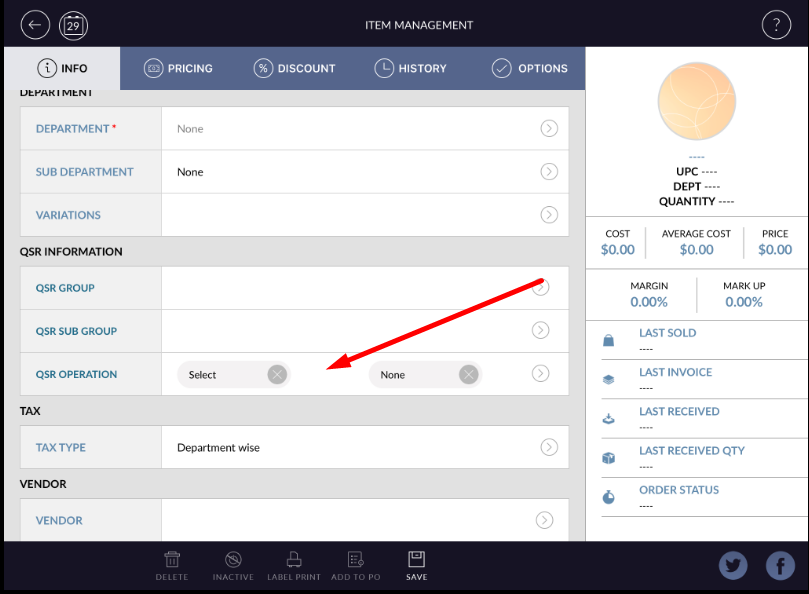
- If you want to add more operation then click on arrow available in operation field.
- All operation available in system will display in list.
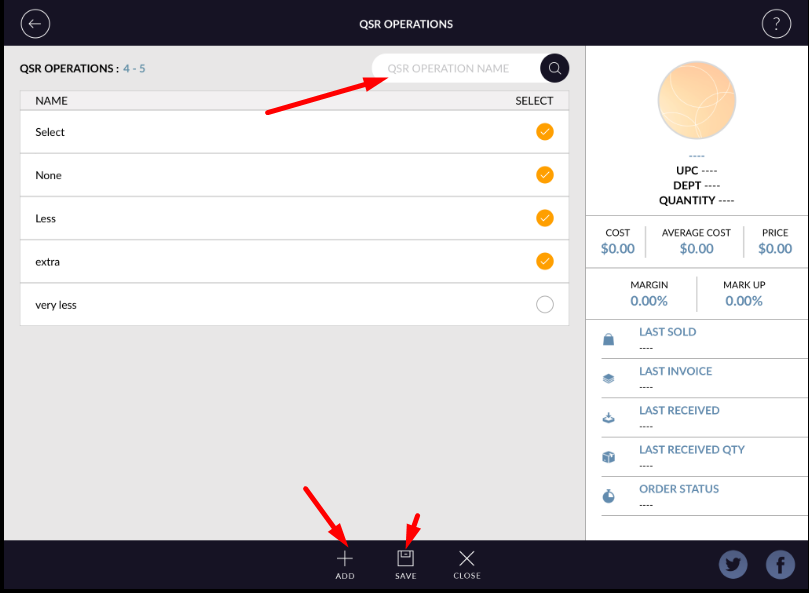
- Multiple operation selection can be possible.
- If you want to add new operation then can be also added by new button.
- There is search bar available from where you can search listed operation.
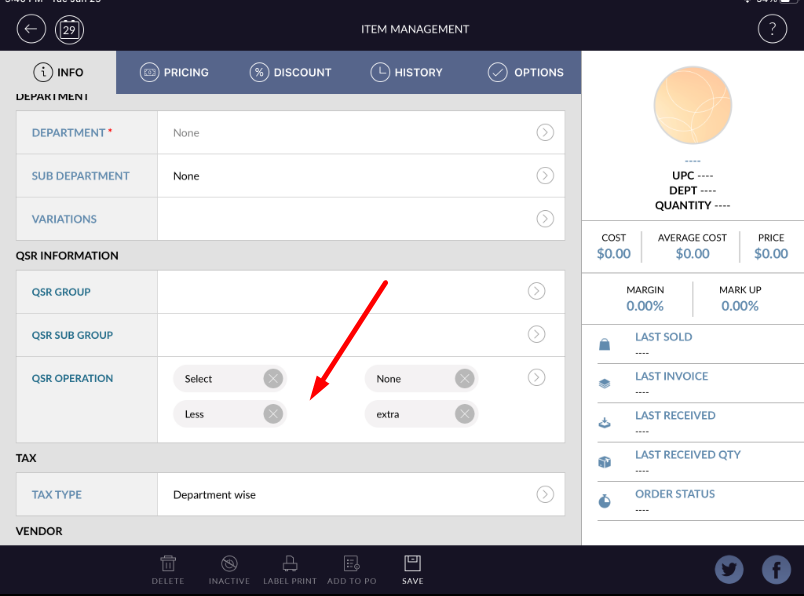
- Added operation will display in modifier item.
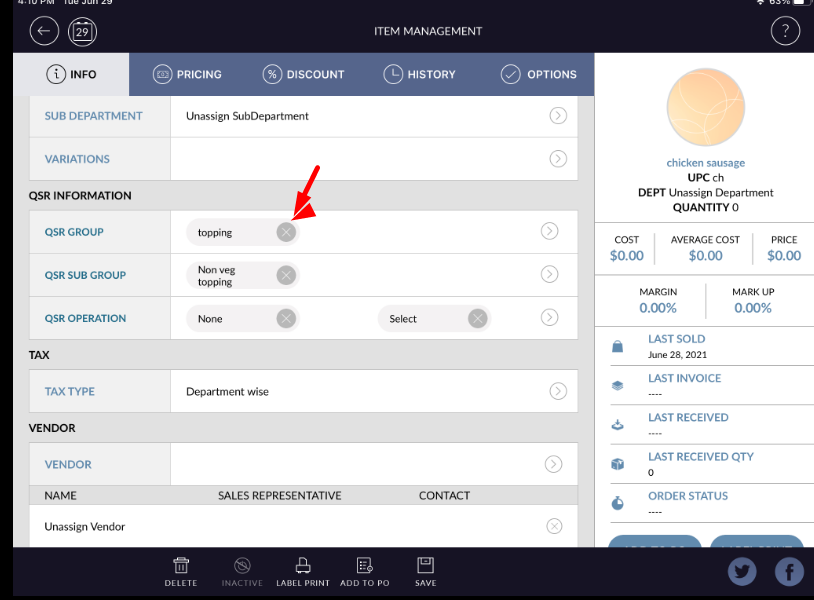
- If want to remove operation then from cancel button available at operation name, by there operation can be remove.