Support Document
 Support Document
How to add modifier item into system ?
To add modifier items follow below procedure.
- Open inventory management module from IPAD.
- There is one tab available named as modifier item. If from BOF modifier flag ON then only modifier tab will display.
- When tab on modifier then all modifier list display.
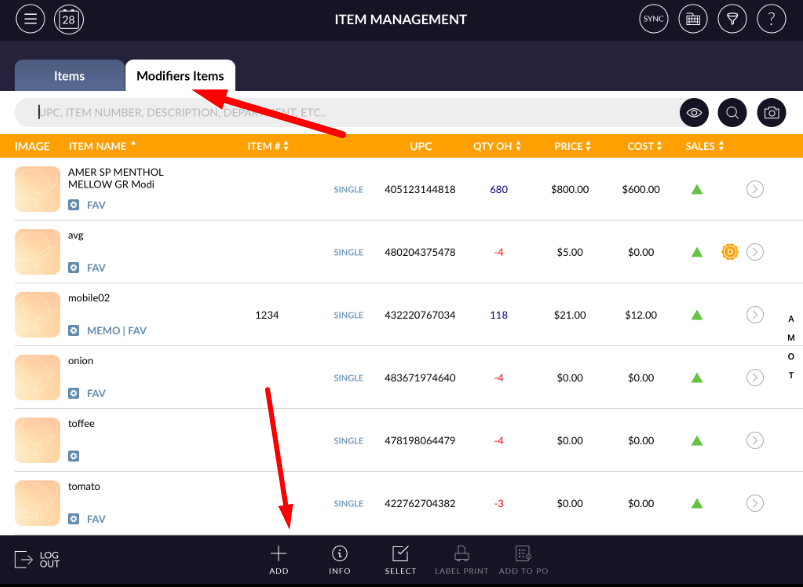
- To add new modifier click on Add option.
- When open page for modifier then it will display page of new modifier item creation.
- Modifier item configuration is almost similar to item. Just differ thing is need to set qsr group, qsr
sub group and qsr operation.
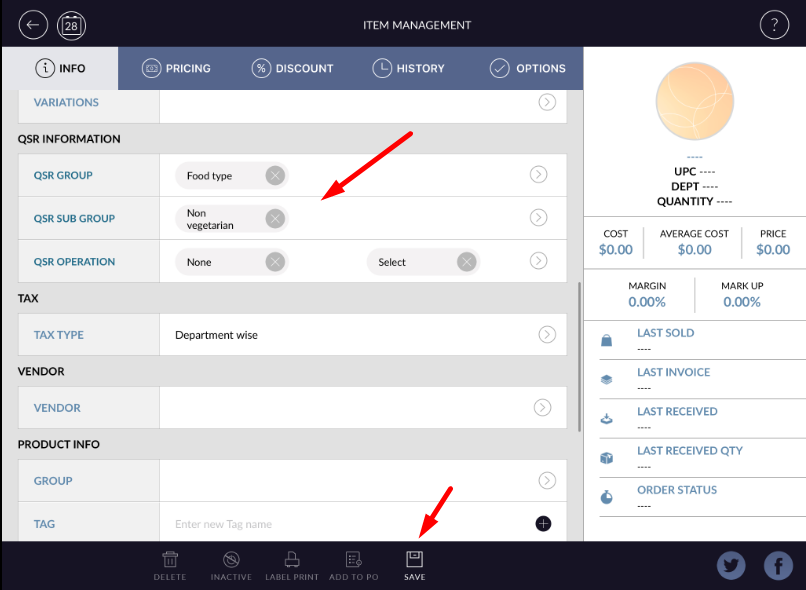
- Add all detail of modifier should display.
- Info, pricing, discount, history and options section of modifier are same as item.
- When create modifier item then in option section “modifier item ” option display ON.
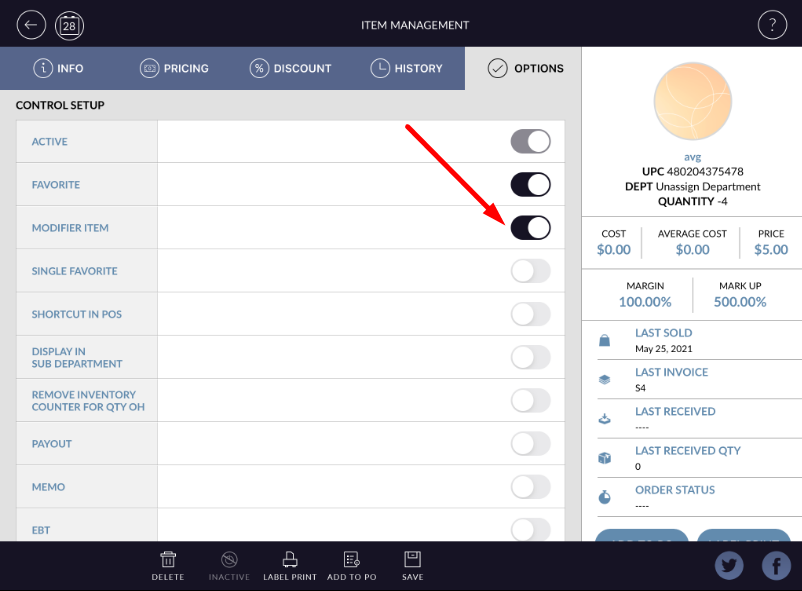
- Click on save option.
- New modifier item will be listed in modifier items list.