Support Document
 Support Document
How to add items in sales restriction from BOF side?
When in Rapid rms if in particular time duration if want to restrict item selling then it can be possible by
blue law functionality from BOF.
For putting any item(S) under sales restriction follow below procedure.
For putting any item(S) under sales restriction follow below procedure.
- Log in with bof office web url.
- Make sure e commerce option should ON in store.
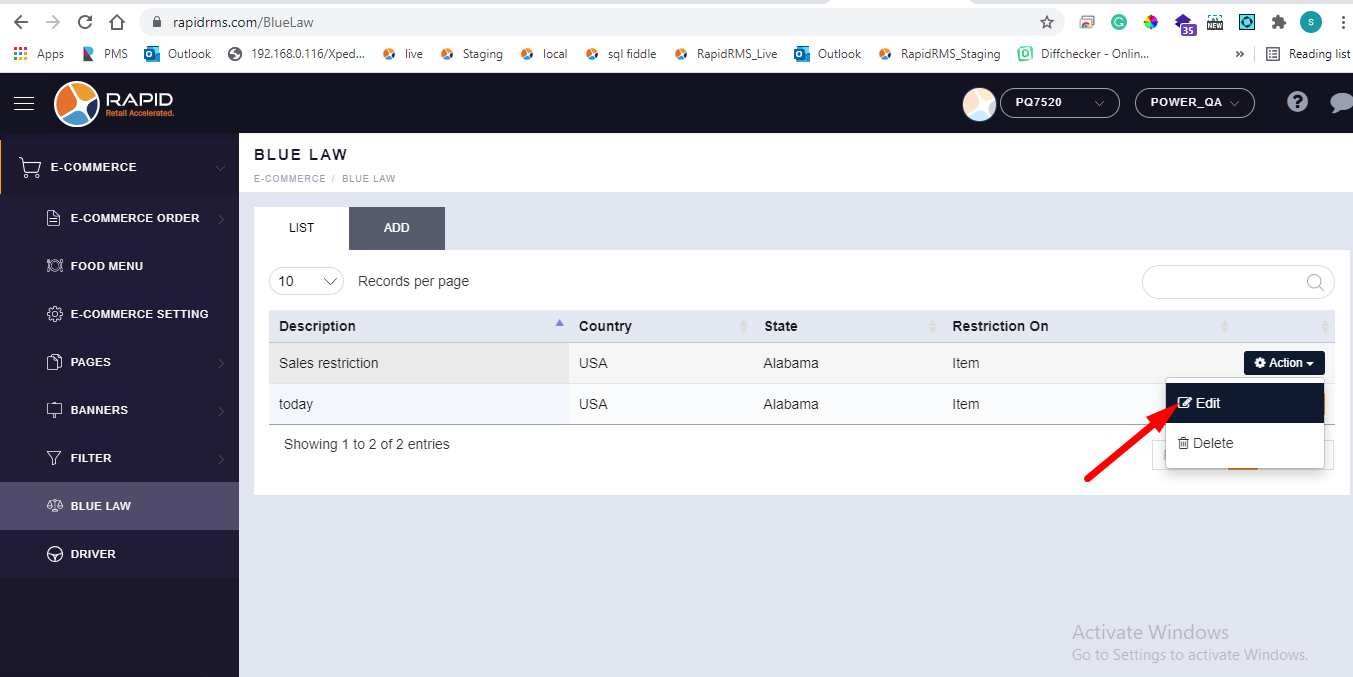
- Go to blue law tab.
- Open any one entry in edit mode by action button.
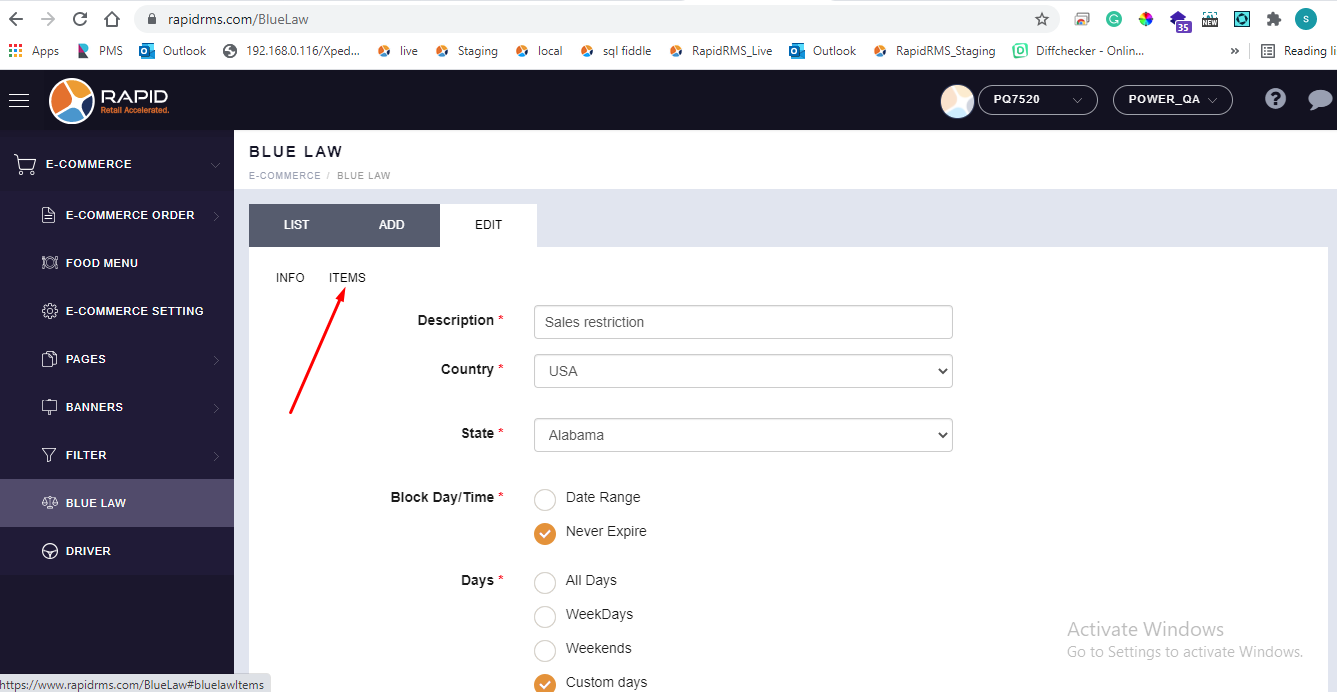
- Add all details like description, country, state, date range etc.
- There is one tab name as items.
- Click on that items tab.
- When click on item tab
- When open item tab then it display blank with following page.
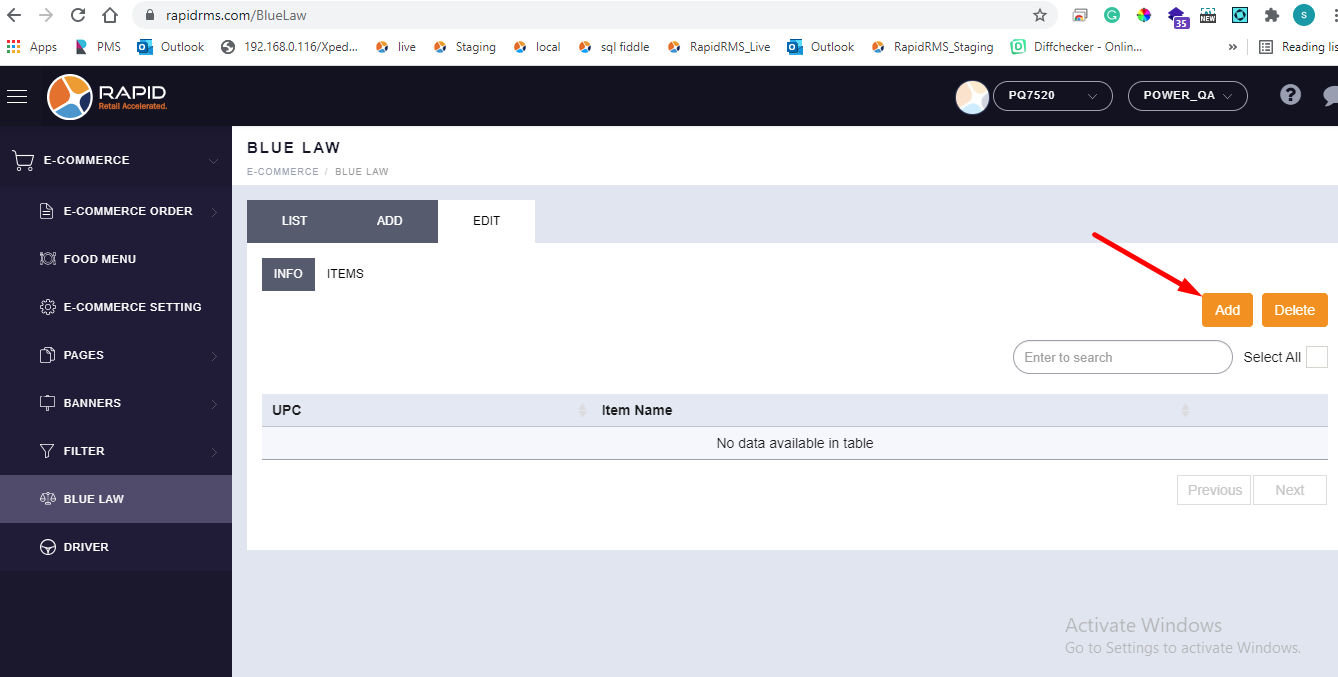
- If any items are already added then it will display in list.
- For adding items in it click on add button.
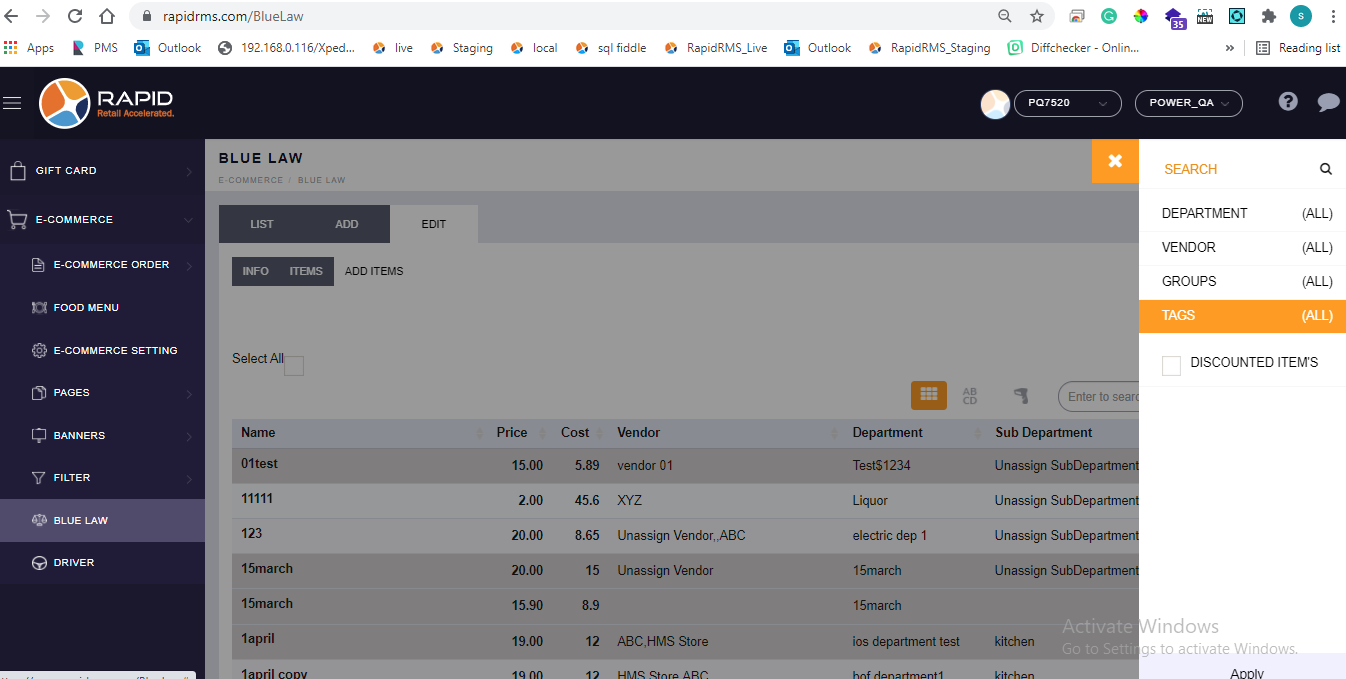
- When click on add button then all items which are available in store will display.
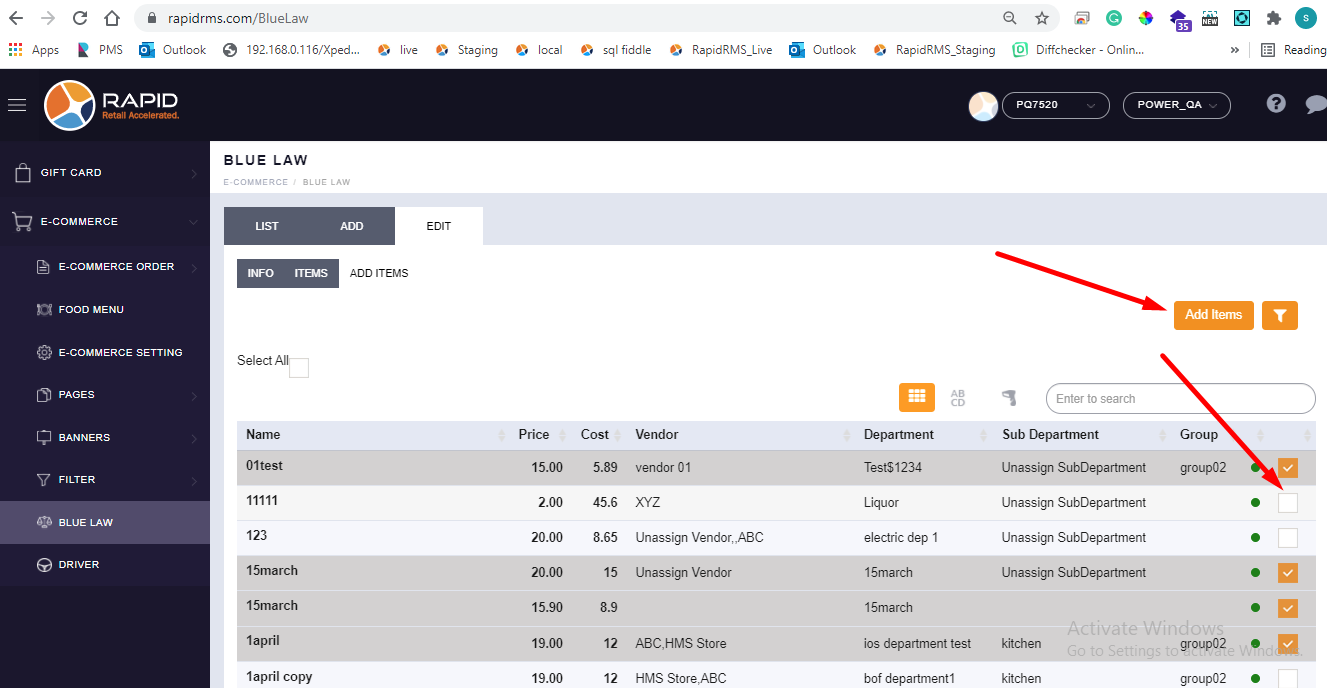
- Select items from list and click on add items option.
- There is one search button available to search items from list.
- Also there is one select all option to select all items together.
- Filter option is also there to filter items.
- Select items which you want to put under sales restriction and click on add items.
- All items will be added under sales restriction.