Support Document
 Support Document
How to add item into PO from inventory management?
Item can be directly added to PO list from inventory management.
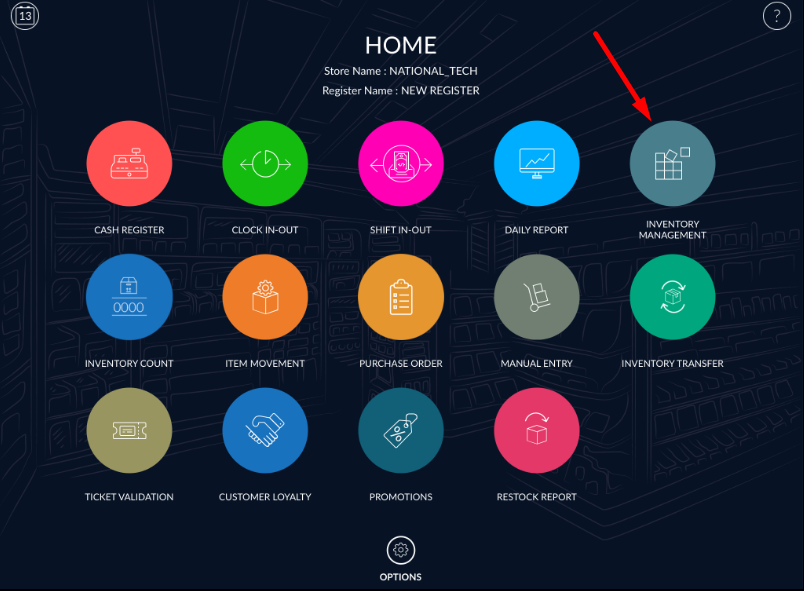
- Open rapid RMS application.
- Go to the inventory management module.
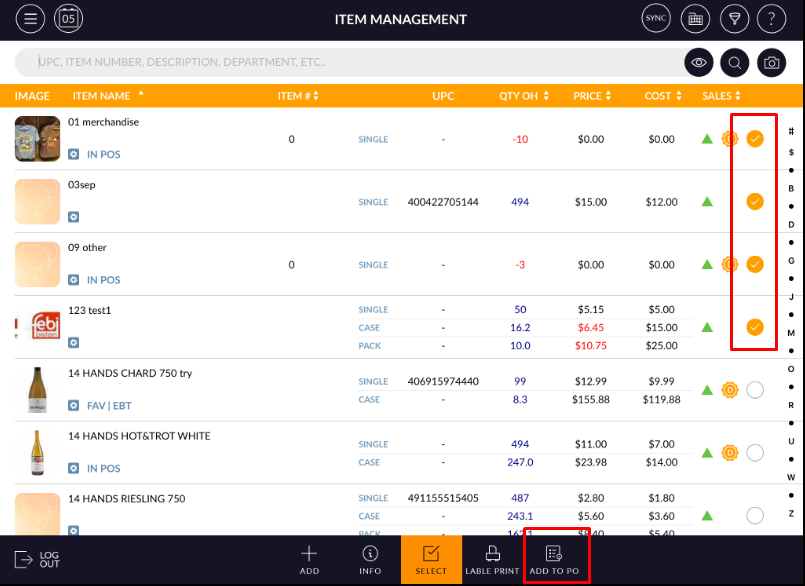
- At the bottom bar, there is one option available.”Add to PO”
- First of all, enable select button.
- Now select items you want to add into PO list.
- Multiple item selection is possible.
- After item selection hit add to PO option.
- Selected items will be added to PO list.
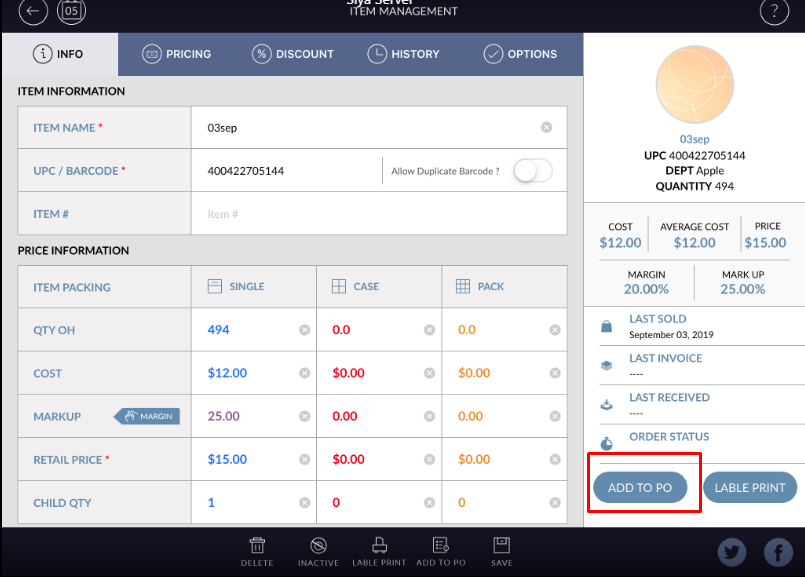
- Open Item in edit mode.
- In right-side pan there is an option “ADD TO PO”
- From edit mode that particular item you can add to PO.
- Apply to save.
- Item will be added to PO list.
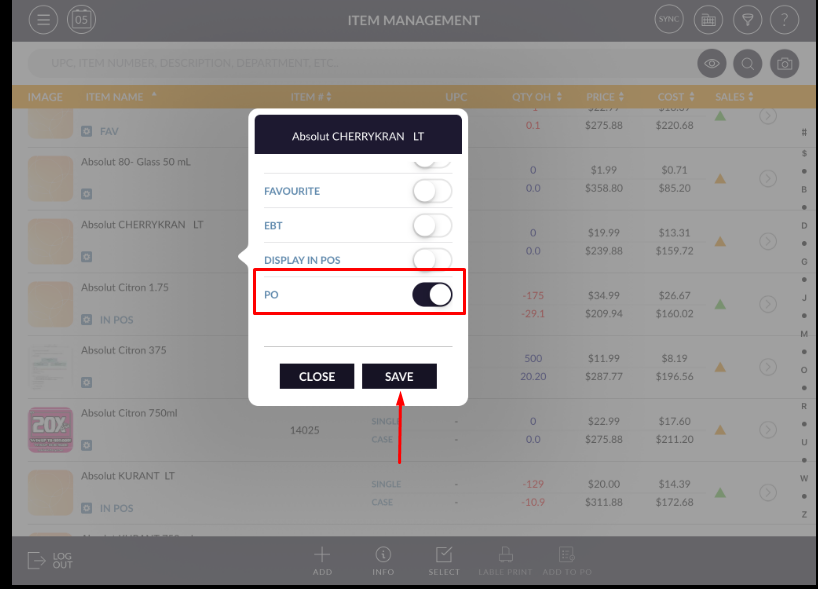
- Open item list.
- In any of item click on short cut option.
- Pop up for short cut option will open.
- Enable PO option.
- Apply to save.
- Item will be added to PO list.